7.6.4 Copying a sewing program, a sequence or machine parameters
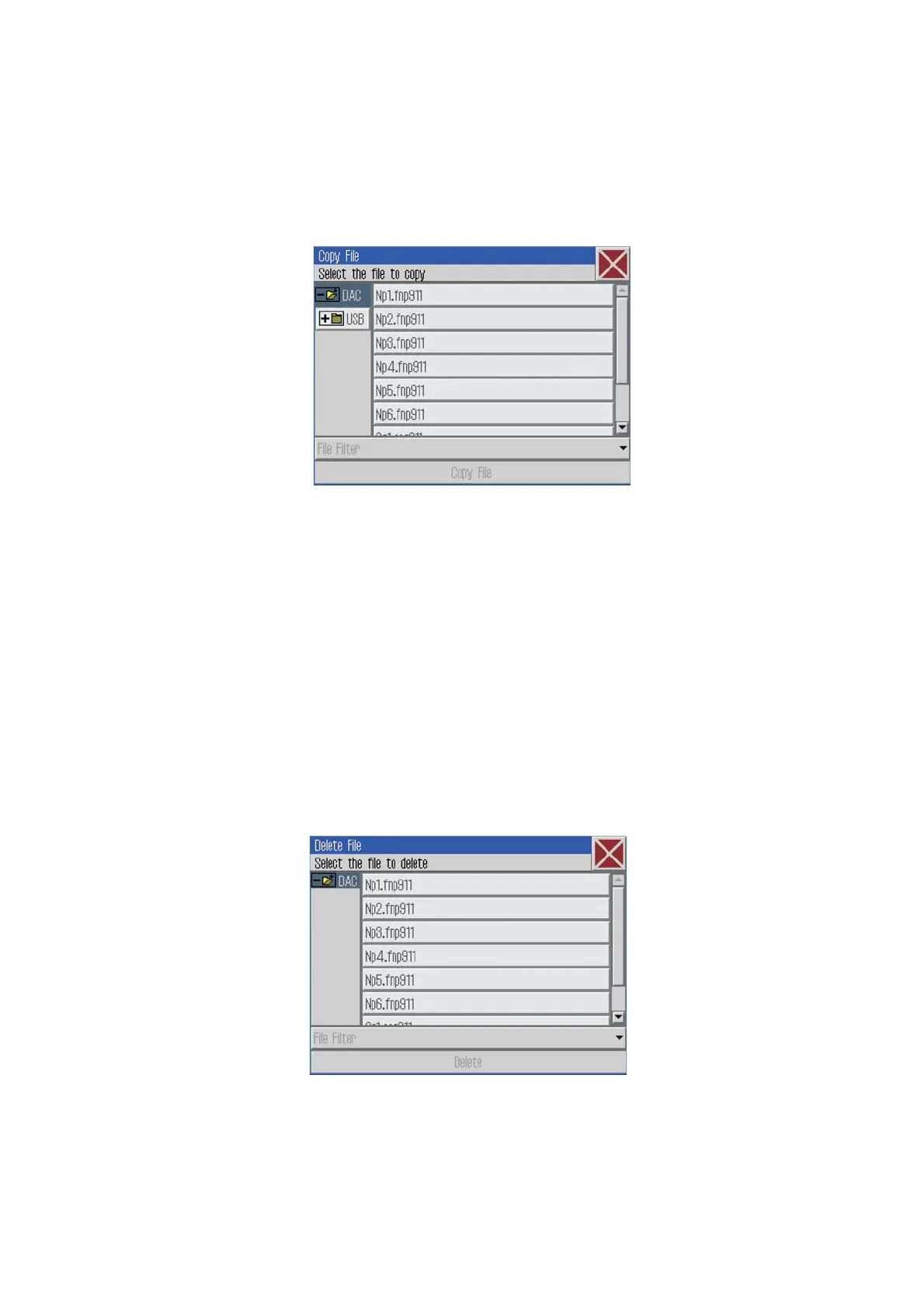
Via this menu item it is possible to copy sewing programs, sequences
or machine parameters onto the DAC control or onto a USB-Stick.
And a file filter can also be selected here.
Click File -> Copy
The following screen will appear:
–
Select where to copy from:
- from the DAC control unit to an USB-stick
or
- from an USB-stick to the DAC control unit
–
Tip on the sewing program or sequence to be copied.
–
Tip on the “Copy” button. The selected program will be copied.
7.6.5 Deleting a sewing program or a sequence
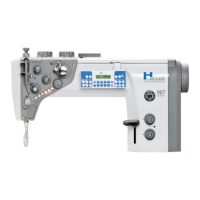
Via t his menu item, sewing programs or sequences can be deleted
from the DAC.
And a file filter can also be selected here.
–
Click File -> Delete
The following screen will appear:
–
Tip on the sewing program or sequence to be deleted.
–
Press the “Delete” button.
The program or the sequence will be deleted.
28







 To Next Page