7.9 Menu item “Correction”
Upon changing this parameter all seams that are sewn subsequently
will be adjusted. With values below 100% all the thread tensions and
sewing speeds will be reduced. With values above 100% all the thread
tensions and sewing speeds will be increased.
These adjustments are only scheduled for a short “trial period” and
only remain set until the machine is switched off.
7.9.1 Thread tension
–
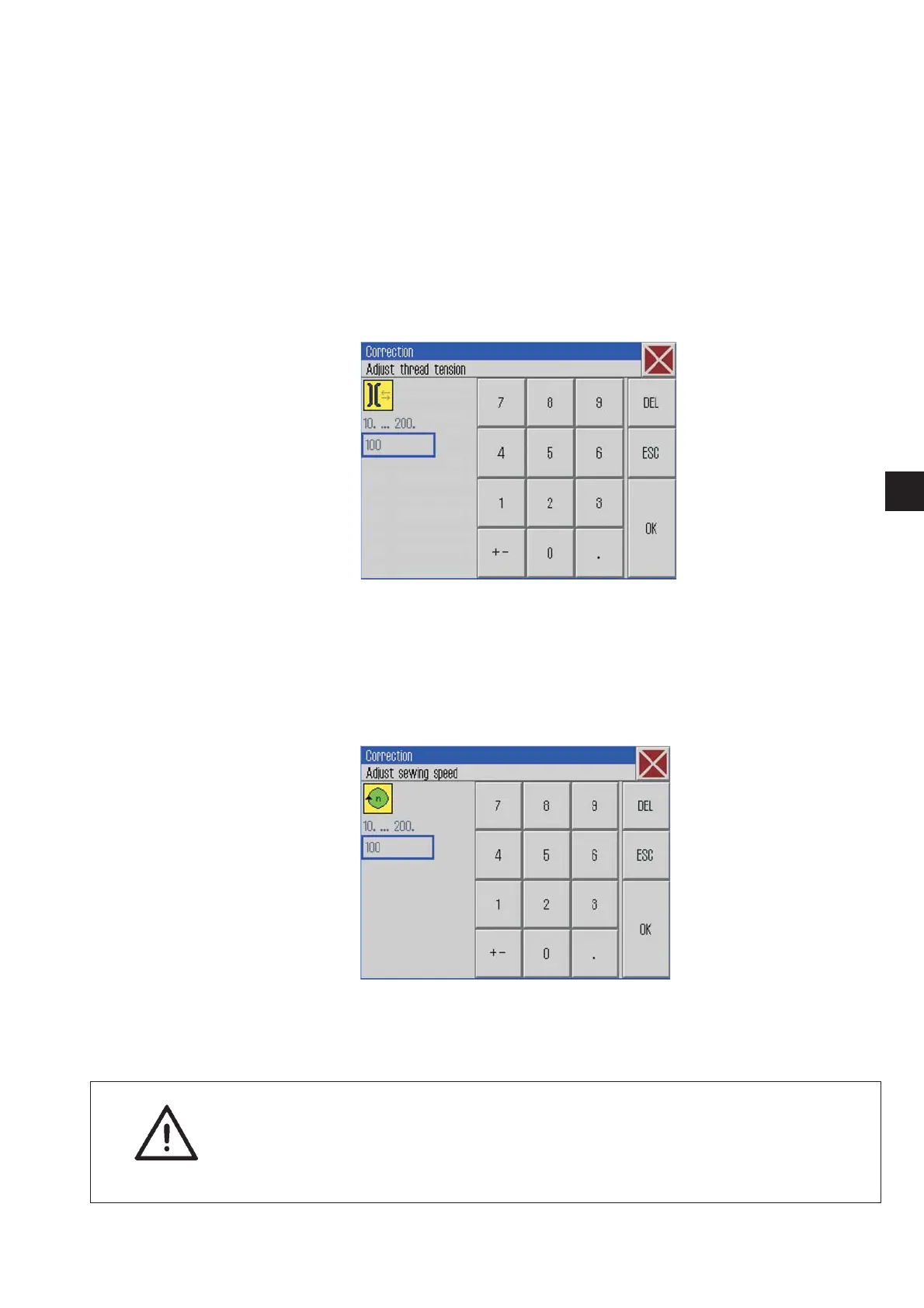
Click Correction -> Thread tension.
The following screen will appear.
–
Enter the desired thread tension value.
(10 … 200)
–
Press the “OK” button.
7.9.2 Sewing speed
–
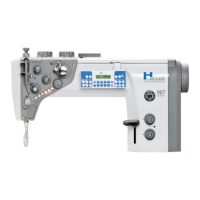
Click Correction -> Sewing speed.
The following screen will appear.
–
Enter the desired sewing speed.
(10 … 200)
–
Press the “OK” button.
ATTENTION !
The values changed here are not automatically saved.
Should the changes be saved, please enter the values in the
sewing program (see chapter 7.7.1).
49
1







 To Next Page