7.7.2 Contour adaptation
Via t his menu item smaller changes of the contour can be adjusted
directly at the sewing unit. Individual stitches can be shifted and
technological operations can be adjusted.
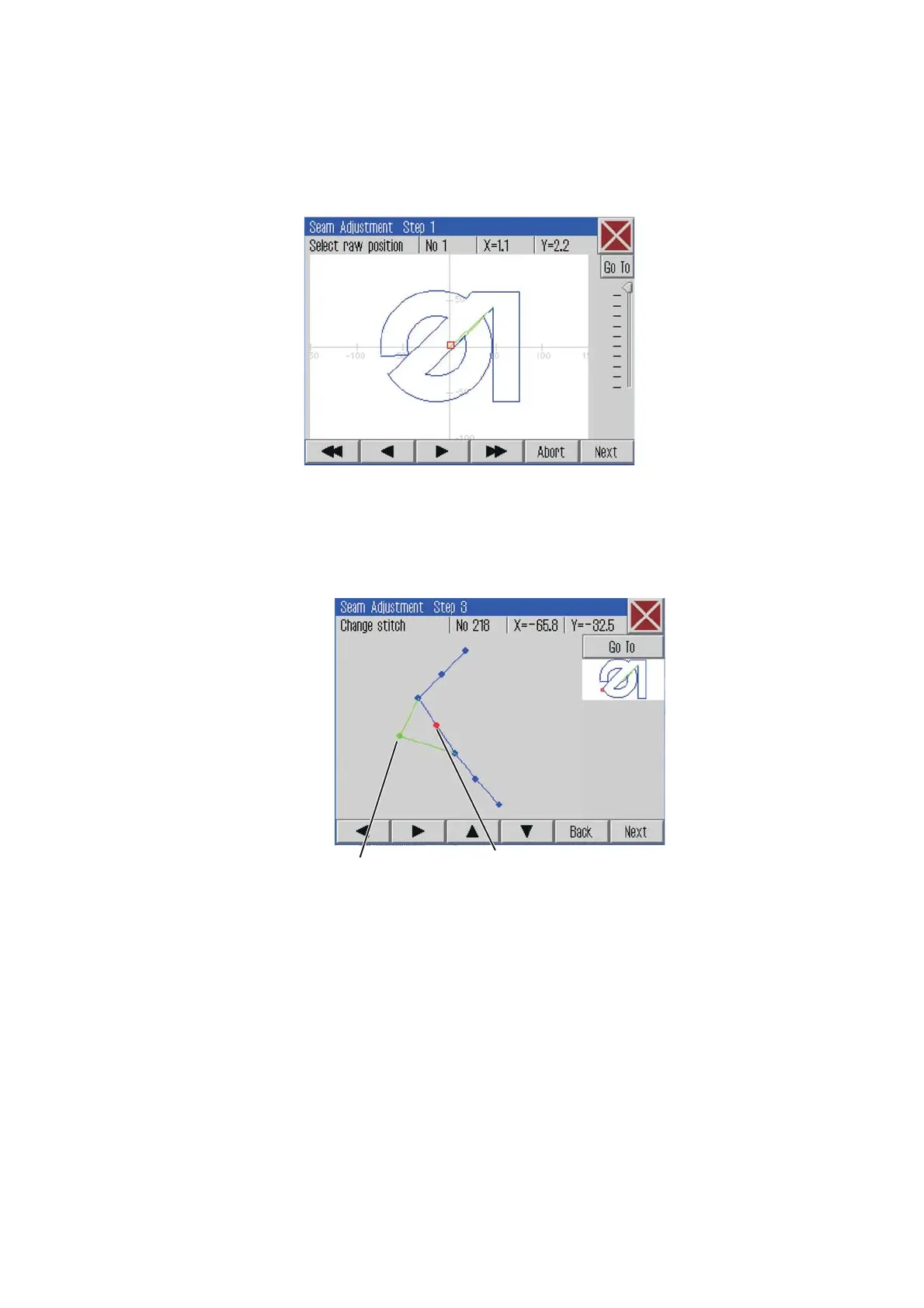
Click Edit -> Seam program -> Contour adjustment
The following screen will appear:
–
Aiming roughly at the position of the contour that is to be adjusted
with the cursor keys.
–
Press the “Go To” Button a nd the clamp goes to the desired
position.
–
Press the “Continue” button.
–
Select the corresponding stitch 1.
–
Change the stitch position 2.
–
Press the “Continue” button.
–
Technological operations can be added or modified.
–
Press the “Continue” button.
–
The contour adaptation will be memorized upon confirming the
req ue s t .
34
21







 To Next Page