Leaders in Pipeline Survey Systems
OPERATOR’S MANUAL
Issue 4.04 - 1207 6
•
DO NOT USE THE CHARGER WHEN ALKALINE BATTERIES ARE INSTALLED
IN THE DU – overheating and possible damage will occur!
•
NEVER use carbon/zinc or lithium-based batteries AT ANY TIME!
•
NEVER user or charge a mix of different types of batteries!
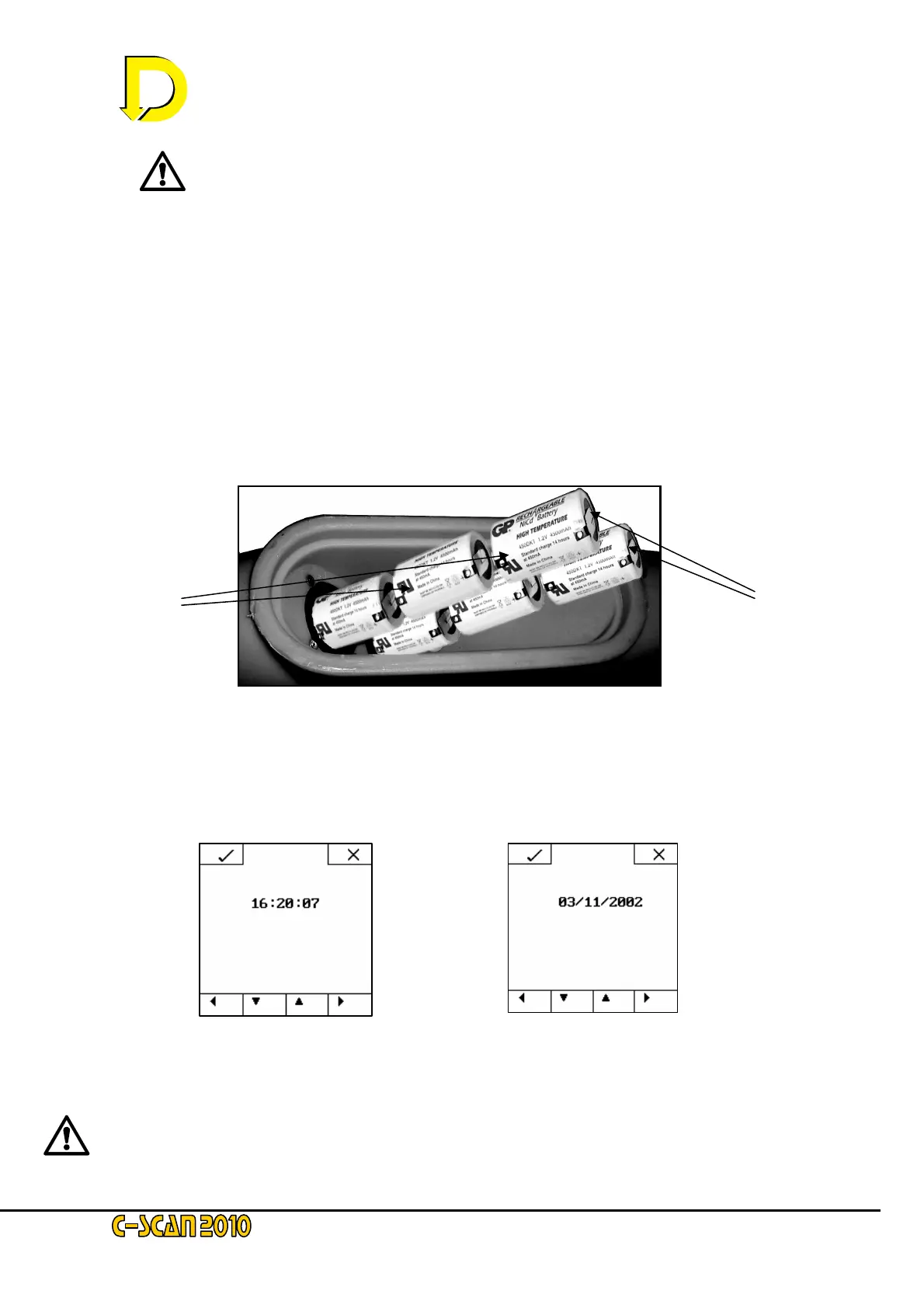
• Unpack the six (6) NiCd / NiMH batteries and put them on one side. Locate the elongated
black plastic panel on the lower back spine (the battery compartment and main power switch
cover). Remove the panel using the large black knob. Now remove the two battery covers
using a coin (twist 90° anticlockwise), for D Cells, or unscrew for C Cells. Ensure the main
power switch in this compartment is OFF! Insert the batteries NEGATIVE (-ve) end first,
three to each battery compartment – see Fig. 2 on page 2-4 below.. Replace the battery
compartment covers and then switch the main power switch to ON.
• The LCD will now display the clock and date setting panels – see Figs 3a & 3b below - if
there is sufficient residual charge left in the batteries. The 1
st
charging procedure detailed in
Steps 1 thru 3 below may now be followed.
NOTE: If the display does not activate, re-open the battery compartment and turn the Main Switch
to OFF again, wait for 5 seconds, then switch it back to ON. If the display then activates, proceed
with steps 1 thru 3 below.
WARNING - WARNING - WARNING
+
-
Fi
. 2
Insertin
the batteries
Fig. 3a – Time Display screen Fig. 3b – Date Display screen



 To Next Page