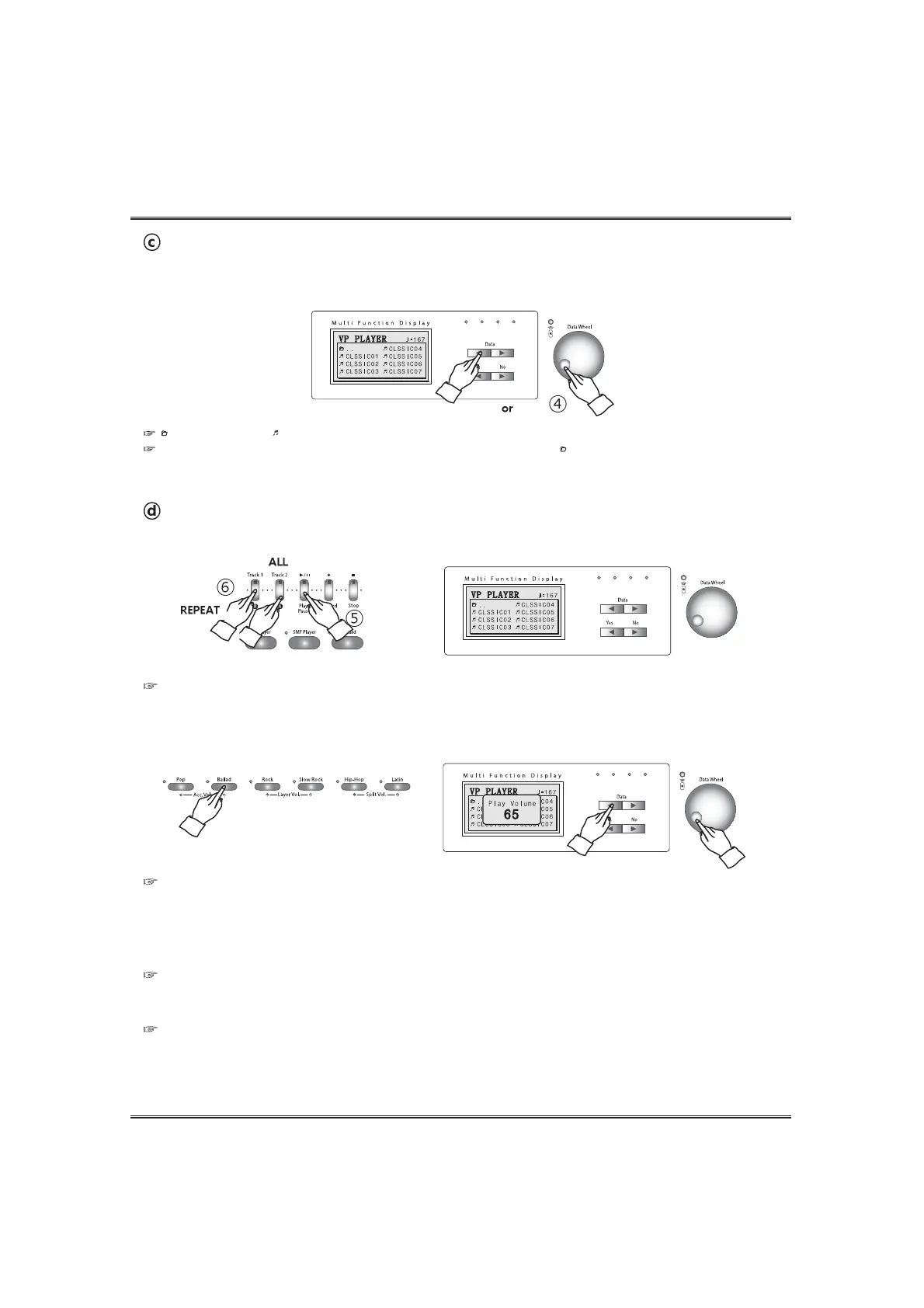
' ' means Group and ' ' means VP tune.
To go to the VP music group pop-up display, press the NO button or select ' ..' and press the YES button.
21
VP Player
Start playback of the selected music.
Press the PLAY/PAUSE button. Playback of the selected music will start.
Adjusting Tempo of the music.
Each VP tune has its default tempo. When starting playback of a music, tempo of the demo music is set to default tempo.
Tempo can be changed during playback of the music by using the TEMPO UP or DOWN button.
1) When repeating a demo music, tempo goes to the default tempo.
2) If you press both the TEMPO UP and DOWN buttons, tempo is set to default tempo.
Repeat playback of a tune.
Press the TR1/R button during playback of the music. After finishing of the selected music, playback of the same music
will start automatically again.
Playback of ALL tunes.
Press the TR1/A button during playback of the music. After finishing of the selected music, playback of the next music
will start automatically.
Choose the desired music in the selected VP music group.
Choose the desired music by pressing the DATA buttons or DATA wheel on the VP music pop-up
screen.
Adjusting volume of the music. (Same as Adjusting the accomp volume.)
Adjust volume by using the ACCOMP VOLUME UP and DOWN buttons .
The DATA buttons or DATA wheel can adjust the volume instead of the ACCOMP VOLUME UP and DOWN buttons on the
volume pop-up display.
The default volume is 65 (Adjusting range: 0 ~ 100).



 To Next Page