30
Split
ADJUSTING THE SPLIT VOLUME
This determines the volume of the split voice. There two ways to adjust the split volume.
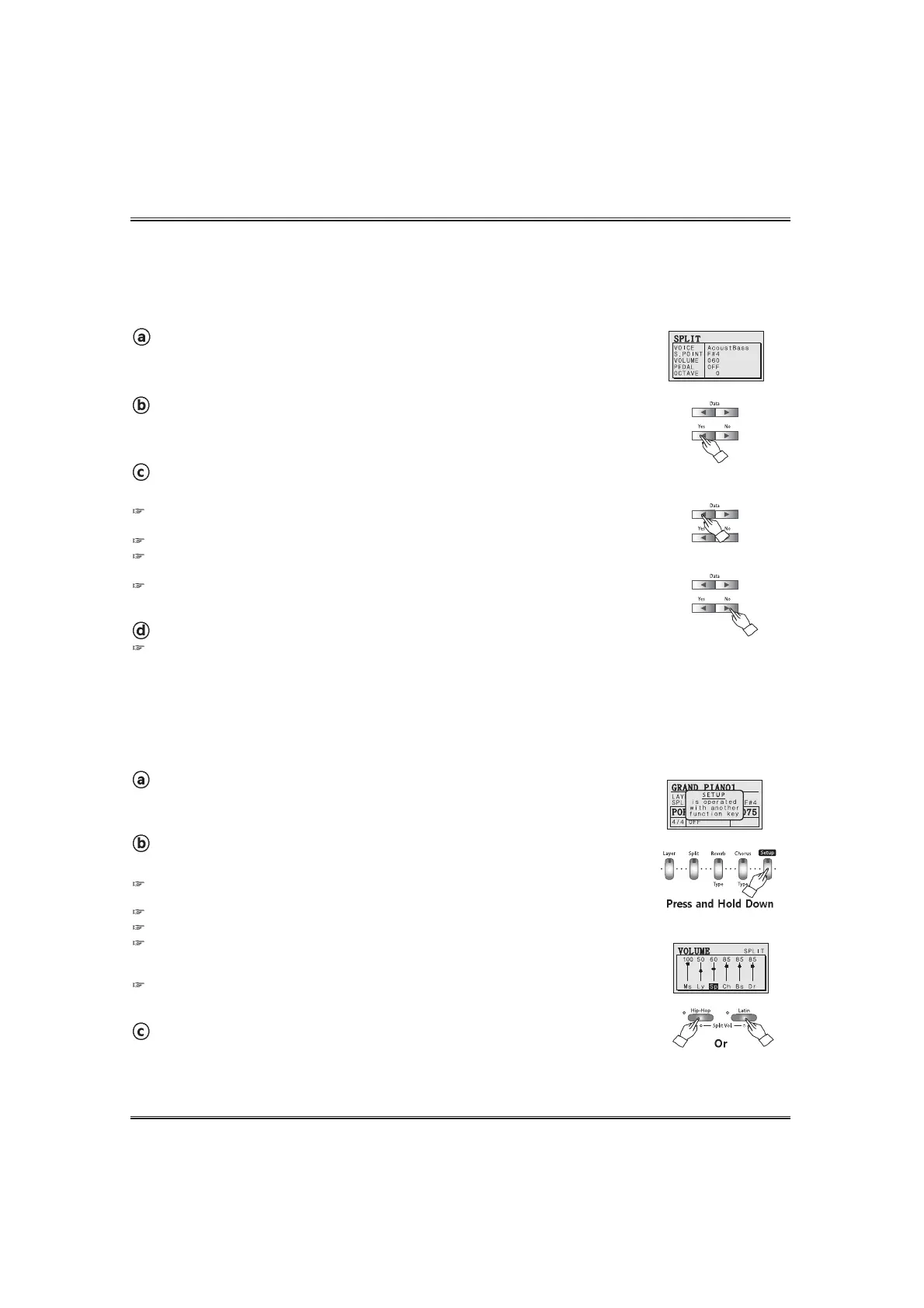
A. Adjusting the SPLIT VOLUME in the split pop-up display.
Adjust the split voice volume.
Adjust the split Volume by using the DATA buttons or the DATA wheel.
If you press both DATA UP and DOWN buttons at the same time automatically return to the
default Split Volume(60). The range of volume is 0 ~ 100.
Hold the button for continuous decrementing or incrementing.
If the DISPLAY HOLD is on, the pop-up display does not return to main menu and the LCD
screen shows the current pop-up display.
The DATA buttons or DATA wheel can adjust the volume instead of the VOLUME UP and DOWN
buttons 1n the volume pop-up display.
Call up the split mode.
To call up the split mode, press the SPLIT button. Lamp lights and the split is set
on. The split pop-up display appears.
Move the cursor to volume value in the split pop-up display.
Press the YES button in the split pop-up display until the cursor goes to volume value
(default 60).
Return to the main menu.
Press the NO button.
Even if you don't press the NO button, the pop-up display automatically returns to the main
menu after 3 seconds. But if the Display hold option is on, you should press the NO button to return
to the main menu.
B. Adjusting the SPLIT VOLUME by using the SPLIT VOLUME UP and DOWN buttons.
Adjust the Split Volume.
Adjust the split volume by using the SPLIT VOLUME UP and DOWN buttons .
Return to the main menu.
Release the SETUP button.
If you press both Volume UP and DOWN buttons at the same time automatically return to the
default split Volume(60).
The range of volume is 0 ~ 100.
Hold the button for continuous decrementing or incrementing.
Display Hold
If the DISPLAY HOLD is on, the pop-up display does not return to main menu and the LCD screen
shows the current pop-up display.
The DATA buttons or DATA wheel can adjust the volume instead of the VOLUME UP and DOWN
buttons in the volume pop-up display.
Call up the volume pop-up display.
Press and hold down the SETUP button and press the SPLIT VOLUME UP or
DOWN button. The volume pop-up display appears.



 To Next Page