46
Auto Accompaniment
START THE AUTO ACCOMPANIMENT
To start Auto accompaniment, press the START/STOP button. Alternately, press the FILL1/SYNC or
FILL1/SYNC button, then play the keyboard.
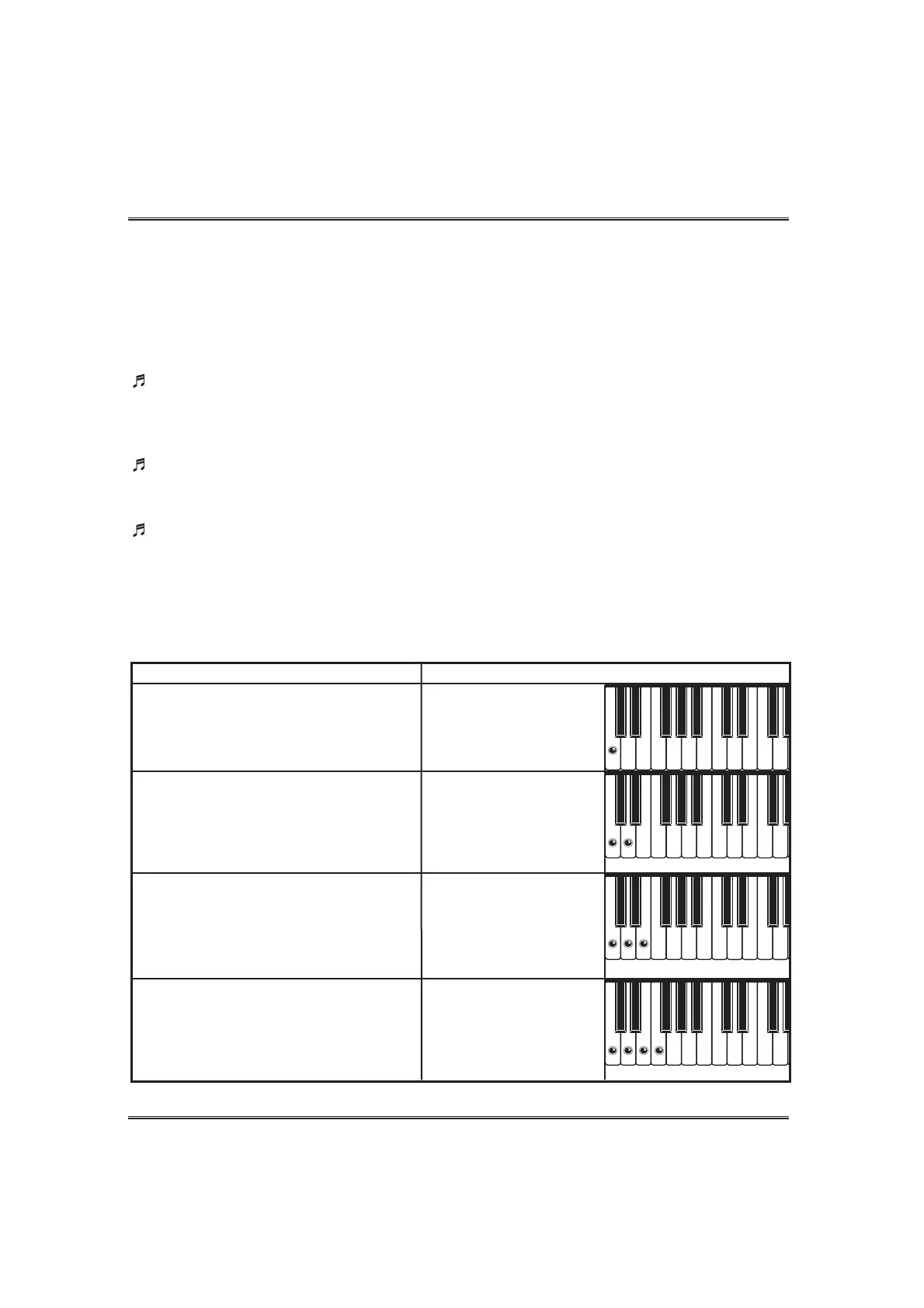
Single Finger
To play Auto Accompaniment to the selected style, press one, two, three or four keys in the left range(below
and including the split point), following the rules described below.
CHORD
MAJOR
Pressing just one key produces a full
major chord corresponding to that note.
MINOR
Simultaneously pressing any key to the
right of that note results in a full minor
chord.
SEVENTH
Similarly, pressing one more key to the
right (three keys in all) produces a full
7th chord.
MINOR SEVENTH
Pressing a fourth key to the right (four
keys in all) creates a full minor seventh
chord.
EXAMPLE
Play C
Hear a C major
chord
Play Cm
Hear a C minor
chord
Play C7
Hear a C 7th chord
Play Cm7
Hear a C minor 7th
chord
TYPES OF AUTO ACCOMPANIMENT MODE
Single Finger
The Single Finger method makes it easy to produce accompaniment using major, minor, seventh and
minor seventh chords by pressing certain key (according to simple rules) in the left range of the keyboard
(lower than split point). (see the SINGLE FINGER section on page 46)
Fingered
The Fingered method lets you produce automatic accompaniment by playing full chords in the left
range of the keyboard (lower than split point). (see the FINGERED section on page 47)
Full Keyboard
Full keyboard automatically produces appropriate automatic accompaniment for virtually anything
you play on the keyboard, in any range. (see the FULL KEYBOARD section on page 48)



 To Next Page