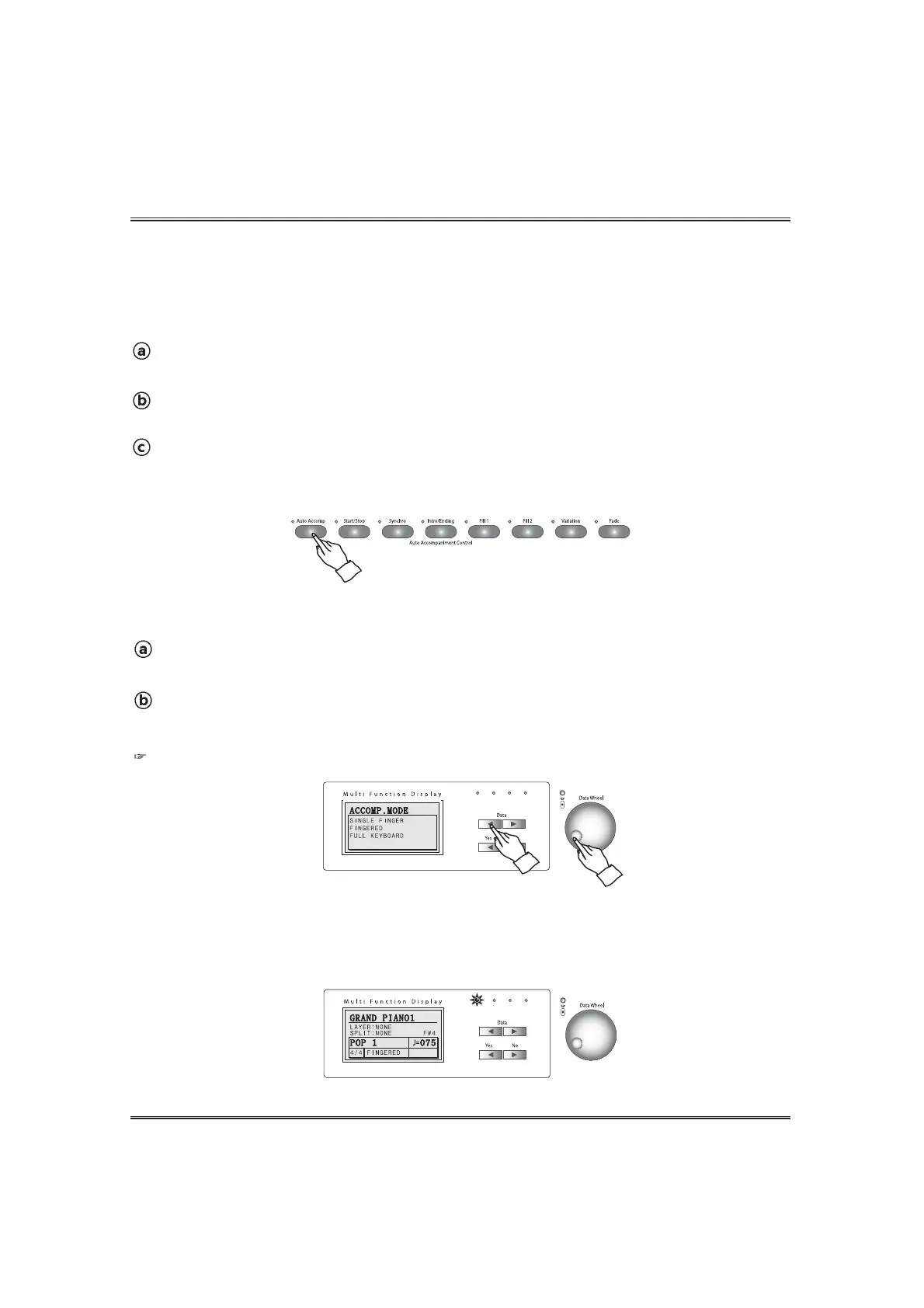
Call up the auto-accompaniment pop-up display.
Press the AUTO ACCOMP button. The auto-accompaniment mode pop-up appears in the LCD screen.
45
Auto Accompaniment
The following procedure describes how to use the keyboard's Auto Accompaniment feature. Before
starting, you should first select the rhythm you want to use and set the tempo of the rhythm to the
value you want.
Select a rhythm style.
Select the desired rhythm. (see the SELECTING A RHYTHM section on page 42)
Set the Tempo.
Set the desired tempo. (see the TEMPO CONTROL ADJUSTMENT section on page 43)
Set the auto-accompaniment function to ON.
To do this, press the AUTO ACCOMP button. The lamp lights.
Press the AUTO ACCOMP button again to turn off the lamp and set Auto Accompaniment to off.
USING THE AUTO ACCOMPANIMENT
SET THE AUTO ACCOMPANIMENT MODE
Set the auto accomp mode.
Select one of the auto accomp mode by using the DATA buttons or the DATA wheel in the accomp mode
pop-up display.
FINGERED (default)
BEAT LED
During style playback, the left-most beat lamp(green) flashes on the first beat of each measure, and
the other lamps(red) flash for each successive beat.



 To Next Page