General Information
SECTION 1: GENERAL INFORMATION
Within this manual, Dyne Systems, Inc. will be referred to as “DS”.
SAFETY
Read your instruction manual! Electrical rotating equipment can be dangerous. Become
familiar with all safety instructions and procedures. WARNING, CAUTION and NOTE
labels are used throughout the manual to remind you of the hazards that exist. Know your
equipment before handling or working on it.
Used to warn of the possibility of injury to personnel and damage to equipment
Used to caution of the potential hazards and unsafe practices
NOTE: Used for special instructions related to safety, proper operation or maintenance
RECEIVING INSPECTION
Upon the arrival of your equipment, check all items received against the packing slip to
ensure the shipment is complete. Then inspect for damage. Any evidence of rough handling
may be an indication of hidden damage. Be sure to perform the following inspections:
1. Inspect packaging and skid(s) for any mistreatment. Document and photograph any
signs of damage.
2. Inspect housing to ensure there is no damage and that unit is intact.
DAMAGE CLAIMS
In the event of damage, report it without delay to the carrier and Dyne Systems. Dyne
Systems’ warranty policy does not cover shipping damage or lost material. It is important
to le a damage claim with the carrier promptly. If you require assistance in settling the
claim, contact Dyne Systems. Refer to equipment by purchase order, model, serial and job
numbers, as shown on the nameplate of the unit involved.
TRAINING
Training programs are an essential part of safe and correct operation. Training provides
the know-how necessary to obtain top performance from your equipment. Dyne Systems
recognizes this fact and offers training classes on-site or at the factory to educate personnel
in safe operating and maintenance procedures.
IDENTIFY YOUR PAU
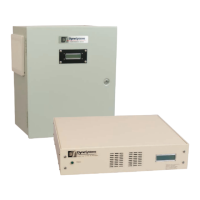
This PAU was congured at DS for your specic application. The PAU will be physically
congured as either wall mount or rack mount. Review the diagrams and verify your
conguration:
Dyne Systems Inter-Loc V Control (see Figure 2.1 on Page 5).
Dyne Systems Dyn-Loc IV Control (see Figure 2.2 on Page 6).
Customer-Supplied Control: this requires 0-10VDC or 0-20mA Control Signal (see Figure 2.3
on Page 7).
Locate the model and serial numbers on the PAU and verify that they are the same as that
shown on the cover of this manual. This information should be used when contacting DS
customer support.
4 Dyne Systems • DS820F PAU
DPD-001-04B • © Copyright Dyne Systems, Inc.


 To Next Page