EasyManua.ls Logo

DyneSystems DS820F - User Manual

DyneSystems DS820F
41 pages
Print Icon
To Next Page IconTo Next Page
Loading...
DYNE SYSTEMS, INC. ~ MIDWEST & DYNAMATIC DYNAMOMETERS ~ DYNE SYSTEMS, INC. ~ MIDWEST & DYNAMATIC DYNAMOMETERS ~ DYNE SYSTEMS,
INC. ~ MIDWEST & DYNAMATIC DYNAMOMETERS ~ DYNE SYSTEMS, INC. ~ MIDWEST & DYNAMATIC DYNAMOMETERS ~ DYNE SYSTEMS, INC. ~ MIDWEST &
DYNAMATIC DYNAMOMETERS ~ DYNE SYSTEMS, INC. ~ MIDWEST & DYNAMATIC DYNAMOMETERS ~ DYNE SYSTEMS, INC. ~ MIDWEST & DYNAMATIC DYNA-
MOMETERS ~ DYNE SYSTEMS, INC. ~ MIDWEST & DYNAMATIC DYNAMOMETERS ~ DYNE SYSTEMS, INC. ~ MIDWEST & DYNAMATIC DYNAMOMETERS ~ DYNE
SYSTEMS, INC. ~ MIDWEST & DYNAMATIC DYNAMOMETERS ~ DYNE SYSTEMS, INC. ~ MIDWEST & DYNAMATIC DYNAMOMETERS ~ DYNE SYSTEMS, INC. ~ MID-
WEST & DYNAMATIC DYNAMOMETERS ~ DYNE SYSTEMS, INC. ~ MIDWEST & DYNAMATIC DYNAMOMETERS ~ DYNE SYSTEMS, INC. ~ MIDWEST & DYNAMATIC
DYNAMOMETERS ~ DYNE SYSTEMS, INC. ~ MIDWEST & DYNAMATIC DYNAMOMETERS ~ DYNE SYSTEMS, INC. ~ MIDWEST & DYNAMATIC DYNAMOMETERS
~ DYNE SYSTEMS, INC. ~ MIDWEST & DYNAMATIC DYNAMOMETERS ~ DYNE SYSTEMS, INC. ~ MIDWEST & DYNAMATIC DYNAMOMETERS ~ DYNE SYSTEMS,
INC. ~ MIDWEST & DYNAMATIC DYNAMOMETERS ~ DYNE SYSTEMS, INC. ~ MIDWEST & DYNAMATIC DYNAMOMETERS ~ DYNE SYSTEMS, INC. ~ MIDWEST &
DYNAMATIC DYNAMOMETERS ~ DYNE SYSTEMS, INC. ~ MIDWEST & DYNAMATIC DYNAMOMETERS ~ DYNE SYSTEMS, INC. ~ MIDWEST & DYNAMATIC DYNA-
MOMETERS ~ DYNE SYSTEMS, INC. ~ MIDWEST & DYNAMATIC DYNAMOMETERS ~ DYNE SYSTEMS, INC. ~ MIDWEST & DYNAMATIC DYNAMOMETERS ~ DYNE
SYSTEMS, INC. ~ MIDWEST & DYNAMATIC DYNAMOMETERS ~ DYNE SYSTEMS, INC. ~ MIDWEST & DYNAMATIC DYNAMOMETERS ~ DYNE SYSTEMS, INC. ~ MID-
WEST & DYNAMATIC DYNAMOMETERS ~ DYNE SYSTEMS, INC. ~ MIDWEST & DYNAMATIC DYNAMOMETERS ~ DYNE SYSTEMS, INC. ~ MIDWEST & DYNAMATIC
DYNAMOMETERS ~ DYNE SYSTEMS, INC. ~ MIDWEST & DYNAMATIC DYNAMOMETERS ~ DYNE SYSTEMS, INC. ~ MIDWEST & DYNAMATIC DYNAMOMETERS
~ DYNE SYSTEMS, INC. ~ MIDWEST & DYNAMATIC DYNAMOMETERS ~ DYNE SYSTEMS, INC. ~ MIDWEST & DYNAMATIC DYNAMOMETERS ~ DYNE SYSTEMS,
INC. ~ MIDWEST & DYNAMATIC DYNAMOMETERS ~ DYNE SYSTEMS, INC. ~ MIDWEST & DYNAMATIC DYNAMOMETERS ~ DYNE SYSTEMS, INC. ~ MIDWEST &
DYNAMATIC DYNAMOMETERS ~ DYNE SYSTEMS, INC. ~ MIDWEST & DYNAMATIC DYNAMOMETERS ~ DYNE SYSTEMS, INC. ~ MIDWEST & DYNAMATIC DYNA-
MOMETERS ~ DYNE SYSTEMS, INC. ~ MIDWEST & DYNAMATIC DYNAMOMETERS ~ DYNE SYSTEMS, INC. ~ MIDWEST & DYNAMATIC DYNAMOMETERS ~ DYNE
SYSTEMS, INC. ~ MIDWEST & DYNAMATIC DYNAMOMETERS ~ DYNE SYSTEMS, INC. ~ MIDWEST & DYNAMATIC DYNAMOMETERS ~ DYNE SYSTEMS, INC. ~ MID-
WEST & DYNAMATIC DYNAMOMETERS ~ DYNE SYSTEMS, INC. ~ MIDWEST & DYNAMATIC DYNAMOMETERS ~ DYNE SYSTEMS, INC. ~ MIDWEST & DYNAMATIC
DYNAMOMETERS ~ DYNE SYSTEMS, INC. ~ MIDWEST & DYNAMATIC DYNAMOMETERS ~ DYNE SYSTEMS, INC. ~ MIDWEST & DYNAMATIC DYNAMOMETERS
~ DYNE SYSTEMS, INC. ~ MIDWEST & DYNAMATIC DYNAMOMETERS ~ DYNE SYSTEMS, INC. ~ MIDWEST & DYNAMATIC DYNAMOMETERS ~ DYNE SYSTEMS,
INC. ~ MIDWEST & DYNAMATIC DYNAMOMETERS ~ DYNE SYSTEMS, INC. ~ MIDWEST & DYNAMATIC DYNAMOMETERS ~ DYNE SYSTEMS, INC. ~ MIDWEST &
DYNAMATIC DYNAMOMETERS ~ DYNE SYSTEMS, INC. ~ MIDWEST & DYNAMATIC DYNAMOMETERS ~ DYNE SYSTEMS, INC. ~ MIDWEST & DYNAMATIC DYNA-
MOMETERS ~ DYNE SYSTEMS, INC. ~ MIDWEST & DYNAMATIC DYNAMOMETERS ~ DYNE SYSTEMS, INC. ~ MIDWEST & DYNAMATIC DYNAMOMETERS ~ DYNE
SYSTEMS, INC. ~ MIDWEST & DYNAMATIC DYNAMOMETERS ~ DYNE SYSTEMS, INC. ~ MIDWEST & DYNAMATIC DYNAMOMETERS ~ DYNE SYSTEMS, INC. ~ MID-
WEST & DYNAMATIC DYNAMOMETERS ~ DYNE SYSTEMS, INC. ~ MIDWEST & DYNAMATIC DYNAMOMETERS ~ DYNE SYSTEMS, INC. ~ MIDWEST & DYNAMATIC
DYNAMOMETERS ~ DYNE SYSTEMS, INC. ~ MIDWEST & DYNAMATIC DYNAMOMETERS ~ DYNE SYSTEMS, INC. ~ MIDWEST & DYNAMATIC DYNAMOMETERS
~ DYNE SYSTEMS, INC. ~ MIDWEST & DYNAMATIC DYNAMOMETERS ~ DYNE SYSTEMS, INC. ~ MIDWEST & DYNAMATIC DYNAMOMETERS ~ DYNE SYSTEMS,
INC. ~ MIDWEST & DYNAMATIC DYNAMOMETERS ~ DYNE SYSTEMS, INC. ~ MIDWEST & DYNAMATIC DYNAMOMETERS ~ DYNE SYSTEMS, INC. ~ MIDWEST &
DYNAMATIC DYNAMOMETERS ~ DYNE SYSTEMS, INC. ~ MIDWEST & DYNAMATIC DYNAMOMETERS ~ DYNE SYSTEMS, INC. ~ MIDWEST & DYNAMATIC DYNA-
MOMETERS ~ DYNE SYSTEMS, INC. ~ MIDWEST & DYNAMATIC DYNAMOMETERS ~ DYNE SYSTEMS, INC. ~ MIDWEST & DYNAMATIC DYNAMOMETERS ~ DYNE
SYSTEMS, INC. ~ MIDWEST & DYNAMATIC DYNAMOMETERS ~ DYNE SYSTEMS, INC. ~ MIDWEST & DYNAMATIC DYNAMOMETERS ~ DYNE SYSTEMS, INC. ~ MID-
WEST & DYNAMATIC DYNAMOMETERS ~ DYNE SYSTEMS, INC. ~ MIDWEST & DYNAMATIC DYNAMOMETERS ~ DYNE SYSTEMS, INC. ~ MIDWEST & DYNAMATIC
DYNAMOMETERS ~ DYNE SYSTEMS, INC. ~ MIDWEST & DYNAMATIC DYNAMOMETERS ~ DYNE SYSTEMS, INC. ~ MIDWEST & DYNAMATIC DYNAMOMETERS
~ DYNE SYSTEMS, INC. ~ MIDWEST & DYNAMATIC DYNAMOMETERS ~ DYNE SYSTEMS, INC. ~ MIDWEST & DYNAMATIC DYNAMOMETERS ~ DYNE SYSTEMS,
INC. ~ MIDWEST & DYNAMATIC DYNAMOMETERS ~ DYNE SYSTEMS, INC. ~ MIDWEST & DYNAMATIC DYNAMOMETERS ~ DYNE SYSTEMS, INC. ~ MIDWEST &
DYNAMATIC DYNAMOMETERS ~ DYNE SYSTEMS, INC. ~ MIDWEST & DYNAMATIC DYNAMOMETERS ~ DYNE SYSTEMS, INC. ~ MIDWEST & DYNAMATIC DYNA-
MOMETERS ~ DYNE SYSTEMS, INC. ~ MIDWEST & DYNAMATIC DYNAMOMETERS ~ DYNE SYSTEMS, INC. ~ MIDWEST & DYNAMATIC DYNAMOMETERS ~ DYNE
SYSTEMS, INC. ~ MIDWEST & DYNAMATIC DYNAMOMETERS ~ DYNE SYSTEMS, INC. ~ MIDWEST & DYNAMATIC DYNAMOMETERS ~ DYNE SYSTEMS, INC. ~ MID-
WEST & DYNAMATIC DYNAMOMETERS ~ DYNE SYSTEMS, INC. ~ MIDWEST & DYNAMATIC DYNAMOMETERS ~ DYNE SYSTEMS, INC. ~ MIDWEST & DYNAMATIC
DYNAMOMETERS ~ DYNE SYSTEMS, INC. ~ MIDWEST & DYNAMATIC DYNAMOMETERS ~ DYNE SYSTEMS, INC. ~ MIDWEST & DYNAMATIC DYNAMOMETERS
~ DYNE SYSTEMS, INC. ~ MIDWEST & DYNAMATIC DYNAMOMETERS ~ DYNE SYSTEMS, INC. ~ MIDWEST & DYNAMATIC DYNAMOMETERS ~ DYNE SYSTEMS,
INC. ~ MIDWEST & DYNAMATIC DYNAMOMETERS ~ DYNE SYSTEMS, INC. ~ MIDWEST & DYNAMATIC DYNAMOMETERS ~ DYNE SYSTEMS, INC. ~ MIDWEST &
DYNAMATIC DYNAMOMETERS ~ DYNE SYSTEMS, INC. ~ MIDWEST & DYNAMATIC DYNAMOMETERS ~ DYNE SYSTEMS, INC. ~ MIDWEST & DYNAMATIC DYNA-
MOMETERS ~ DYNE SYSTEMS, INC. ~ MIDWEST & DYNAMATIC DYNAMOMETERS ~ DYNE SYSTEMS, INC. ~ MIDWEST & DYNAMATIC DYNAMOMETERS ~ DYNE
SYSTEMS, INC. ~ MIDWEST & DYNAMATIC DYNAMOMETERS ~ DYNE SYSTEMS, INC. ~ MIDWEST & DYNAMATIC DYNAMOMETERS ~ DYNE SYSTEMS, INC. ~ MID-
WEST & DYNAMATIC DYNAMOMETERS ~ DYNE SYSTEMS, INC. ~ MIDWEST & DYNAMATIC DYNAMOMETERS ~ DYNE SYSTEMS, INC. ~ MIDWEST & DYNAMATIC
DYNAMOMETERS ~ DYNE SYSTEMS, INC. ~ MIDWEST & DYNAMATIC DYNAMOMETERS ~ DYNE SYSTEMS, INC. ~ MIDWEST & DYNAMATIC DYNAMOMETERS
~ DYNE SYSTEMS, INC. ~ MIDWEST & DYNAMATIC DYNAMOMETERS ~ DYNE SYSTEMS, INC. ~ MIDWEST & DYNAMATIC DYNAMOMETERS ~ DYNE SYSTEMS,
INC. ~ MIDWEST & DYNAMATIC DYNAMOMETERS ~ DYNE SYSTEMS, INC. ~ MIDWEST & DYNAMATIC DYNAMOMETERS ~ DYNE SYSTEMS, INC. ~ MIDWEST &
DYNAMATIC DYNAMOMETERS ~ DYNE SYSTEMS, INC. ~ MIDWEST & DYNAMATIC DYNAMOMETERS ~ DYNE SYSTEMS, INC. ~ MIDWEST & DYNAMATIC DYNA-
MOMETERS ~ DYNE SYSTEMS, INC. ~ MIDWEST & DYNAMATIC DYNAMOMETERS ~ DYNE SYSTEMS, INC. ~ MIDWEST & DYNAMATIC DYNAMOMETERS ~ DYNE
SYSTEMS, INC. ~ MIDWEST & DYNAMATIC DYNAMOMETERS ~ DYNE SYSTEMS, INC. ~ MIDWEST & DYNAMATIC DYNAMOMETERS ~ DYNE SYSTEMS, INC. ~ MID-
WEST & DYNAMATIC DYNAMOMETERS ~ DYNE SYSTEMS, INC. ~ MIDWEST & DYNAMATIC DYNAMOMETERS ~ DYNE SYSTEMS, INC. ~ MIDWEST & DYNAMATIC
DYNAMOMETERS ~ DYNE SYSTEMS, INC. ~ MIDWEST & DYNAMATIC DYNAMOMETERS ~ DYNE SYSTEMS, INC. ~ MIDWEST & DYNAMATIC DYNAMOMETERS ~
DYNE SYSTEMS, INC. ~ MIDWEST & DYNAMATIC DYNAMOMETERS ~ DYNE SYSTEMS, INC. ~ MIDWEST & DYNAMATIC DYNAMOMETERS ~ DYNE SYSTEMS, INC.
~ MIDWEST & DYNAMATIC DYNAMOMETERS ~ DYNE SYSTEMS, INC. ~ MIDWEST & DYNAMATIC DYNAMOMETERS ~ DYNE SYSTEMS, INC. ~ MIDWEST &
DYNAMATIC DYNAMOMETERS ~ DYNE SYSTEMS, INC. ~ MIDWEST & DYNAMATIC DYNAMOMETERS ~ DYNE SYSTEMS, INC. ~ MIDWEST & DYNAMATIC DYNA-
MOMETERS ~ DYNE SYSTEMS, INC. ~ MIDWEST & DYNAMATIC DYNAMOMETERS ~ DYNE SYSTEMS, INC. ~ MIDWEST & DYNAMATIC DYNAMOMETERS ~ DYNE
SYSTEMS, INC. ~ MIDWEST & DYNAMATIC DYNAMOMETERS ~ DYNE SYSTEMS, INC. ~ MIDWEST & DYNAMATIC DYNAMOMETERS ~ DYNE SYSTEMS, INC. ~ MID-
WEST & DYNAMATIC DYNAMOMETERS ~ DYNE SYSTEMS, INC. ~ MIDWEST & DYNAMATIC DYNAMOMETERS ~ DYNE SYSTEMS, INC. ~ MIDWEST & DYNAMATIC
DYNAMOMETERS ~ DYNE SYSTEMS, INC. ~ MIDWEST & DYNAMATIC DYNAMOMETERS ~ DYNE SYSTEMS, INC. ~ MIDWEST & DYNAMATIC DYNAMOMETERS ~
DYNE SYSTEMS, INC. ~ MIDWEST & DYNAMATIC DYNAMOMETERS ~ DYNE SYSTEMS, INC. ~ MIDWEST & DYNAMATIC DYNAMOMETERS ~ DYNE SYSTEMS, INC.
~ MIDWEST & DYNAMATIC DYNAMOMETERS ~
DS820F
Power Amplier Unit
www.dynesystems.com
Job # ____________________
Model # __________________
Serial # __________________
Conguration (amps) _______
Controller Conguration
Inter-Loc V Control
Dyn-Loc IV Control
Customer-Supplied Control, 0-10 VDC
DPD-001-04B
USER MANUAL

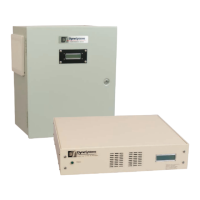
Table of Contents

Questions and Answers

  • A
    Aaron RobertsAug 12, 2025
    Why does my DyneSystems DS820F Amplifier LCD display show 'Current OverCmd'?
    • D
      David KellyAug 12, 2025
      The applied current command signal has exceeded 110%. The nominal current reference range is 0 to 100%. Commanded currents of 101% are allowed indefinitely, 102% - 109% for approximately 10 seconds, 110% (or greater) are not allowed.
  • K
    Kelly SmithAug 16, 2025
    What to do if my DyneSystems DS820F Amplifier LCD display shows 'Coolant P/F fault'?
    • B
      Brittany WalkerAug 16, 2025
      The dynamometer cooling system pressure (or folw) has dropped below the setpoint of the coolant pressure (or folw) switch (closed = safe to run). Verify the operation of the various components making up the dyno cooling system. Check functionality of coolant pressure (or folw) switch and its connections to TB4-1 and TB4-2. If a pressure (or folw) switch is not installed, a jumper should be installed across these terminals.
  • J
    John BrownAug 20, 2025
    How to fix 'SCR OverTemp fault' on my DyneSystems DS820F Amplifier?
    • P
      Pamela ZimmermanAug 20, 2025
      The SCR heat sink is too hot. Allow time for the heat sink to cool down. It can also happen if the cooling fan is not running, verify the fan's operation and connections at TB6-1 and TB6-2. Another cause may be a defective or disconnected heat sink temperature switch (NC); verify its operation and connections.
  • M
    mmartinAug 23, 2025
    What causes the 'Coolant OverTemp fault' on my DyneSystems DS820F Amplifier?
    • M
      Michael KlineAug 23, 2025
      The dynamometer cooling system temperature has exceeded the setpoint of the coolant temperature switch (closed = safe to run). Allow the system to cool down. Verify the integrity of the coolant temperature switch and its connections to TB4-3 and TB4-4. If a temperature switch is not installed, a jumper should be installed across these terminals.
  • S
    Sarah JohnsonAug 27, 2025
    What does 'I Feedback Err fault' mean on my DyneSystems DS820F?
    • L
      lewisshaneAug 27, 2025
      The sensed current folw is different than the system expected. If you are using a low inductance coil, try installing jumper JP2. Contact Dyne Systems.
  • C
    Carl MahoneyAug 31, 2025
    How to troubleshoot a DyneSystems DS820F with no power indication?
    • J
      Jennifer PowellAug 31, 2025
      This indicates there is no power from the mains. Verify the integrity of Facility Mains. Also, check the PAU main fuses FC1 and FC2. Another cause can be blown fuses, so check PAU Control Transformer fuses (FU1, FU2, FU3).
  • D
    David JacksonSep 3, 2025
    Why is there no output current from the PAU in my DyneSystems DS820F Amplifier?
    • C
      Christine PittsSep 4, 2025
      This can happen if the PAU is not enabled. Ensure that there is an enable signal (+24 VDC) at TB1-5. Another cause may be no current command signal, so check that a 0-10 VDC or 0-20mA reference is being applied between TB1-2 (input) and TB1-3 (common).
  • M
    matthewsgloriaSep 8, 2025
    What causes the 'No Field Current fault' on my DyneSystems DS820F display?
    • D
      Douglas PerrySep 8, 2025
      A defective feild coil, or wiring to the feild coil can cause this. Verify feild coil integrity and its connections to the PAU at TB6-3 and TB6-4. It can also be caused by main PAU fuses being open, so check fuses (FU1, FU2). Finally, a defective feild power transformer can be the cause, so verify operation of feild power transformer and its connections to TB6-5, TB6-6, TB6-7 and TB6-8.

Summary

GENERAL INFORMATION

Safety Guidelines

Guidelines for safe operation and handling of electrical rotating equipment.

Receiving and Inspection

Procedure for checking equipment upon arrival for completeness and damage.

Damage Claims Process

Process for reporting and handling shipping damage or lost material.

Training Information

Information on training programs for safe operation and maintenance.

Identify Your PAU

Locating model and serial numbers for identification and support.

CONFIGURATION

Inter-Loc V Controller Configuration

Diagram of the Inter-Loc V controller setup with wall mount ECPAU.

Dyn-Loc IV Controller Configuration

Diagram of the Dyn-Loc IV controller setup with wall mount ECPAU.

Customer-Supplied Controller Configuration

Diagram for customer-supplied control with 0-10VDC or 0-20mA signal.

Modes of Reset Operation

Explanation of Reset Required Mode and Automatic Reset Mode.

INSTALLATION ENVIRONMENT

TRANSFORMER COMPATIBILITY

Wall Mount PAU Compatibility

Table listing compatibility of wall mount PAU models with transformers.

Rack Mount PAU Compatibility

Table listing compatibility of rack mount PAU models with transformers.

INSTALLATION AND START UP

Who Should Install the PAU

Guidance on qualified personnel for PAU installation.

Wall Mount Installation Details

Enclosure specifications and dimensions for wall mount PAU.

Wall Mount Mechanical Installation

Requirements for physically mounting the wall mount PAU.

Wall Mount Wiring

Instructions for connecting wires to the wall mount PAU terminal blocks.

Wall Mount Terminal Block Connections

Detailed diagram of terminal block connections for wall mount PAU.

Wall Mount Subpanel Components

Overview of the internal components within the wall mount PAU subpanel.

Wall Mount Inter-Loc V Start-Up

Procedure for starting up the PAU with an Inter-Loc V controller.

Wall Mount Dyn-Loc IV & Customer-Supplied Control Start-Up

Procedure for starting up PAU with Dyn-Loc IV or customer controls.

Rack Mount Installation Details

Enclosure specifications and dimensions for rack mount PAU.

Rack Mount Mechanical Installation

Instructions for securing and mounting the rack mount PAU.

Rack Mount Wiring (15 Amp)

Wiring diagram for 15 Amp rack mount PAU back panel connections.

Rack Mount Wiring (30 Amp)

Wiring diagram for 30 Amp rack mount PAU back panel connections.

Rack Mount Inter-Loc V Start-Up

Procedure for starting up the rack mount PAU with an Inter-Loc V controller.

Rack Mount Dyn-Loc IV & Customer-Supplied Control Start-Up

Procedure for starting up rack mount PAU with Dyn-Loc IV or customer controls.

PREVENTIVE MAINTENANCE

Wall Mount Preventive Maintenance

Routine maintenance for the wall mount PAU, focusing on air filter cleaning.

Rack Mount Preventive Maintenance

Routine maintenance for the rack mount PAU, focusing on air vents and fans.

APPLICATION SPECIFIC FUNCTIONALITY

Command Voltage Scaling

Adjusting zero and span for command voltage input signals.

Dyn-Loc IV Interface

Specific connections and jumper settings for Dyn-Loc IV controller interface.

DS820 F Control Board Jumper Definitions

Table detailing the function and default position of control board jumpers.

50 Hz;60 Hz Operation

Jumper setting for configuring 50Hz or 60Hz operation.

Low Inductance Coil

Jumper installation for low inductance coils based on waveform ripple.

Low Max Current

Jumper installation for dynamometer coils with less than 25% ECPAU rating.

0-20 mA Command Source

Jumper installation to enable the 0-20mA current command signal.

Additional Safeties

Description of custom safety inputs and their connections.

FAULTS;TROUBLESHOOTING

Troubleshooting Guide

Guide for diagnosing and resolving common faults and problems.

Wall Mount Signals

Table of terminal connections and their functions for wall mount units.

Rack Mount Signals

Table of terminal connections and functions for rack mount units.

CUSTOMER SUPPORT

PRODUCT WARRANTY

PAU MAX CURRENT ADJUSTMENT

Procedure for Max Current Adjustment

Step-by-step guide for adjusting the PAU's maximum current setting.

Max Current Setting Adjustment Procedure

Detailed steps including potentiometer adjustments and measurements for max current.

OHMS LAW

DRAWINGS AND SCHEMATICS

Rack Mount Connections - 15 Amp

Wiring diagram for 15 Amp rack mount PAU connections.

Rack Mount Connections - 30 Amp

Wiring diagram for 30 Amp rack mount PAU connections.

Wall Mount Schematic

Electrical schematic diagram for the wall mount PAU.

CURRENT MODULE REQUIRED CONDUCTOR DEFINITION

ACRONYMS

DyneSystems DS820F Specifications

General IconGeneral
Voltage Gain32 dB
Dimensions19" x 3.5" x 16" (483 mm x 89 mm x 406 mm)
Weight35 lbs (15.9 kg)
Frequency Response20 Hz - 20 kHz
THD< 0.05% (1 kHz, -1 dB)
Power Output200W @ 8Ω, 400W @ 4Ω per channel
Total Harmonic Distortion< 0.05% (1 kHz, -1 dB)
Input Sensitivity1.4 V