EFIS Operation
5-6 FlightDEK-D180 Pilot’s User Guide
Program. Press a button corresponding to the desired category to show the checklists and data panels beneath it. When
you display a checklist, the right 2/3 of the screen displays the checklist while the left side displays a 1/3 format EFIS
page. See the Dynon Support Program for more detailed information on entering checklists and data panels. It can be
downloaded from our website at downloads.dynonavionics.com
.
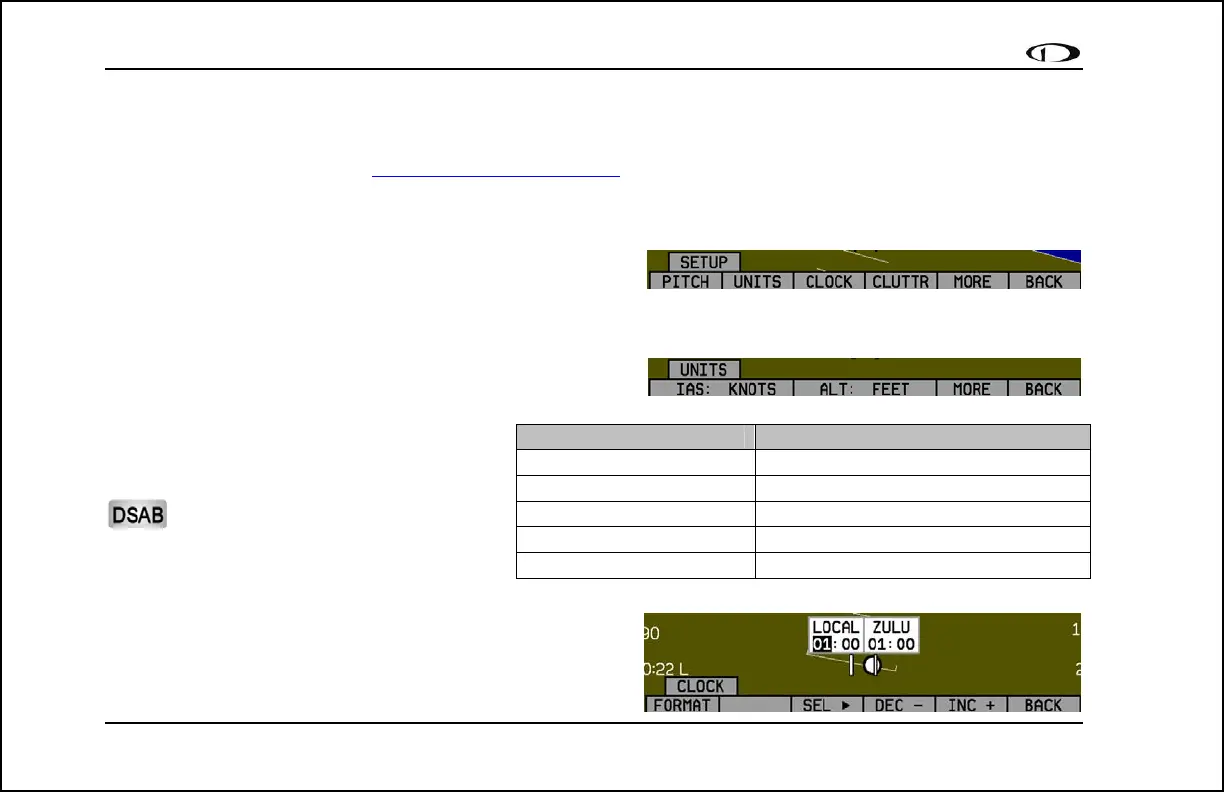
SETUP – Setting Preferences
Enter the EFIS > SETUP menu to make changes to preferences.
Many of the settings in this menu should only be changed by the
installer, and are described in the FlightDEK-D180 Installation Gu
the pilot and in-flight operation are explained below.
ide. The preferences and settings that are relevant to
CHANGE DISPLAYED UNITS
In the UNITS submenu, you may change the system-wide
displayed units for the following units. See the
following table for a list of available units for
each displayed parameter.
In a DSAB network, unit preferences
are shared between all connected
instruments.
SET THE CLOCK
You may set the clock from either the EMS setup menu or the
EFIS setup menu. The two menus set the same clock.
Parameter Available units
Airspeed (IAS) Knots, miles/hour, kilometers/hour
Altitude (ALT) Feet, meters
Temperature (TEMP) Celsius, Fahrenheit
Barometric Pressure (BARO) inHg, mbar
Distance (DIST) Nautical miles, statutory miles, kilometers



 To Next Page