EFIS Operation
5-2 FlightDEK-D180 Pilot’s User Guide
The BARO setting can be changed using the HS34’s VALUE knob, depending on the configuration settings in
EFIS > SETUP > HSI > VALUE KNOB.
The BARO setting can be changed using the AP74’s VALUE knob, depending on the configuration settings in
EFIS > SETUP > AP > VALUE KNOB.
The current indicated altitude is preserved across a power cycle. When powered down, the instrument saves the indicated
altitude. When it is powered up again, the instrument automatically adjusts the altimeter setting by exactly enough to
preserve that saved value. This is not a replacement for modifying the altimeter setting by the pilot before takeoff; it
makes it very close to the correct value, minimizing the amount of adjustment needed. To turn auto-set on or off, enter
the EFIS > SETUP > BARO menu and set the ADJUST AT BOOT option to ON or OFF.
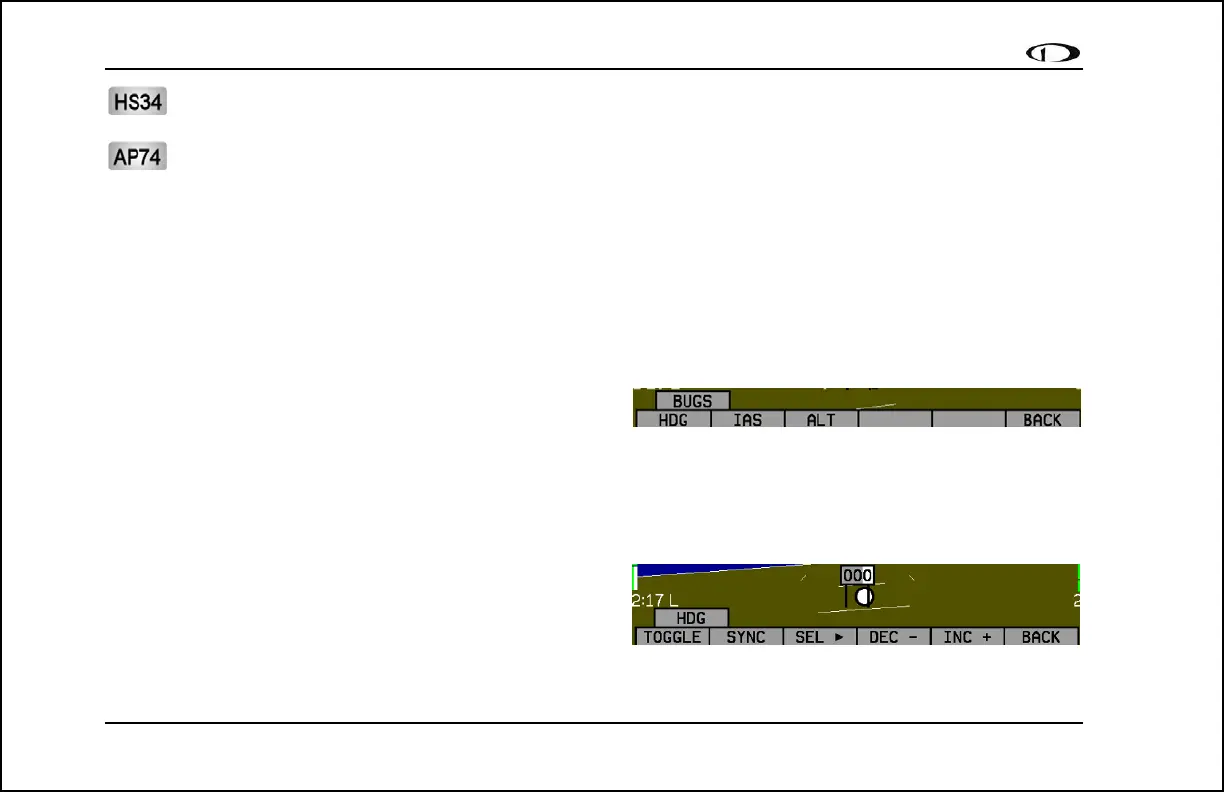
BUGS – Setting Bug Markers
You can set a marker – or “bug”– to display on any or all of
the three tapes. To do this, enter the EFIS > BUGS menu (or
EFIS > AP > BUGS, if an AP is installed), and choose the type of bug to configure: HDG (heading), IAS (Indicated
Airspeed), or ALT (altitude). Note that if a bug is not currently displayed, changing its set value causes it to display on
the relevant tape.
HEADING
In the BUGS menu, press HDG. Press the TOGGLE button to
turn on or off the heading bug display on the horizontal
heading tape. Note that this affects the display of the heading
bug on the HSI page as well.
In the HDG bug menu the value-setting box is displayed in the lower part of the display. Press SEL► to select which
digit to change and DEC- and INC+ to change the selected digit. Press the SYNC button to synchronize the heading bug



 To Next Page