EFIS Operation
FlightDEK-D180 Pilot’s User Guide 5-3
to your current heading. As you increment or decrement the heading bug value it rolls over at 360 degrees, returning the
value to 001. If you have the heading bug displayed, the marker moves left or right along the tape as you change its
value.
The heading bug can be adjusted on any EFIS page displayed in the system and is synchronized across all EFIS-
based units.
The heading bug can be adjusted at any time by rotating the HS34’s HEADING knob. If the bug is currently
toggled off, rotating the HEADING knob causes the bug to be displayed on the heading tape. To sync the bug to
your current heading, press the HEADING knob briefly. To toggle the heading bug on or off, push and hold the
HEADING knob for more than 1 second.
When in the BUGS > HDG menu, rotate the AP74’s VALUE knob to quickly change the bug’s set value.
Alternately, the heading bug can be adjusted at any time by using the HS34’s or AP74’s VALUE knob. Exact
behavior is defined in the SETUP > (HSI or AP) > VALUE KNOB menu.
AIRSPEED
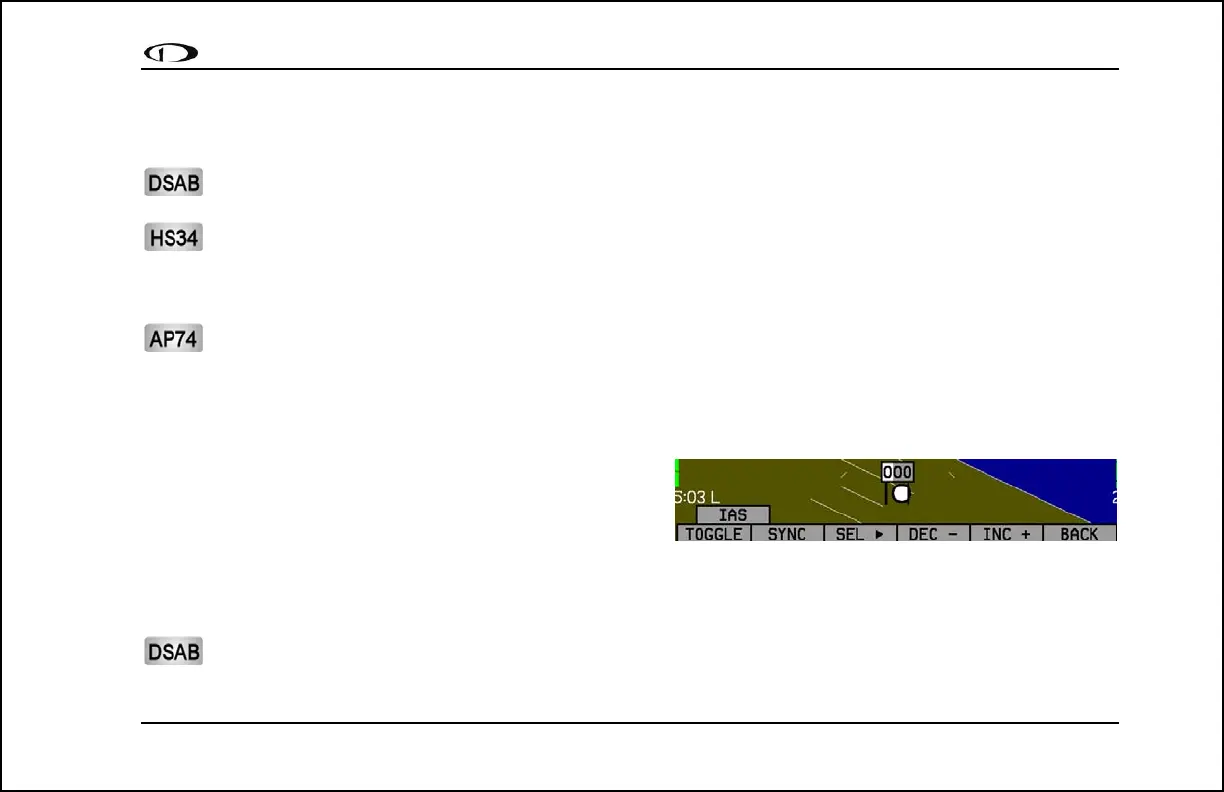
In the BUGS menu, press IAS. Press the TOGGLE button to
turn on or off the airspeed bug display on the airspeed tape.
In the IAS bug menu the value-setting box is displayed in the
lower part of the display. Press SEL► to select which digit to
change and DEC- and INC+ to change the selected digit. Press the SYNC button to synchronize the airspeed bug to your
current indicated airspeed. If you have the airspeed bug displayed, the marker moves up or down the airspeed tape as you
change its value.
The airspeed bug can be adjusted on any EFIS page in the system and is synchronized across all EFIS-based
units.



 To Next Page