EFIS Operation
5-4 FlightDEK-D180 Pilot’s User Guide
When in the BUGS > IAS menu, rotate the AP74’s or HS34’s VALUE knob to quickly change the bug’s set
value.
ALTITUDE
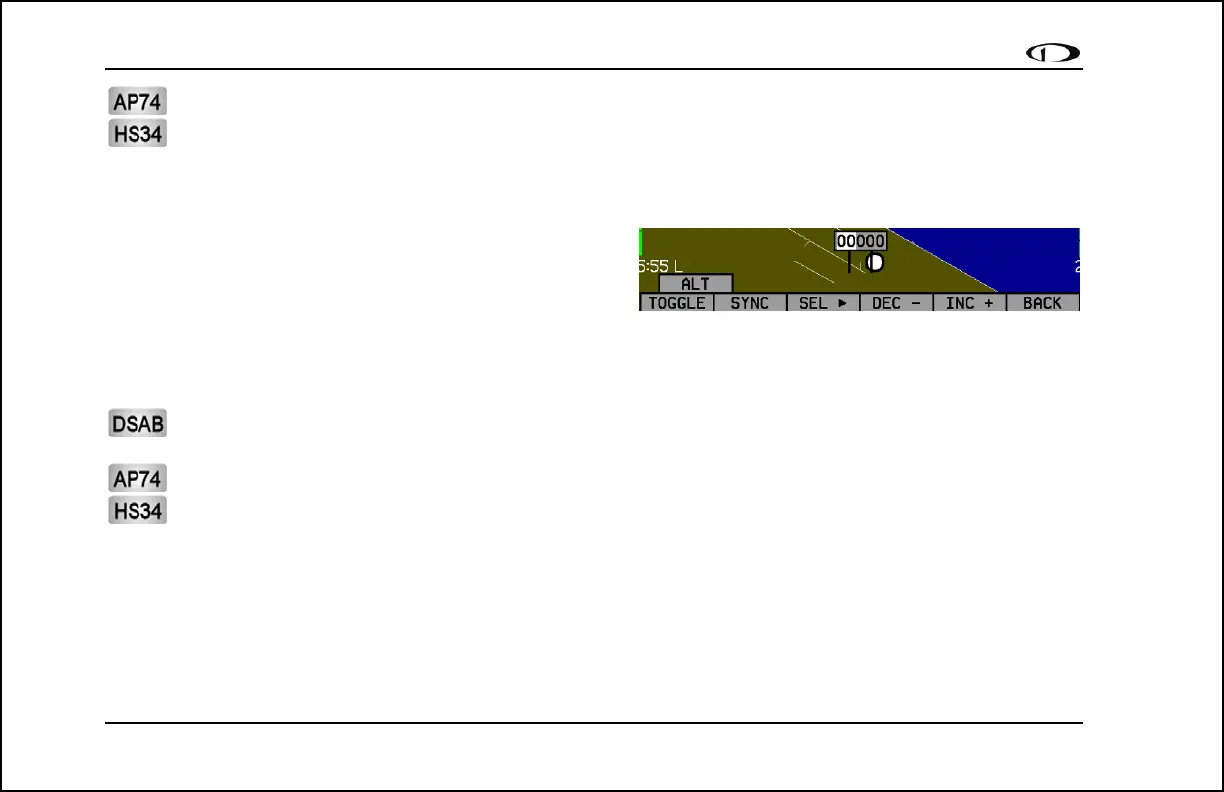
In the BUGS menu, press ALT. Press the TOGGLE button to
turn on or off the altitude bug display on the altitude tape.
In the ALT bug menu the value-setting box is displayed in the
lower part of the display. Press SEL► to select which digit to
change and DEC- and INC+ to change the selected digit. Press the SYNC button to synchronize the altitude bug to your
current altitude. If you have the altitude bug displayed, the marker moves up or down the altitude tape as you change its
value.
The altitude bug can be adjusted on any EFIS page in the system and is synchronized across all EFIS-based
units.
When in the BUGS > ALT menu, rotate the AP74’s or HS34’s VALUE knob to quickly change the bug’s set
value. Alternately, the altitude bug can be adjusted at any time by using the HS34’s or AP74’s VALUE knob.
Exact behavior is defined in the SETUP > (HSI or AP) > VALUE KNOB menu.
If the BUGS > ALM button is toggled to ALT, then turning the altitude bug on enables the altitude alerter function
with the bug value as the target altitude. While climbing or descending toward the target altitude a level-off alert sounds
when passing through 500 feet from the target altitude. The target altitude is considered captured when altitude is within
150 feet of the target. Flying more than 200 feet away from the target triggers a short audio alert and alternates the bug in
red and yellow as a visual alert. When below the 200-foot window, a rising tone is sounded; when above the 200-foot



 To Next Page