Autopilot Operation
FlightDEK-D180 Pilot’s User Guide 7-9
AP Control Methods
The AP can be controlled and monitored in a number of ways (described in detail in the sections below):
• EFIS menus: Set HDG and ALT bugs (AP targets), change AP modes, engage/disengage AP
• AP74 AP Control Panel: Set HDG and ALT BUGS (AP targets), arm AP modes, engage/disengage AP
• HS34 HSI Control Panel: Set HDG and ALT BUGS (AP targets)
• Disengage/Control Wheel Steering (CWS) pushbutton: engage/disengage AP
EFIS Autopilot Control
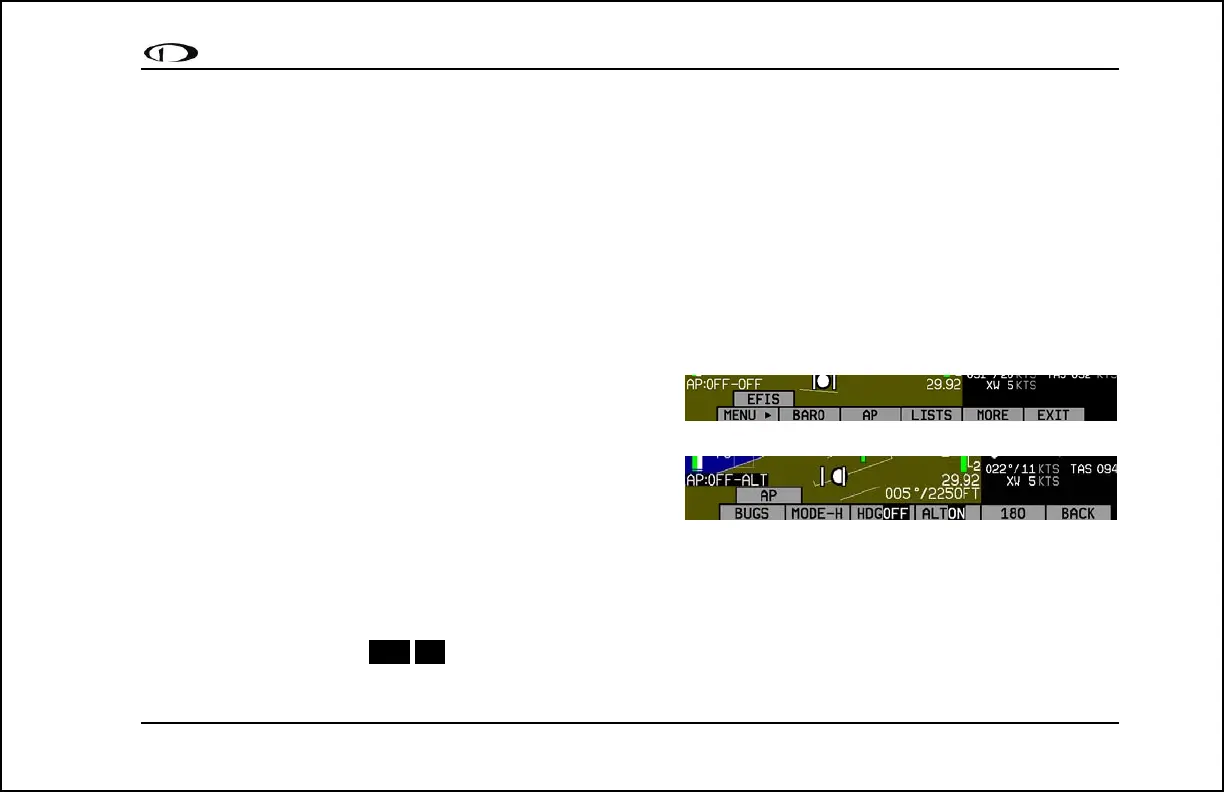
This section describes the various AP control functions available via the EFIS > AP menu.
With an AP installed and configured, the AP menu is shown on
Button 3 (hereafter, shown in documentation as “EFIS > AP”).
This replaces the BUGS menu (relocated under the AP menu).
The AP menu includes the following buttons and functionality:
• BUGS: Works as the BUGS menu has in previous firmware
versions and is documented on page 5-2. The HDG and
ALT bugs now control the targets for the autopilot’s HDG/TRK and ALT modes, respectively.
• MODE-(H, T, or N): The MODE button is followed by the currently active lateral mode: H (HDG), T (TRK), or N
(NAV). When the roll axis of the AP is engaged (by pressing button 3, the lateral engage button), it flies in the mode
set in this menu. Pressing this button brings up another menu where you can select the armed AP mode. As soon as
you select a mode, the AP menu is immediately displayed again.
• (HDG, TRK, or NAV)OFF/ON: The menu label also reflects the currently active lateral mode, and whether or not
the AP is engaged in that mode. Pushing this button toggles between ON and OFF, activating and deactivating the



 To Next Page