13
Charge Errors and Indications
In the event that both the red and green LEDs flash, a charge error has occurred. Some examples of
charge errors and their indications include:
• Alternating flashing of the red and green LEDs will indicate that the charge process has been interrupted. If input
power to the charger has been interrupted due to disconnection from the power source or a drop in voltage/
current output from the power source, unplug the battery from the charger. Next, check to make sure that the
input power plug from the AC to 12V DC adapter/power supply is connected or that the alligator clips are firmly
and properly attached to the power source. Also be sure that the power source is providing the proper amount of
voltage and current required to the charger.
After confirming the connections and that the power source is delivering the necessary voltage and current, re-
start the charge process by connecting the battery pack. Continue to monitor the charge process to ensure that
no further charge errors occur.
• Simultaneous flashing of the red and green LEDs will indicate that the voltage of the Li-Po battery pack is too low
to allow the charge process to begin. In this case the battery may have been over-discharged due to flying the
model too long (For more information on preventing over-discharge of the Li-Po battery pack, see the guidelines
section found on page 9), or that a single cell or even all cells in the battery pack may be damaged.
If after several charging attempts you continue to see this charge error indication, you should remove
the battery pack from service and replace it with a new one.
If you have any further questions or concerns regarding charge error indications, please contact Horizon Hobby’s
Product Support staff at 877-504-0233.
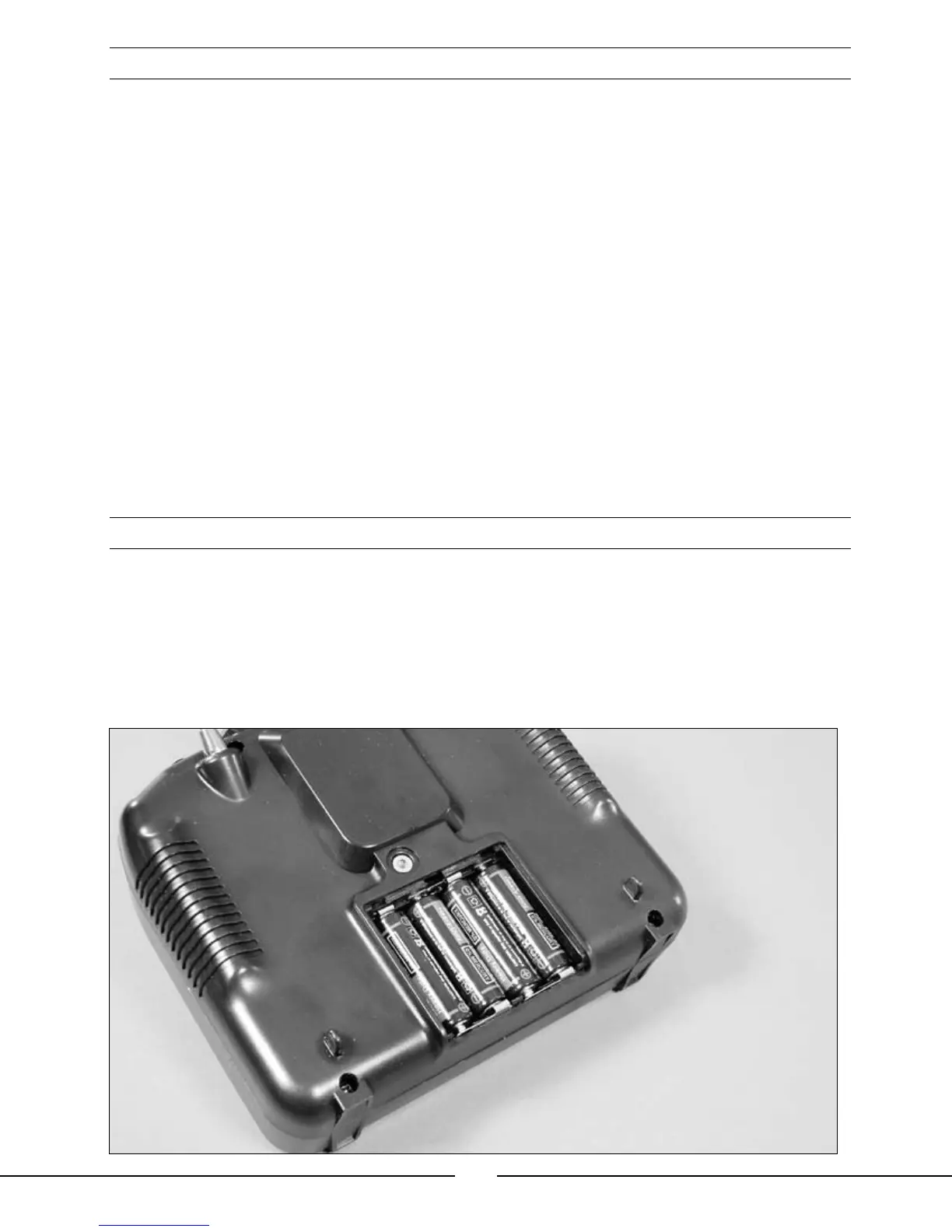
Installing the Transmitter Batteries
Install the 4 included “AA” batteries in the transmitter. Check the power level of the batteries and operation of the
transmitter by switching the power switch on (upward). The LCD screen at the top of the transmitter will indicate the
power level of the batteries. If at any time the voltage indicated on the LCD screen falls to 4.5V or less, an alarm
will sound, and it will be necessary to replace the batteries with new ones.
Note: Because the LP5DSM transmitter included with the Blade CX2 is equipped with Spektrum 2.4GHz
DSM technology, it does not require the same input voltage or current consumption as a typical 72MHz
transmitter for proper operation and optimum performance.







 To Next Page