129
K000000000EJ 023826A0 100714
15.7 Replacing the battery pack
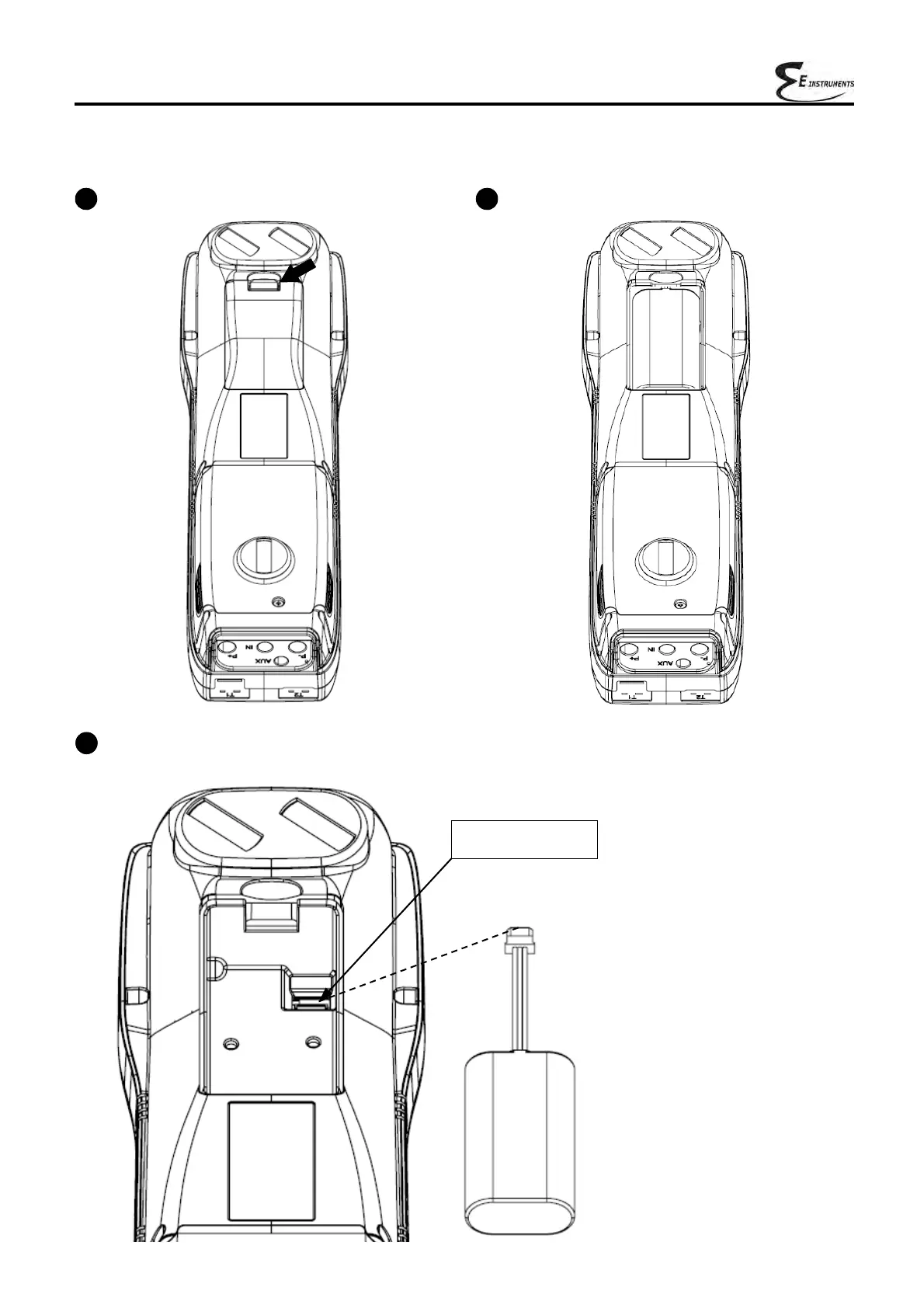
Follow these instructions to replace the battery pack:
1
Remove the battery compartment cover.
3
Remove the battery pack connector, and replace the pack with a new one following the reverse procedure
described above.
2
Extract the battery pack.
Battery pack
connector



 To Next Page