79
level in manual mode the unit will continue to use that exact sensitivity
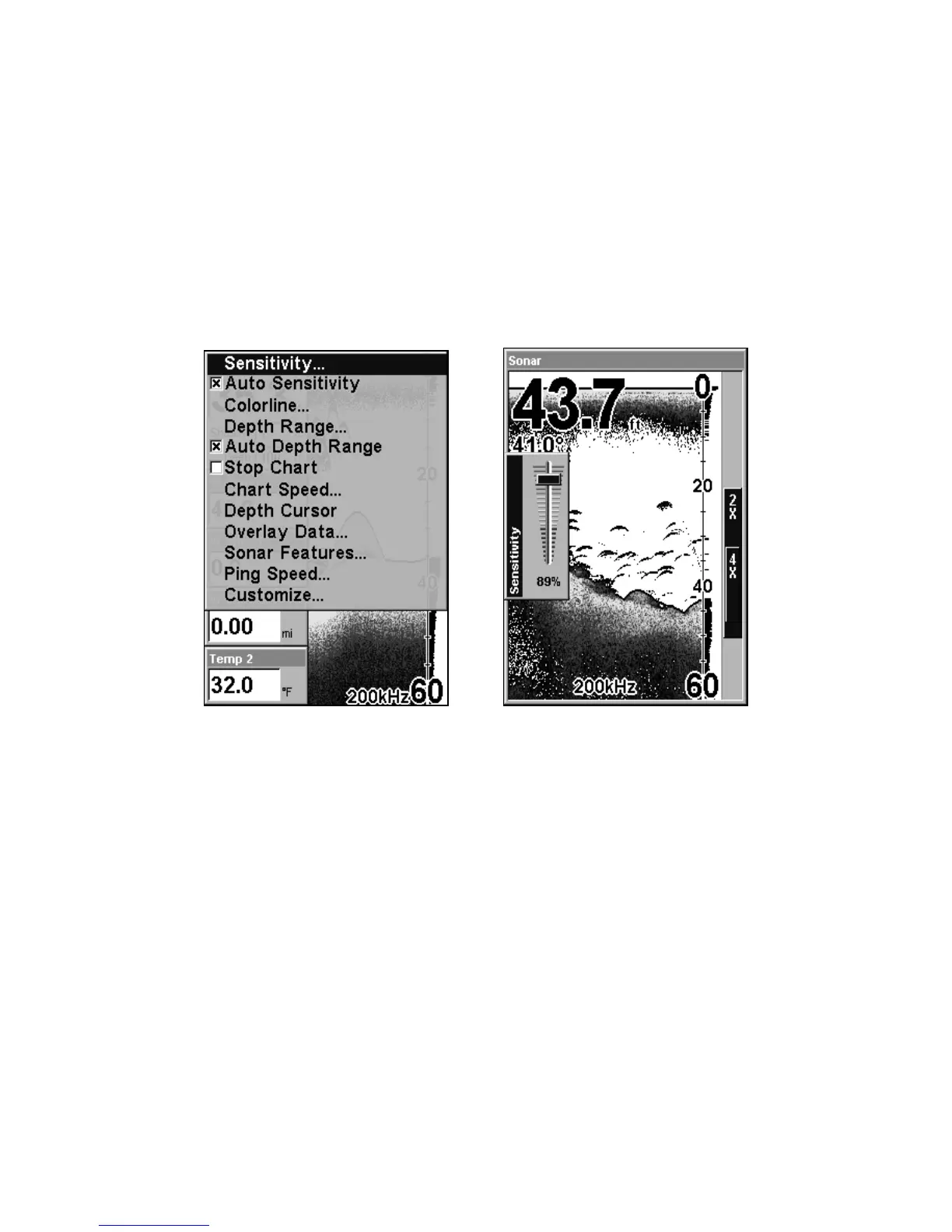
setting until you change it or revert to auto mode.
To adjust sensitivity in auto mode:
1. Press
MENU|ENT.
2. The Sensitivity Control Bar appears. Press ↓ to decrease sensitivity.
Press ↑ to increase sensitivity. When it's set at the desired level, press
EXIT. When you reach the maximum or minimum limit, a tone sounds.
Sonar Menu (left) with Sensitivity command selected. The Sensitivity
control bar is shown at right.
To adjust sensitivity in manual mode:
1. Turn off Auto Sensitivity. From the Sonar Page, press
MENU|↓ to
AUTO SENSITIVITY|ENT.
2. Press ↑ to
SENSITIVITY|ENT and the Sensitivity control bar appears.
Press ↓ or ↑ to pick a different sensitivity setting. When it's set at the
desired level, press
EXIT.
To turn Auto Sensitivity back on:
From the Sonar Page, press
MENU|↓ to AUTO SENSITIVITY|ENT|EXIT.















 To Next Page