SET UP
3.1 Unboxing and Assembly.
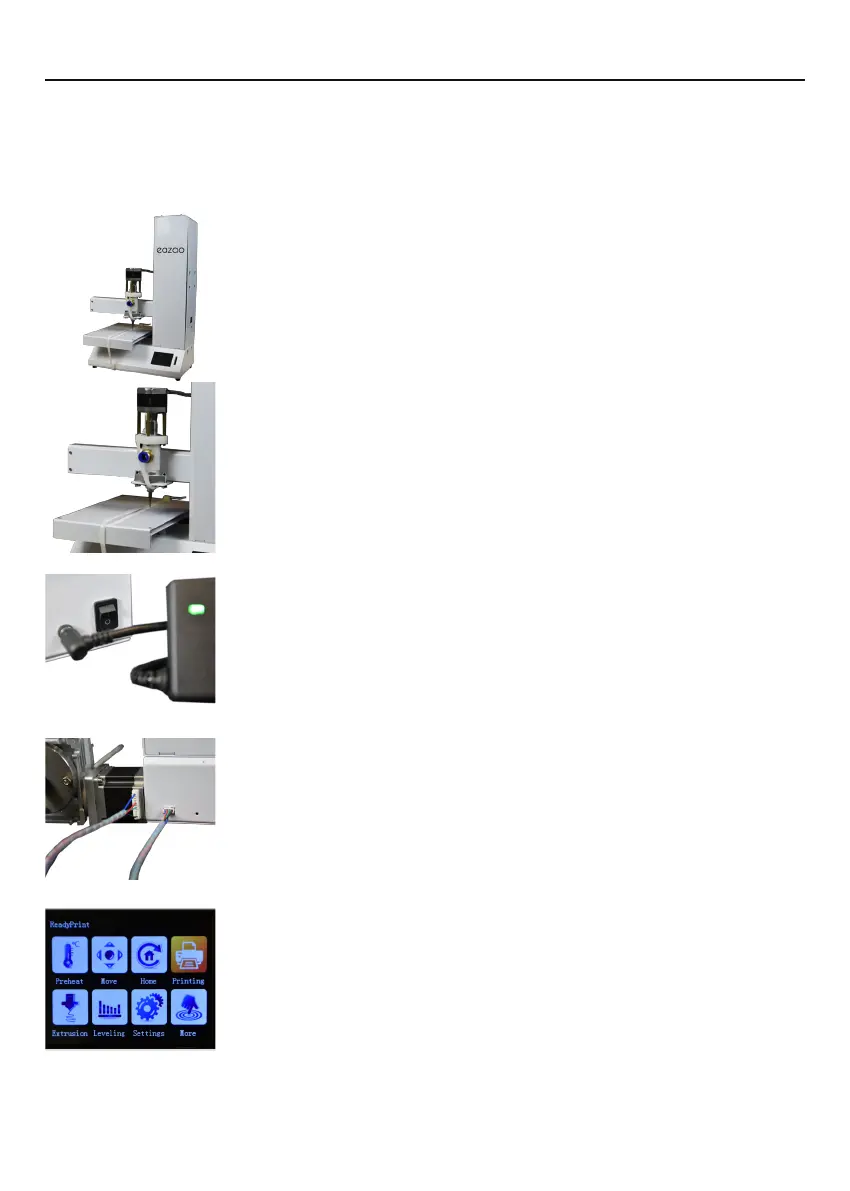
Your Eazao 3D Printer is carefully packed to avoid damage in transit. Take your time
unpacking it. The printer is preassembld and requires only minimal set up before
powering on.
1.Carefully remove the 3D printer from the box and place on a
clean, level work space.
2.Cut the 2 x Cable ties holding the Print Bed to the X-Axis
Frame.
3.Ensure the power switch is in the OFF position, then the
power supply cable into the back of the 3D Printer. Insert the
other end into a nearby mains power outlet. Turn on the power
outlet, then turn on the power switch at the back of the 3D
Printer.
4. Connect the control cable to the electric putter, one end
of the cable is connected to the motor, and the other end is
connected to the printer.
5.After a few seconds, the touchscreen will initialize and show
the Main interface.
6


 To Next Page