PRINTING
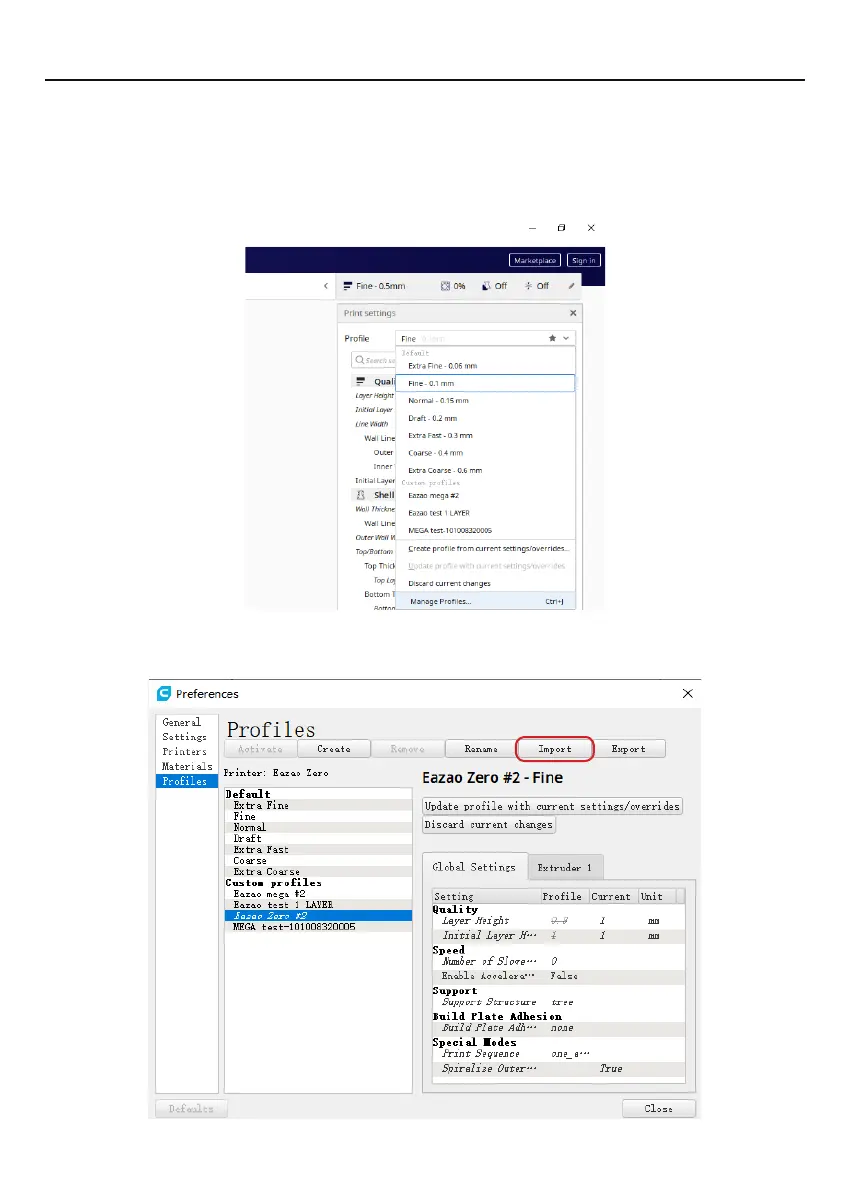
4.7.5 Import cura slice configuration file.
In order for Eazao Zero to recognize the gcode generated by cura, you need to import
the slice configuration file, and operate as shown below.
1. Select
"
Print Settings
" --> "
Configuration File
" --> "
Manage Configuration File
"
2. Select
"
Import
"
to import the configuration file in the SD card: eazao_zero_cura
silcing setting.curaprofile
20


 To Next Page