PRINTING
4.7.4 Adding your Eazao Zero to Cura.
1.Initial use configuration Steps:
On first launch, Cura will ask you to add a 3D printer from the list provided.
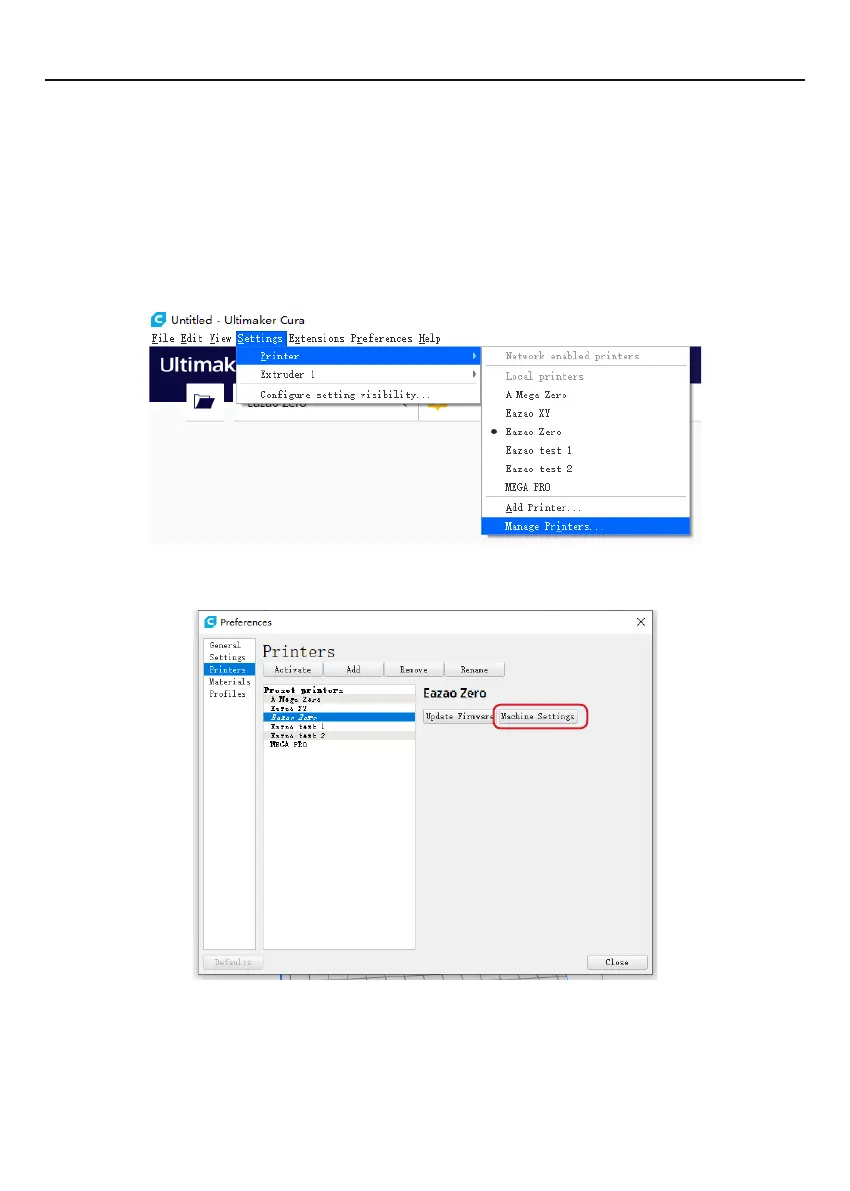
Alternatively, you can add a 3D printer follow the tutorial below. Run Cura 4.8.0, click
"Settings"> "Printers"> "Add Printer"> "Custom", type "Eazao Zero" in the printer name,
and then click "Add Printer", the printer setting interface will pop up, select the Custom
FFF printer;
Set the printer parameters as shown below.
2.Select custom and enter machine name as 'Eazao Zero', or your desired name
3.Input Machine width as 150mm, Machine depth as 150mm, Machine height as
240mm.
4.Change Nozzle size to 0.4mm, Compatible material diameter changed to 1.75.
5.Ensure center and heated print bed is Not ticked.
6.Select'Finish'
18


 To Next Page