PRINTING
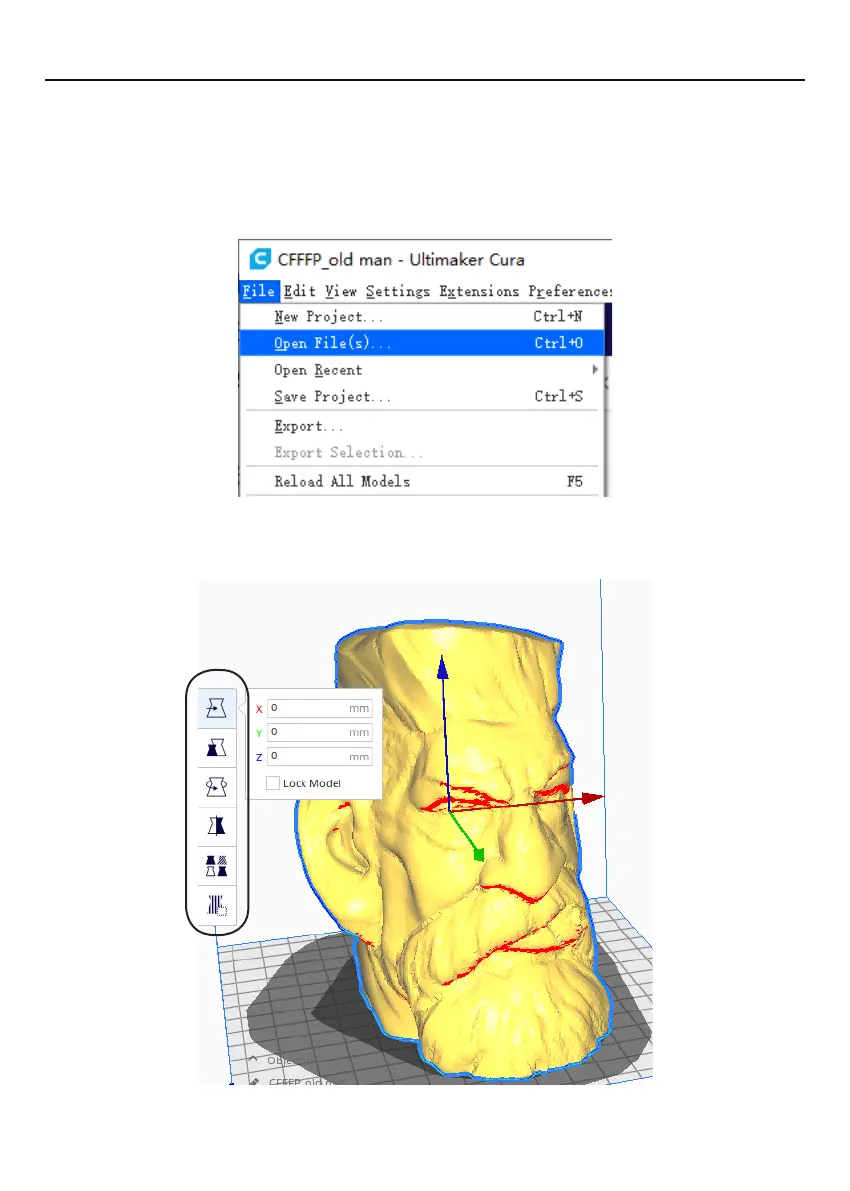
4.7.6 Loading a 3D design into Cura and slice.
1.Click
“
File
” > “
Open File (O)...
”
to select the model that needs to be sliced. Cura
supports models in the STL/OBJ/AMF format.
NOTE:
Files in grey are outside of the print area and need to be moved or scaled to fit.
2.Model slice:
Adjust the model: Left click on the model. There will be six options on the left side of
the interface, which can be adjusted as needed.
26


 To Next Page