USER SETTING
The KT-LCD3 LCD provides users with 3 depths of settings:
General Setting
P Parameter Setting
C Parameter Setting
To enter the general project setting, simultaneously hold button and button for
3 seconds within 5 seconds of turning the LCD on. The current setting will be
indicated by a flashing sign. To scroll through the menu, press the button.
Once the general project menu has been cycled through, the display will cease
flashing. Now enter the P Parameter settings by simultaneously holding button
and button for 3 seconds. The same method to scroll through the menu can be
applied and the LCD will flash specific icons indicating the setting currently open.
Once the flashing has stopped, hold down both the and button again to
progress to the C Parameter settings. To exit these settings at any stage, simply hold
down the button where the LCD will return to display 1. If no button operation occurs
for 60 seconds while in a settings menu, the KT-LCD3 will discard changes and
return to display 1. To exit at any moment, hold and the LCD will discard any
unsaved changes and revert to display 1.
GENERAL SETTING
Maximum Trip Speed
Turn on LCD, and within 5 seconds of start-up simultaneously hold button
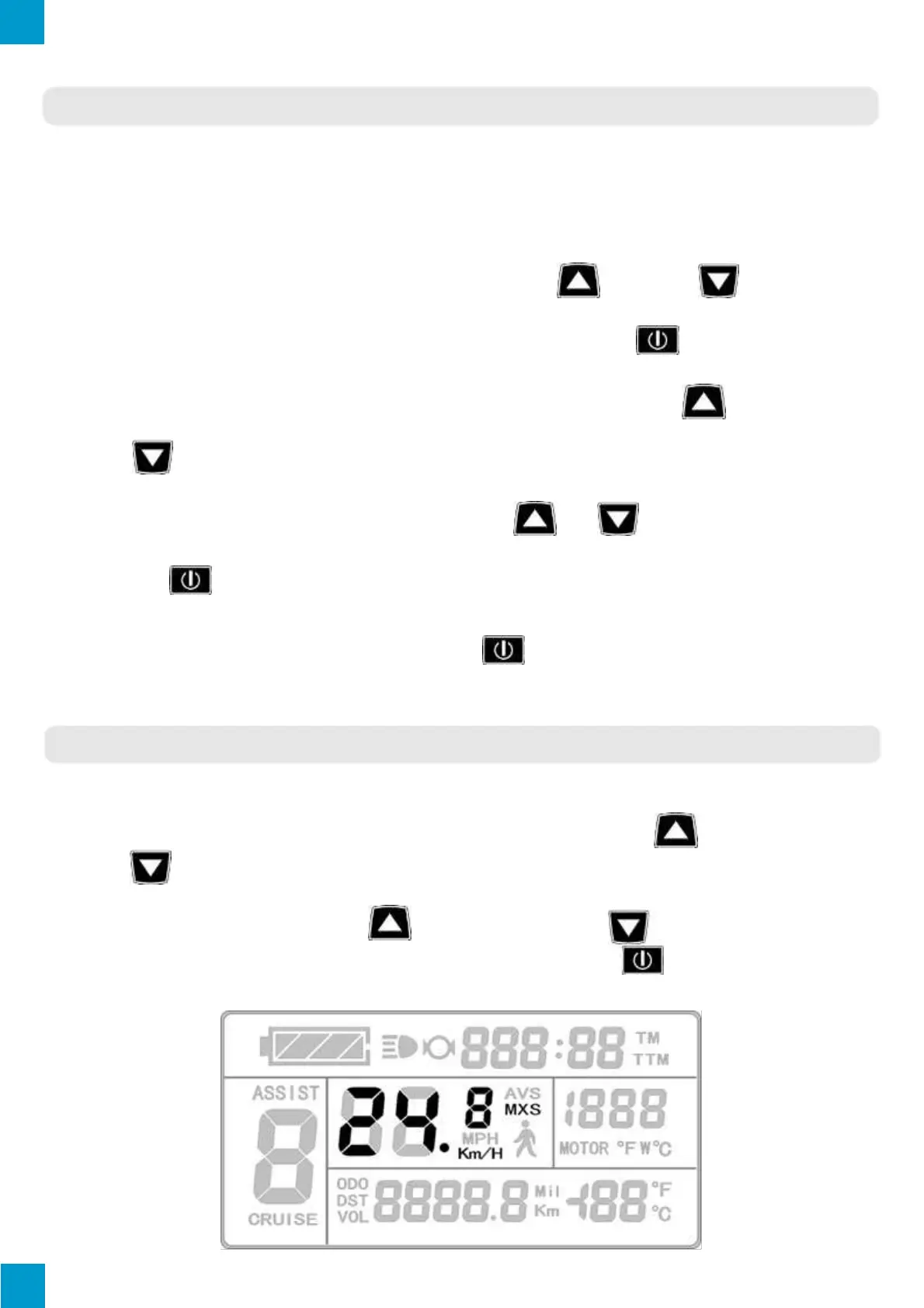
and button for 3 seconds to enter general project settings. “MXS” and the speed
will be displayed, indicating the maximum riding speed (Refer to image below for
illustration). To adjust, press the button to increase or button to decrease
the speed. Once desired speed has been selected, press the button to confirm
changes and move onto wheel diameter.



 To Next Page