The P4 settings is for controlling the throttle activation. When the P4 Parameter is 1, the
throttle is under "delayed startup” where the throttle will only activate the motor after the
motor has been activated via Pedal Assist System. Setting the P4 to 0 will set the throttle
to activate the motor when triggered.
P5 Power Monitoring Setting
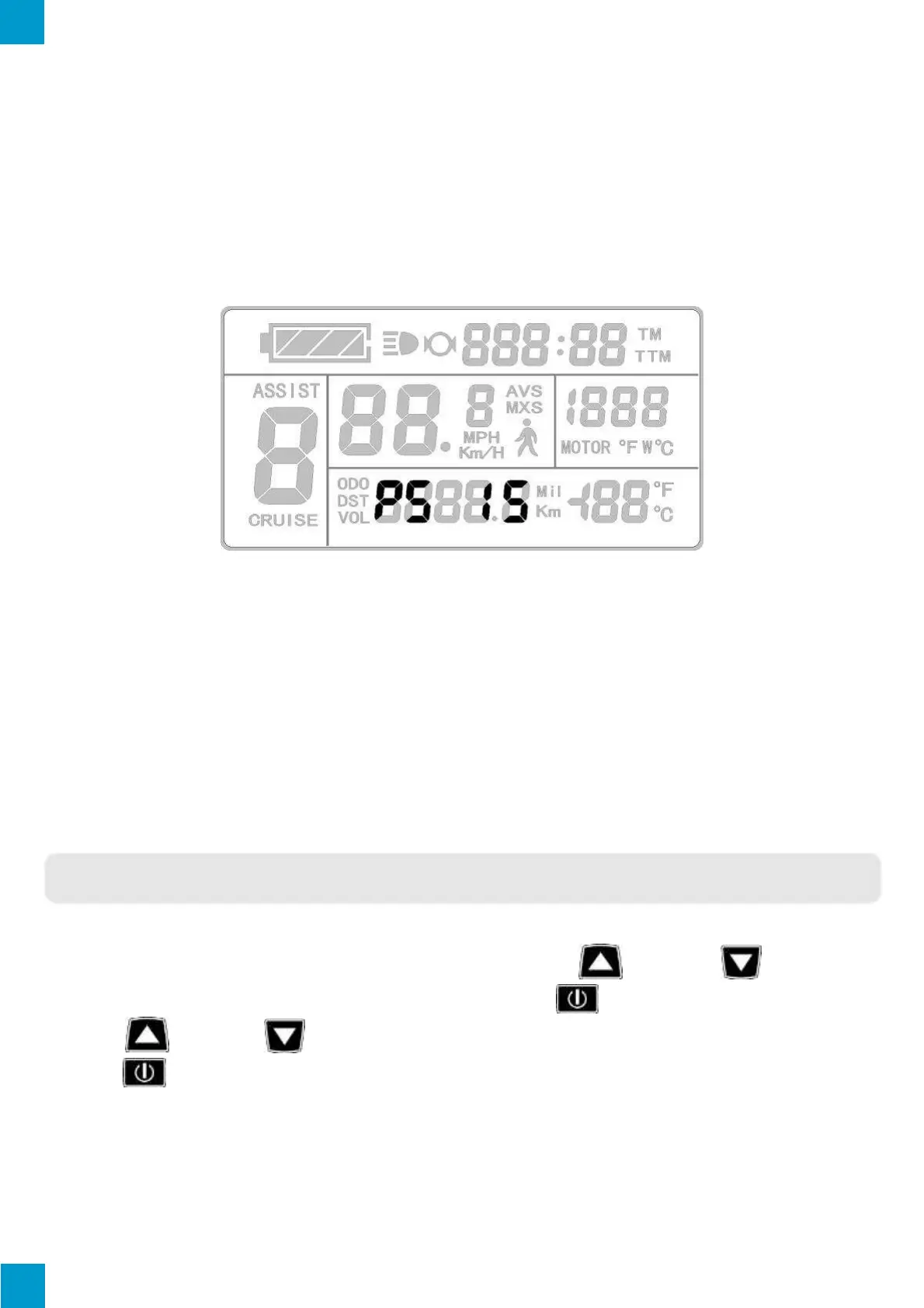
The P5 Parameter setting will display on the LCD after the P4 Parameter setting has been
selected and confirmed. The KT-LCD3 will display as follows:
P5 Display
The P5 Parameter is power monitoring mode. When the value is set to 0, the power
monitoring is in "real-time voltage" mode where the method to determine the battery
capacity is based on real-time voltage. Once the P5 Parameter is set to a specified value,
the power monitoring is in "smart power" mode where the value set is determined by the
battery characteristics. Such that, 24V lithium batteries are typically set between 4-11, 36V
lithium batteries set between 5-15 and 48V lithium batteries set between 12-20. The P5
Parameter setting ranges from 0-40.
C PARAMETER SETTING
Enter the C Parameter settings by cycling through the P Parameter Settings to the end
(when display ceases flashing) and simultaneously holding button and button
for 3 seconds. If required to exit at any Parameter, hold button for 2 seconds. Use
the button and button to select the value and confirm selection by pressing
the button. The Parameter will be confirmed and the LCD will enter the following C
Parameter settings.



 To Next Page