INSTALLATION INSTRUCTION
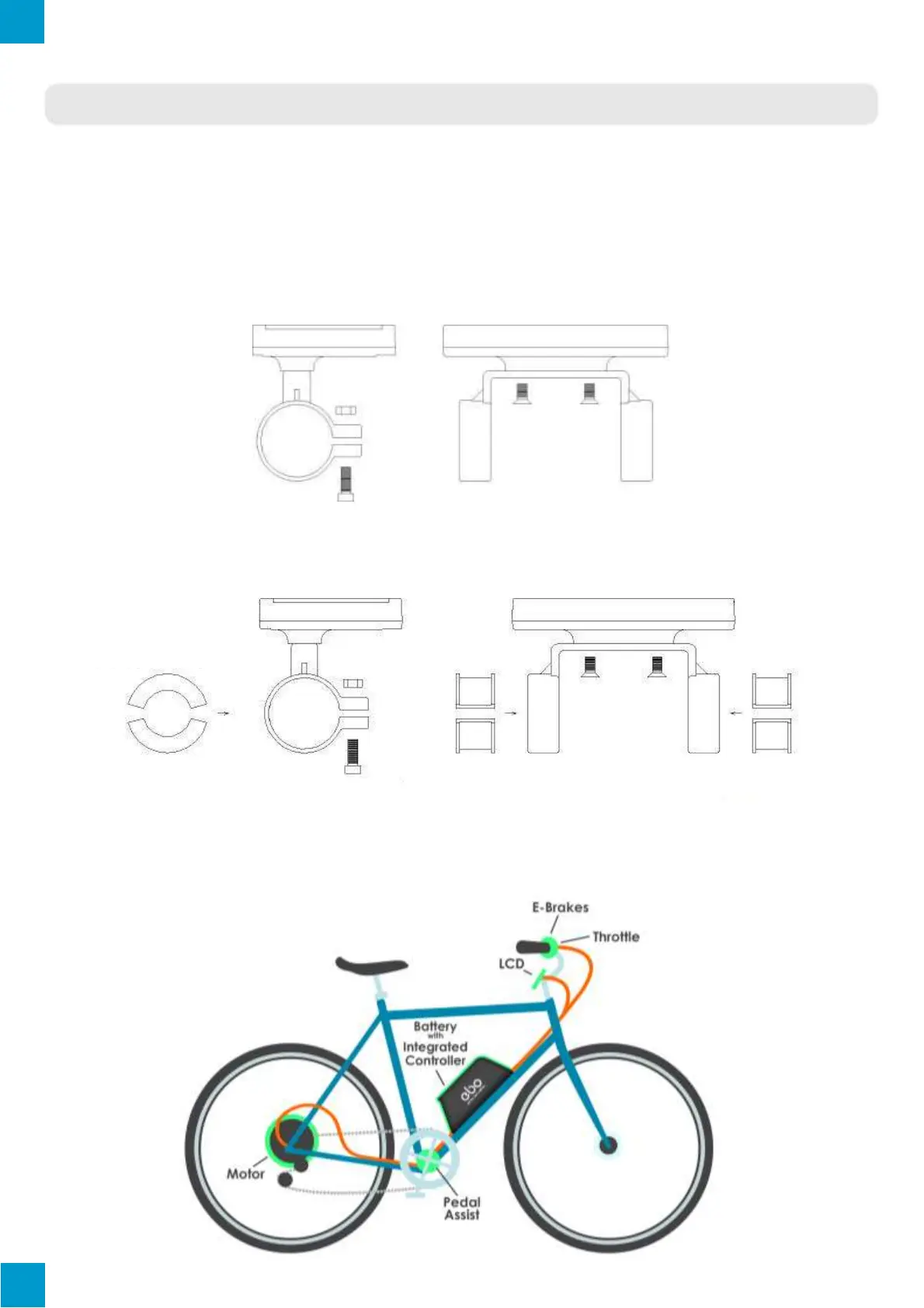
Using the appropriate methods and fixtures, mount the LCD screen and button box onto
the handle bar to the rider’s desires. Refer to the following images below for installation on
specific handle bar diameters. While the e-bike is off, connect the necessary wiring and
check to make sure all connections are firmly attached. Finally, remove the protection film
from the display.
Ø 31.8 Handlebar Diameter Install
Ø 22.2 Handlebar Diameter Install
Installed KT-LCD3
LCD and Bracket Side View
LCD and Bracket Side View
Optional Encircled Rubber LCD
Bracket Mounts Ø22.2 or Ø25.4
Optional Encircled Rubber LCD
Bracket Mounts Ø22.2 or Ø25.4
Optional Encircled Rubber LCD
Bracket Mounts Ø22.2 or Ø25.4



 To Next Page