EBS-230 Printer User's Manual
20080512#1.0
_____________________________________________________
23
Single character, mode 1 – the text is centred between the text edit
lines.
Single character, mode 2 – all characters are aligned to the lower
text edit line.
Multi character – is used to enter the characters whose appearance
varies depending on whether single characters or character groups
(words), such as Arabic characters, are used.
NOTE: The number of characters to be input with the use of the Windows fonts is limited – it
depends on the font type and size.
!
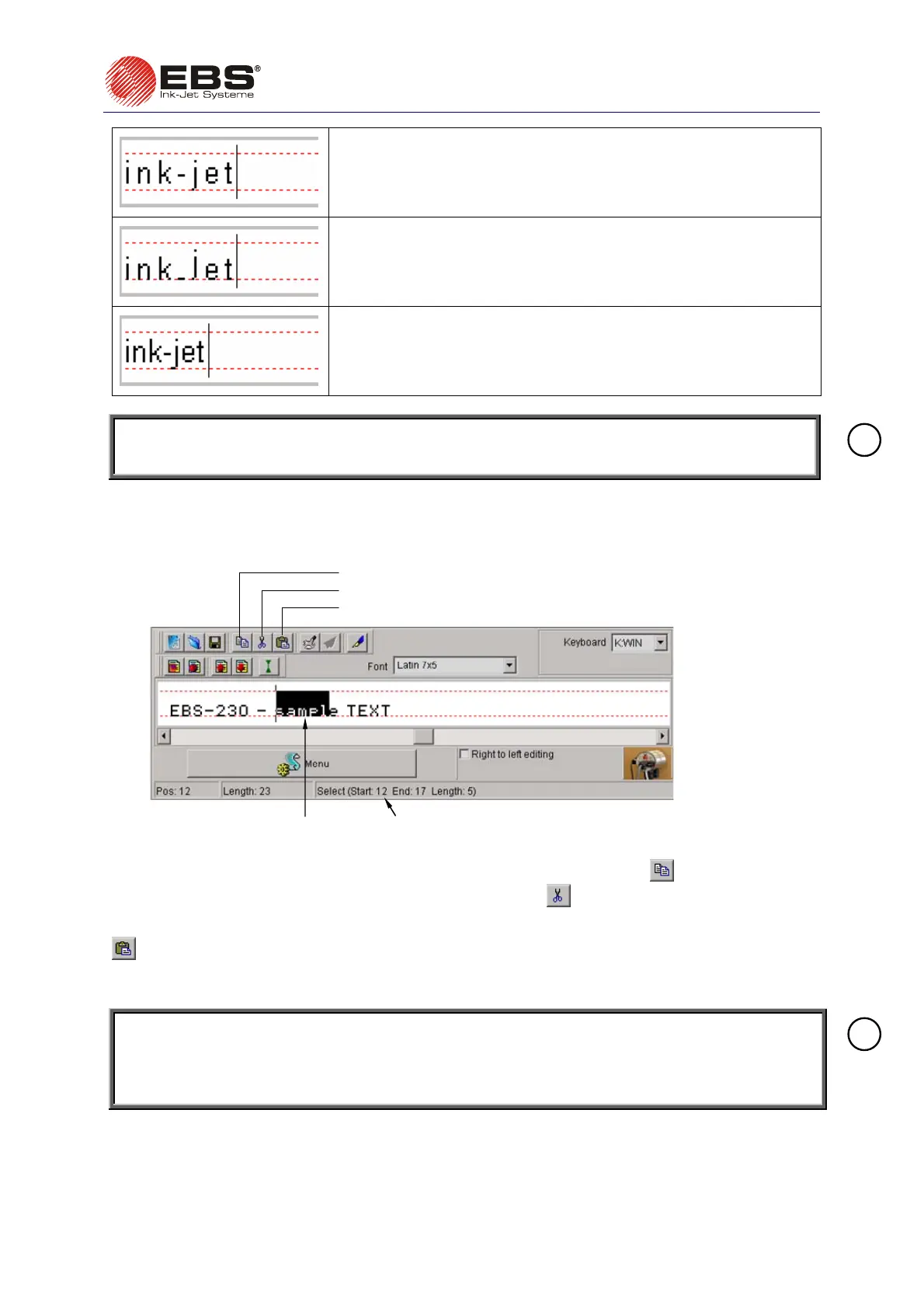
Cutting and Pasting Text Using Windows® Clipboard
A text fragment can be marked e.g. for copying.
highlighted part of the text
length as well as positions of the beginning and
end characters of the selected part of the text
paste a text from the clipboard (Ctrl+V)
copy a text to the clipboard (Ctrl+C)
cut and copy a text to the clipboard (Ctrl+X)
Fig. 3.3.5.5.
The highlighted text can be copied to the Windows® clipboard by clicking the
button (the shortcut
of Ctrl+C) or cut out and copied to the clipboard by clicking the
button (the shortcut of Ctrl+X).
The text stored in the Windows® clipboard can be pasted back onto the text edit line by clicking the
button (the shortcut of Ctrl+V). The method can be used for moving texts from other Windows®
applications to the text edit line in the control-program window and then to the printer (you can change
the font of the text pasted, however the new font needs to be one of the printer built-in fonts only).
NOTE: If variable fields are defined within a text and the text is copied to the Windows clipboard
and then pasted back, the information on the definition is lost. In other words, variable field
markers are not copied. However, monospaced text and font change markers can be
copied and pasted.
!
Changing Proportional Spacing and Monospacing
Proportional fonts are used to insert texts as standard. This means that each letter takes a space
proportional to the character width. For example, a letter W takes more space than a letter I.



 To Next Page