EBS-230 Printer User's Manual
20080512#1.0
_____________________________________________________
39
Buffering Texts while Printing
Text buffering means that the next texts are prepared for printing in the printer memory after printing
has begun until the printer memory is filled. While printing, ”written” texts are immediately
supplemented in the memory by the next ones. This procedure can be a disturbance in cases where
printing is done at low speed or with a large time gap between texts containing time-type variable
fields. Because buffering causes several texts, with the same time value, to be opened in the memory.
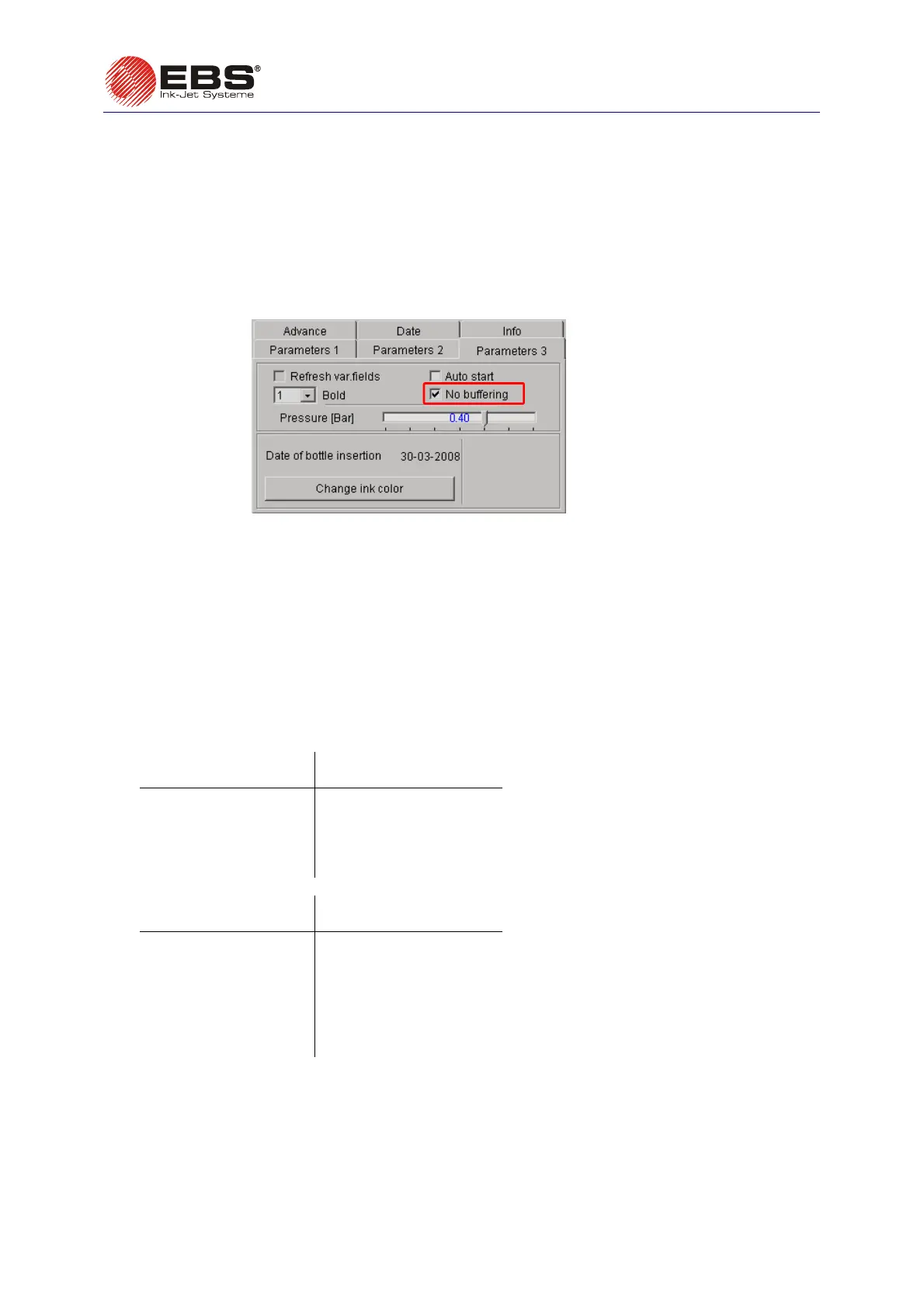
Text buffering is disabled, as standard. To enable it, uncheck the
No buffering filed in the
Parameters 3 tab sheet of the control program. The parameter is available after the Adv. options
field has been ticked.
Fig. 3.3.9.19.
Refreshing Variable Fields for Repetitions
A standard printer does not refresh variable fields if a print is to be repeated a number of times (Text
repetitions
>1). This means that the contents of the variable fields are not updated each time the print
is made in the repetition mode. The fields are refreshed only after the photo-detector has been
activated.
This may not be convenient in certain situations, for example:
•
when a text contains a counter-type variable field, as the same setting of the counter is added to
every print;
For the incremental counter comprising 4 digits set the
Text repetitions parameter to 3.
a) If the
Refresh var.fields parameter is set to OFF, the following prints can be produced:
Successive activation
of photo-detector
The following counter
contents are printed:
1 0000 0000 0000
2 0001 0001 0001
3 0002 0002 0002
--- --- --- ---
999 0999 0999 0999
b) If the Refresh var.fields parameter is set to ON, the following prints can be produced:
Successive activation
of photo-detector
The following counter
contents are printed:
1 0000 0001 0002
2 0003 0004 0005
3 0006 0007 0008
4 0009 0010 0011
--- --- --- ---
333 0996 0997 0998
334 0999 1000 1001
•
when texts are printed at a low speed or intervals between successive texts containing a time-
type variable field are significant. If no refresh option is set, the same time is added to every print.
To always print the actual value of the variable fields, you can prevent them from refreshing during
repetition by marking the
Refresh var.fields field with the mouse in the Parameters 3 tab sheet of
the control program. The field is available only when the setting of the
Text repetitions parameter to
a value greater than 1 is made in advance.



 To Next Page