EBS-230 Printer User's Manual
20080512#1.0
_____________________________________________________
49
4.1.1. Changing the ink filter in the bottle
The following steps describe how to replace the filter:
a). Stop printing with the PRINT ON/OFF key and switch off the printer with the
R230
distributor power switch.
b). Switch off the pressure by opening the air drain valve on the side of the ink bottle
cap. Close the valve when the pressure drops to zero.
c). Remove the cap from the bottle by turning its lower part and keeping in place the
upper part with ferrules that the polyethylene tubes are connected to.
d). Remove the cap from the bottle by removing the suction pipe with filter. When you
remove the filter from the bottle make sure it is not shaken, which could cause the
impurities collected on the filter to drop down.
e). Securing the filter with a 14 mm flat wrench, unscrew the security screw cap using
an 11 mm flat wrench.
f). Slide down the filter basket from the suction pipe. The security bush and the screw
cap remain on the suction pipe.
g). Replace the old filter with the new one in such a way that the end of the suction pipe
is positioned at the bottom of the filter basket, and then secure it with the screw cap.
h). Place the suction pipe with the filter in the bottle and tighten the cap.
Switch on the printer with the
R230
destributor power switch and start printing again
with the PRINT ON/OFF key.
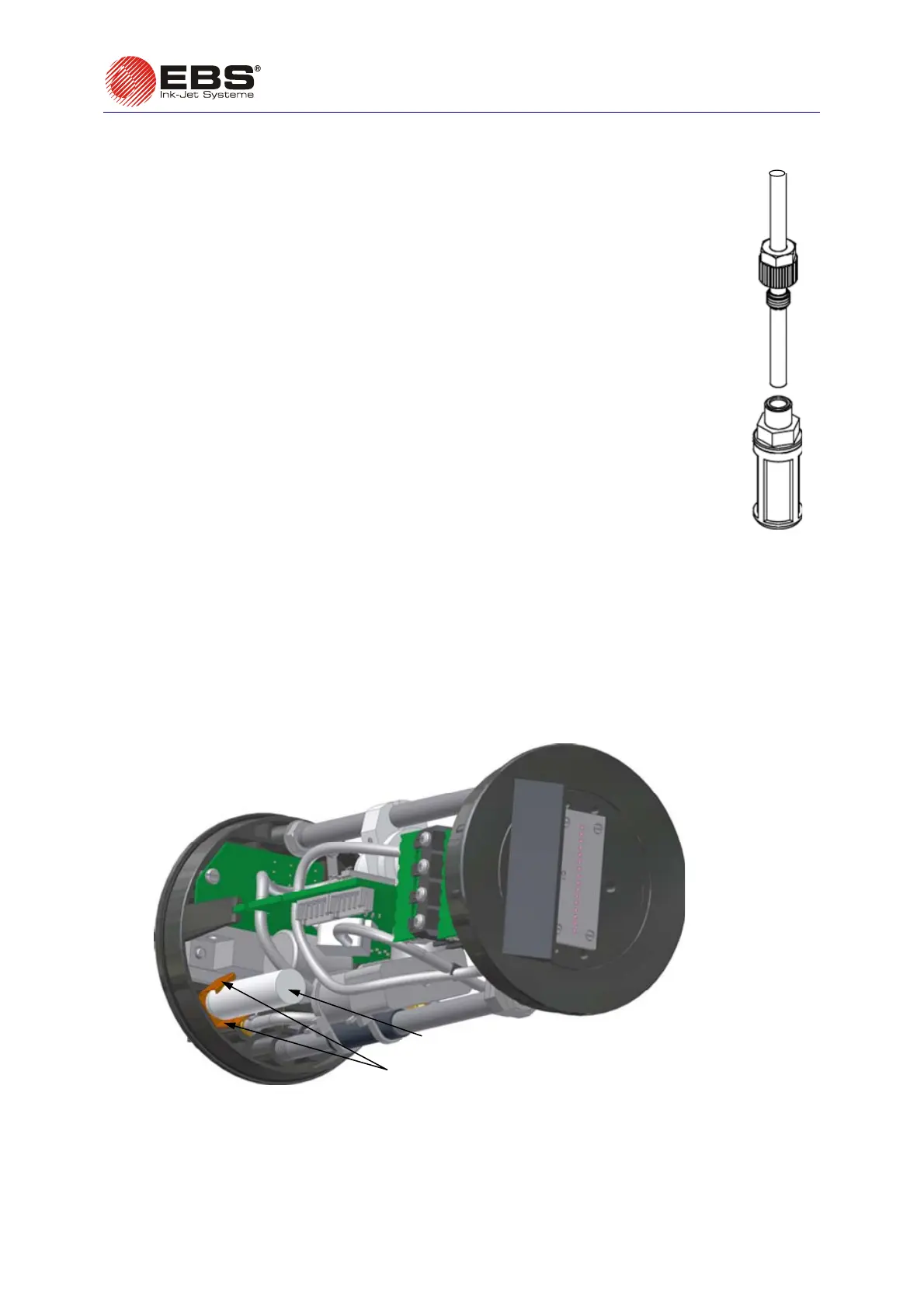
4.1.2. Replacing the air filter in the printer
To replace the air filter proceed as follows:
a). Remove the printer cover according to the steps described in
4.3.9
Removing the Housing
(Cover) from the Printer
on page 57.
b). Remove the filter from the clamp (see Fig. 4.1.2.1),
c). Replace the old filter with a new one so that it is protected against sliding off by the clamp,
d). Put back the printer cover performing the stages of the procedure described in
4.3.9
in reverse
order.
air filter
air filter clamp
Fig. 4.1.2.1.



 To Next Page