EBS-230 Printer User's Manual
52
___________________________________________________
20080512#1.0
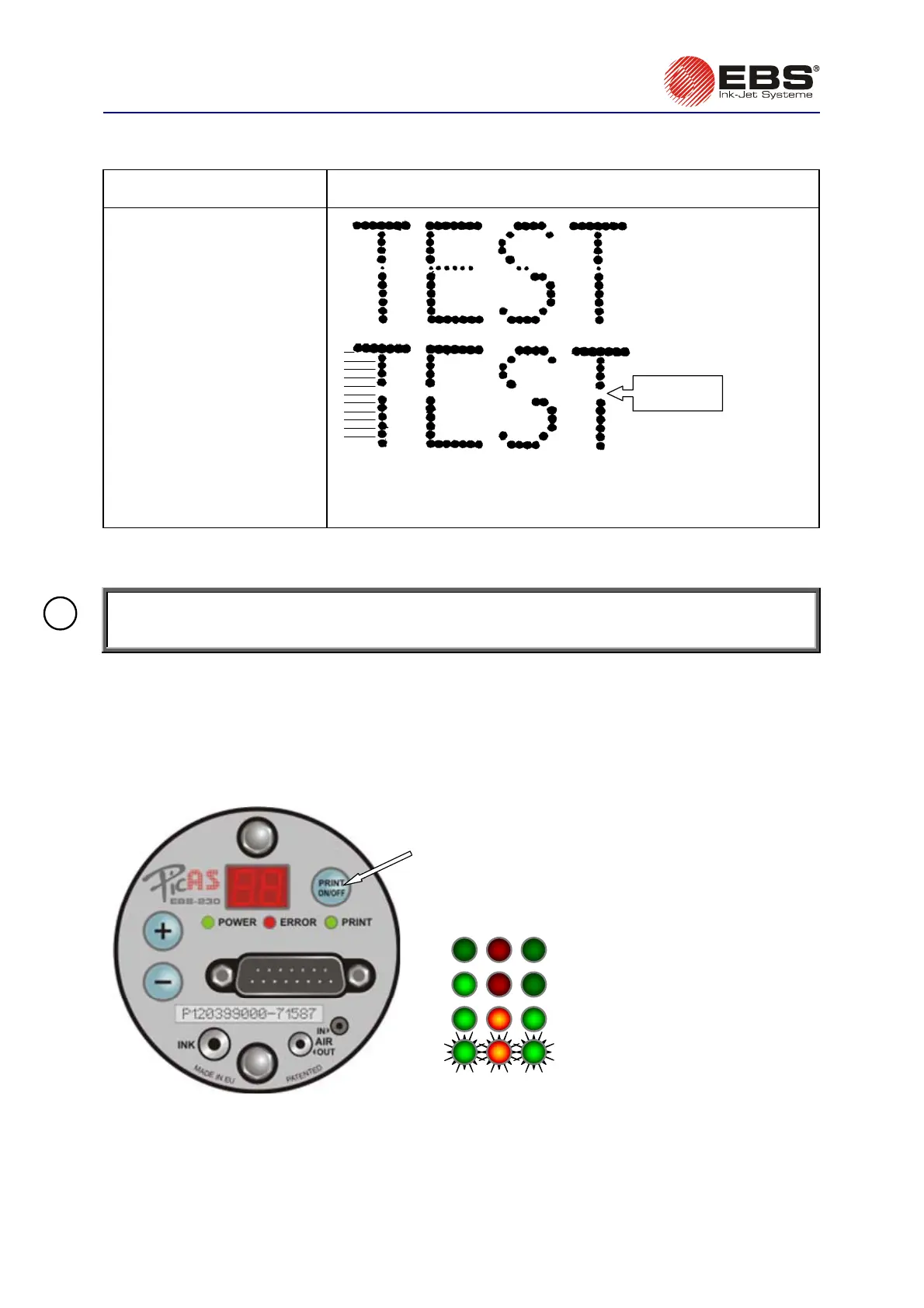
4.3.3. Some dots are much smaller than others or missing on the print
PROBLEM REMEDY
All dots jetted out of a
particular nozzle (a
horizontal line) are much
smaller than others or are
missing.
1
2
3
4
5
6
7
8
9
10
11
12
Nozzle No.6
does not print
Fig. 4.3.3.1
Such a problem occurs when the solenoid valve corresponding to the
nozzle is out of order. Try to adjust the electromagnet in the valve
following the procedure below.
Adjusting Valve Electromagnets in the Print Head
NOTE: The following procedure should be performed by trained staff authorized to service EBS
printers.
!
1. Remove the printer housing – see section
4.3.9 Removing the Housing (Cover) from the
Printer
.
2. Hold up the uncovered printer (a special service holder available from the Manufacturer can be
used). Place adsorbent cloth and a dish for waste ink behind the printer.
3. Connect the printer to the mains while pressing the PRINT ON/OFF button at the same time and
hold the button down until three diodes: POWER, ERROR, PRINT start emitting light
simultaneously. The printer switches to the
service
mode. In this mode valves can be adjusted.
hold down the button while
switching the printer on
POWER ERROR PRINT
before switching the printer on
soon after switching it on
after about 3 seconds
after releasing the PRINT ON/OFF
button - the lamps flicker uniformly and
the first test text is printed
the states of LEDs during „the entering” of the
service procedure for valve adjustment
Fig. 4.3.3.2. Initiating a service procedure for adjusting printer valves.



 To Next Page