EBS-230 Printer User's Manual
20080512#1.0
_____________________________________________________
55
PROBLEM REMEDY
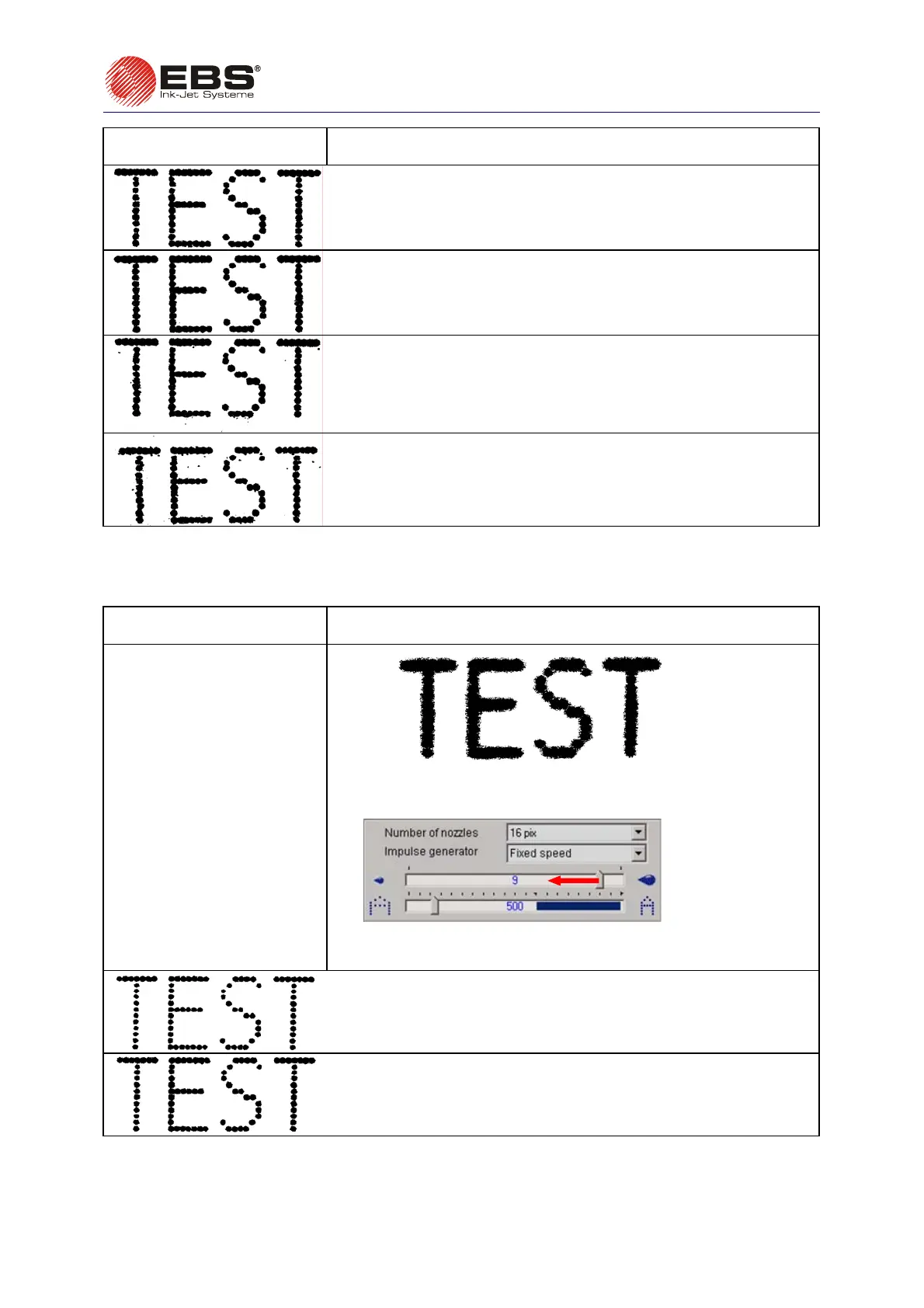
The distance between the printer and the object is 6 mm,
The distance between the printer and the object is 10 mm,
The distance between the printer and the object is 15 mm,
The distance between the printer and the object is 20 mm.
4.3.5. Prints look as if printed in bold type and blur
PROBLEM REMEDY
The print is saturated with
ink heavily, droplets of ink
mix with each other and the
entire label blurs on the
object.
Fig. 4.3.5.1
Such a print occurs when the value of the Dot size parameter is too
high. Reduce the parameter setting by moving the slider leftwards.
Fig. 4.3.5.2
Figures below show the print of a text for the rated pressure of ink
and different settings of the print parameter Dot size.
Dot size=0
Dot size=1



 To Next Page