EBS-230 Printer User's Manual
10
___________________________________________________
20080512#1.0
• R230 cable distributor...................................................................................................... 1 unit
• USB adapter ...........................................................................................................................1 unit
• Photo-detector ........................................................................................................................1 unit
• Printer mounting, tube mounting and clamps.........................................................................1 unit
• CD with utility software, operating instructions and user-support files (instructions,
advice, help in electronic form) ............................................................................................ 1 disc
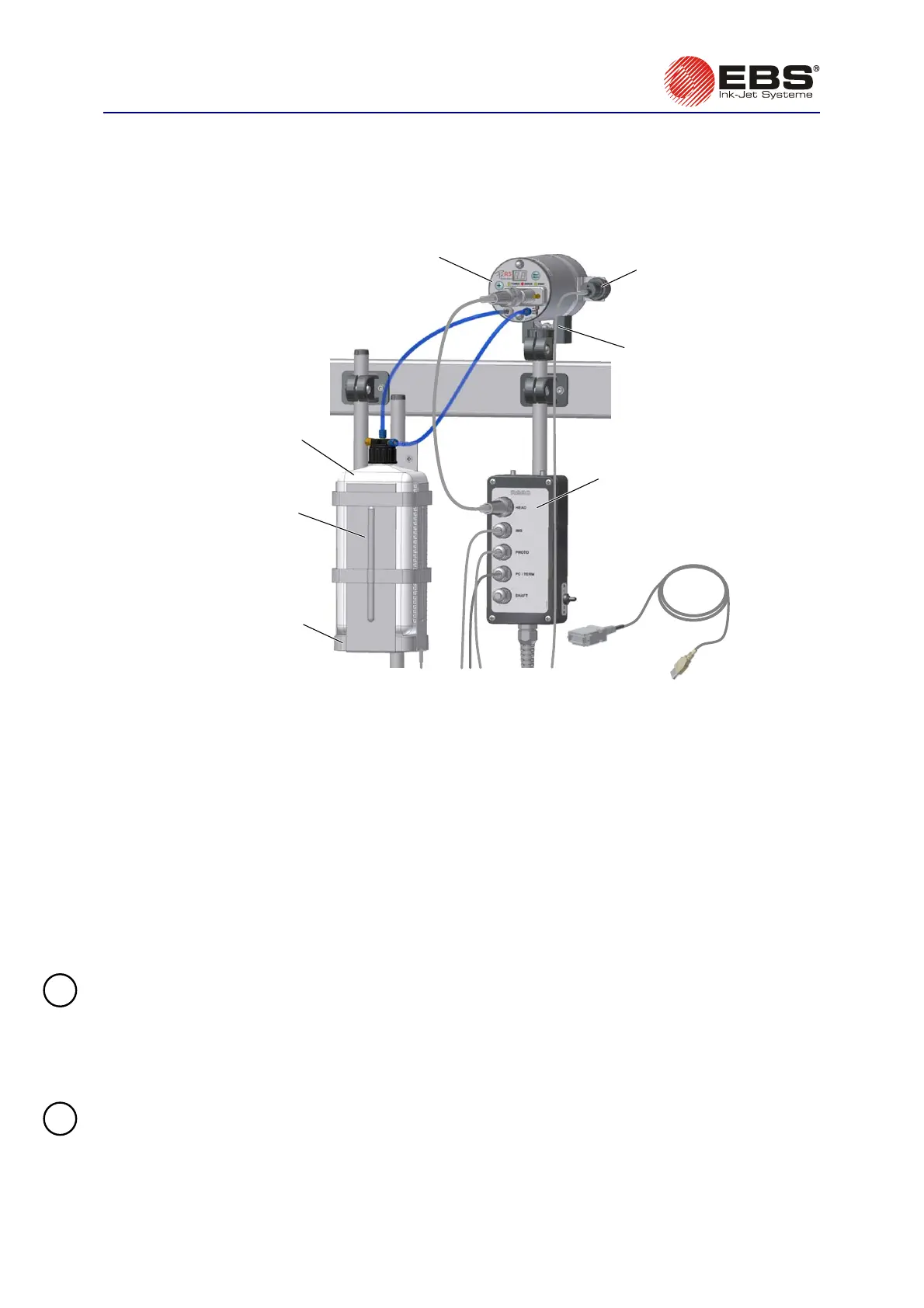
Printe
Printer holder
R230
cable
distributor
Photo-detector
with a cable
Ink bottle carrie
Ink Monitoring
System (IMS)
with cable
bottle of ink
USB
adapter
Fig. 2.3.1.1. Elements of the EBS-230 Printing System.
Other elements to be delivered with the order as part of the system or separately:
• A shaft-encoder, an indicator of the conveyor travel speed.
• T200 terminal with printer service program in place of PC computer.
• A movable platform with a cable for making prints manually.
2.3.2. Preparatory Steps
When switching on device for work the first time, or after transport, install it according to the
requirements below. For this purpose, perform the following activities:
1. Remove all elements of system from the packaging.
2. Choose a location for printer installation free of vibration, shock, dust, smoke and dirt as well as
intense or inflammable vapours and gases.
!
NOTE: The following mechanical and environmental conditions should be met:
Environmental conditions: operating temperature from +5°C to +40°C,
relative humidity up to 95% without condensation.
Mechanical conditions: max. vibration of 1g at the maximum frequency of 10Hz,
max. shocks of 1g over the maximum of 2 ms.
3. Fix printer mounting in location where objects are to be printed.
!
NOTE: If the conveyor vibrates too much, fix print mounting on stable stand or wall, not in
contact with the conveyor.



 To Next Page