EBS-230 Printer User's Manual
20080512#1.0
_____________________________________________________
33
Text Height
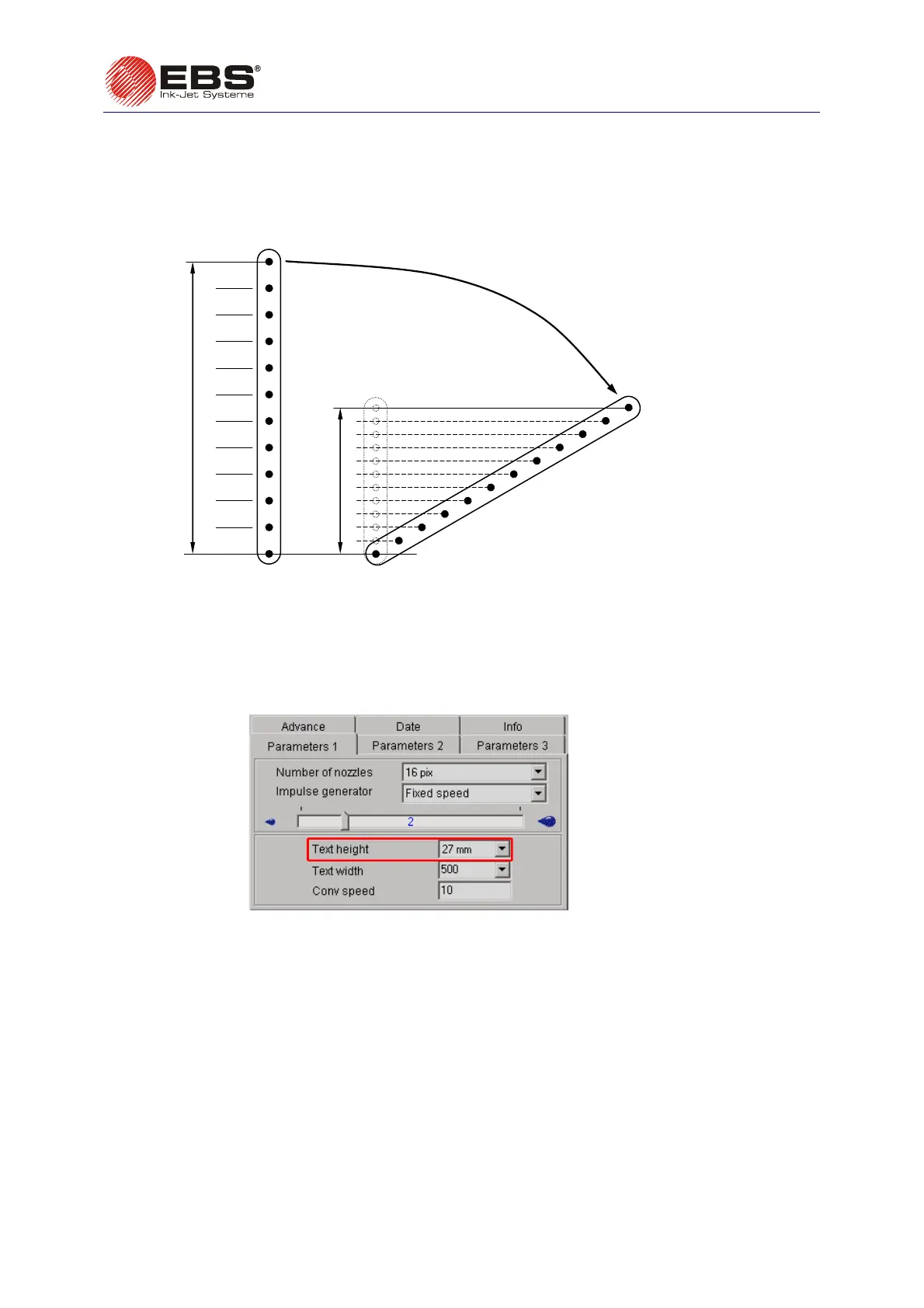
The height of prints can only be changed by turning the printer around its axis which is perpendicular
to a labelled object. When the printer is turned, the distance between vertical droplets reduces and
thereby the overall height of vertical rows gets smaller.
maximum height (before the printer is turned)
height after the turning
turning the print head
Fig. 3.3.9.2
The machine automatically re-calculates and adjusts time for jetting ink droplets in order to ensure
that rows are printed vertically and the proportion of width to height is maintained for every character
within the text. Therefore the range of turning angles is limited. A different text height is assigned to
every turning angle. The height is given in millimetres and is determined by the print parameter
Text
height
. The text height relates to the entire text, no matter how the text has been created in the text
processor or what its contents are. The
Text height parameter is available in the Parameters 1 tab
sheet after the
Adv. options box has been ticked.
Fig. 3.3.9.3.



 To Next Page