EBS-230 Printer User's Manual
36
___________________________________________________
20080512#1.0
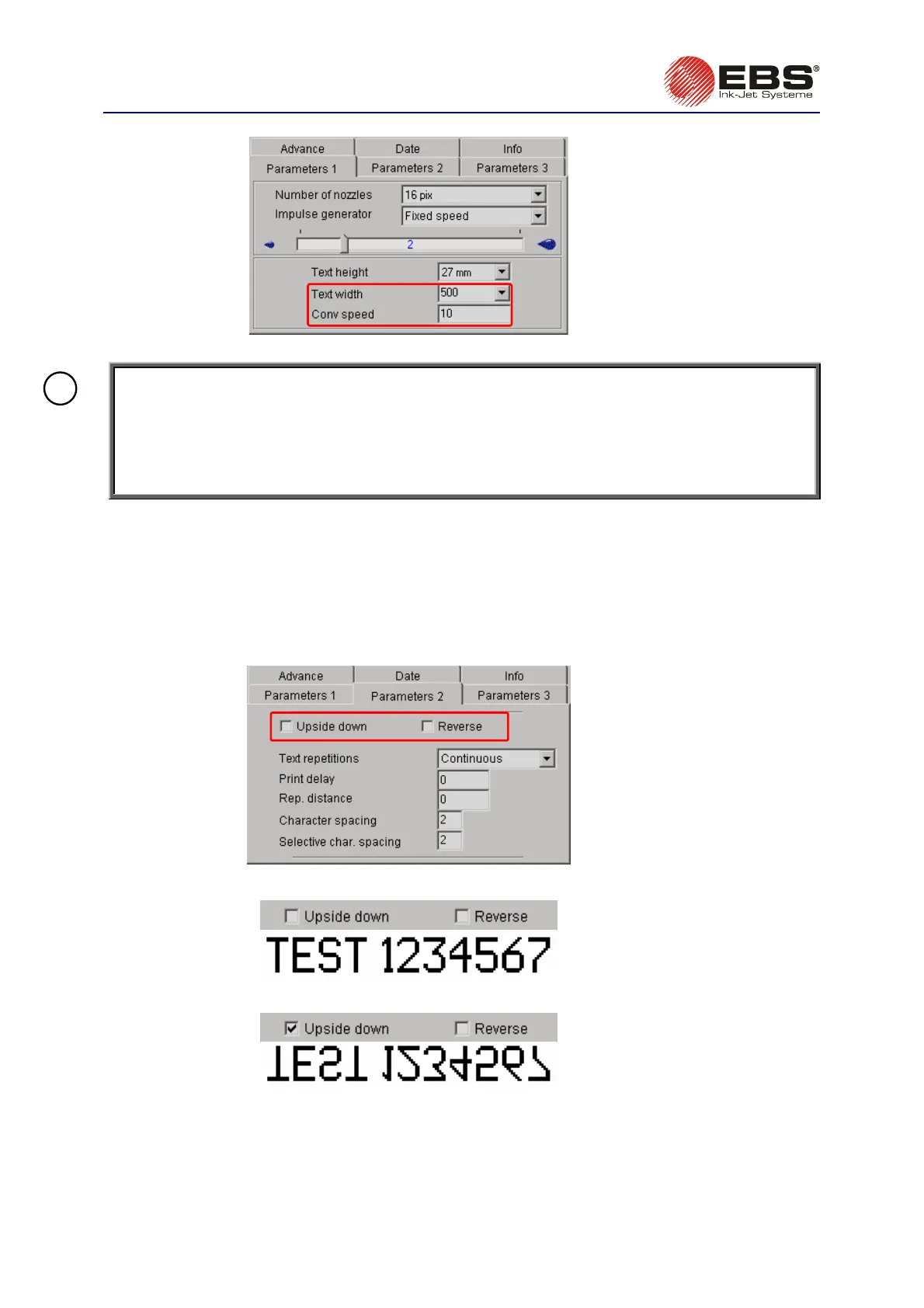
Fig. 3.3.9.8.
NOTE: Values of the print parameter
Conv speed are limited not only by the range of settings
given above. The current value of the parameter is controlled by the control program and
can be affected by settings of the other print parameters. The system is automatically
protected against an excessively high print rate being set. Therefore it may happen that
some settings appear wrong after the correctness of the parameters has been checked –
see section
3.3.4 Checking Printer Parameters
.
!
Changing this parameter has the effect of increasing or decreasing the density of the text printed
while the object moves before the printer at a constant speed. This parameter is closely related to the
Text width parameter.
The
parameter is available in the Parameters 1 tab sheet after the Adv. options box has been
ticked.
Inverting and Reversing a Text
Fig. 3.3.9.9.
The directions are defined as the printer "sees" them.
Fig. 3.3.9.10.
Select the
Upside down parameter in order to make the print look like it is turned over.
Fig. 3.3.9.11.
Select the
Reverse parameter in order to print a text horizontally on an object moving from left to
right. It can be useful if objects need to be labelled from right to left or if prints are made on
transparent planes and the prints need to be clearly visible from the other side.



 To Next Page