Notice: The following parameters: analyzer name, analyze address, port
relate to settings of OSM.Server receiver of monitoring system. Remote
programming is available only if above mentioned device (or software) is
used.
CSD connection
Activate file in Main Menu and select Connection function (or after clicking on
icon on fast access bar) and click on GSM Modem tab to carry out configuration of
this mode.
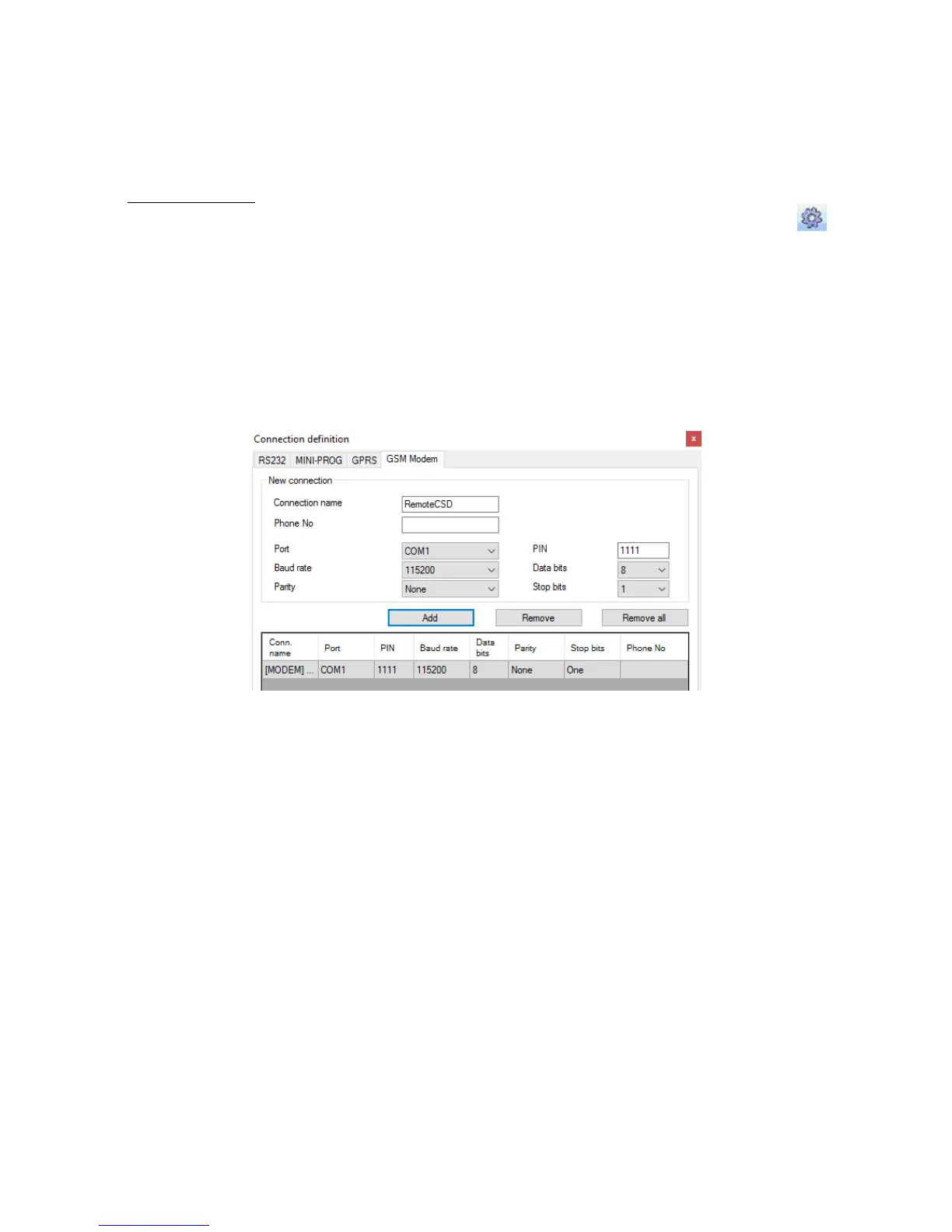
On screen the window shall appear where it is possible to define:
Name of connection e.g. Remote CSD
Serial port where GSM modem is connected (e.g. Wavecom Fastrack)
PIN code of SIM card installed in GSM modem e.g. 1111
Serial port parameters: amount of bytes/sec. (e.g. 115200), data bytes (8),
parity (none), stop bytes (1).
Click [Add] button to confirm settings and save connection (settings are inserted into
table). Since that time a remote connection to device, reading and saving of
parameters in transmitter memory is possible.
Note: Remote configuration with CSD canal is possible if option of CSD data sending
has been activated both for SIM card inserted into a device and SIM card installed in
GSM modem. Beside, transmitter must enable to pick up data calls (see 8.5.1.2. GSM
modems authorized phones).
Programming with CSD is also possible if OSM.Server system has been installed, and
minimum one GSM modem is connected. If device has been entered onto server list
(factory number and SIM card telephone number –See OSM.Server Operation Manual
– chapter 3.1.3.1. Settings and chapter 3.1.3.2. Adding and modyfying devices) it is
possible to use link via OSM. It is possible if device is not connected to the
OSM.Server via GPRS. During programming procedure (with GPRS link- See above) a
question will be displayed if user want to use a modem connected to the server. After
confirmation procedure will follow as in case of other programming channels.



 To Next Page