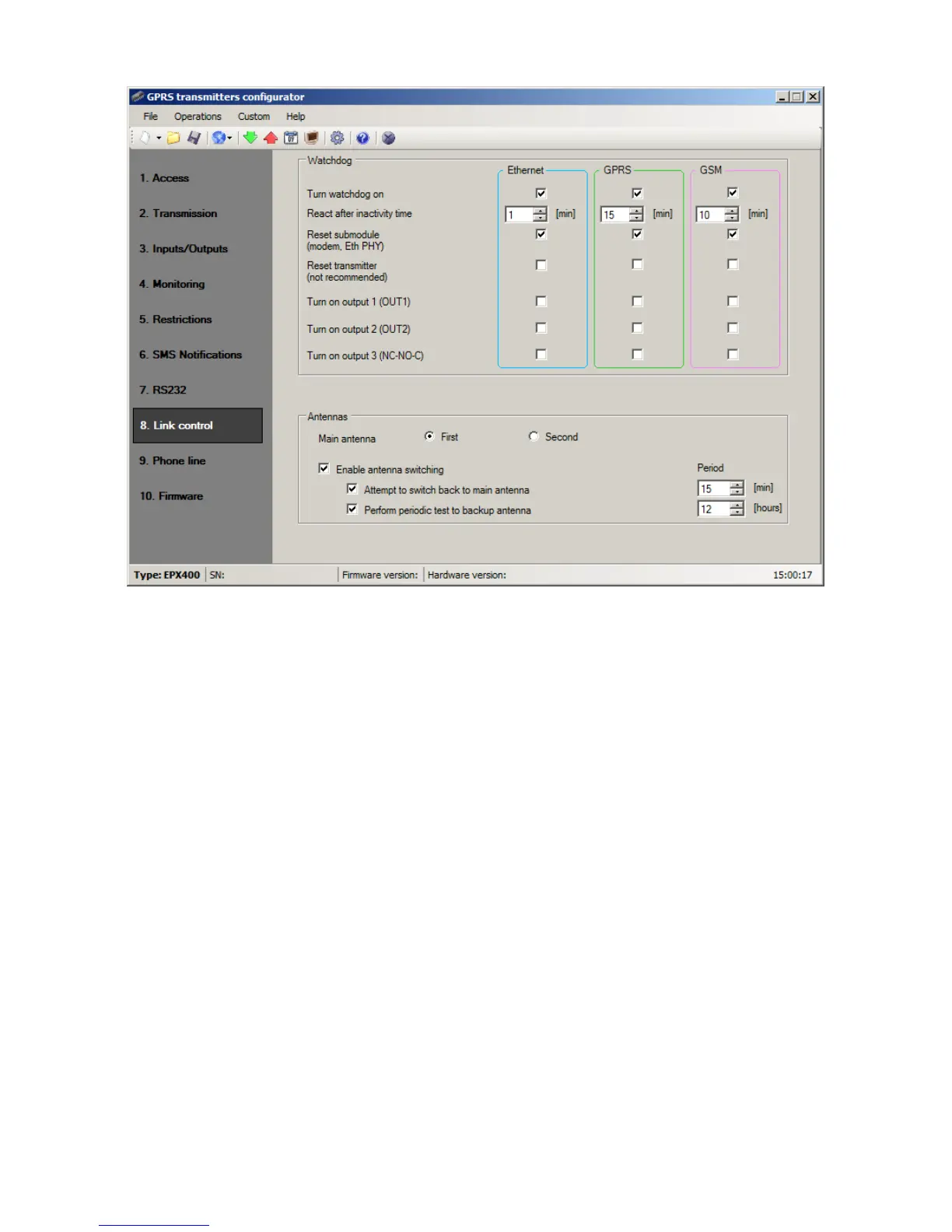
8.8.1. Watchdog
In this section, you can enable the watchdog, a system that monitors the
transmitter's operation. It can control the status of 3 transmission channels:
Ethernet, GPRS and GSM.
The watchdog can be enabled for each transmission channel separately by checking
the box “Turn watchdog on” in the respective column.
In the [React after inactivity time] box, specify the amount of time that must elapse
from the loss of connectivity before the transmitter attempts to reconnect. The time
should be specified in minutes.
If connectivity in a channel is lost, the device will wait for the specified amount of
time from the moment of registering the loss of connectivity and then execute
pre-defined actions.
The following actions are available:
o Reset submodule
o Reset transmitter
o Turn on output 1
o Turn on output 2
o Turn on output 3
To enable an action, check the corresponding box next to its name.
“Reset submodule” means restarting the communication module of the respective
channel: PHY module for the Ethernet channel or GSM/GPRS modem for the GPRS
and GSM channels.
Enabling the “Reset transmitter” setting is not recommended, but it may be
necessary in special situations.



 To Next Page