EC-PM-80320 User's Manual
- 18 -
(3) Connecting to the equipment in iOS
Take the mobile phone of iOS 8.1 as an example to show how to connect the printer with the
equipment in iOS.
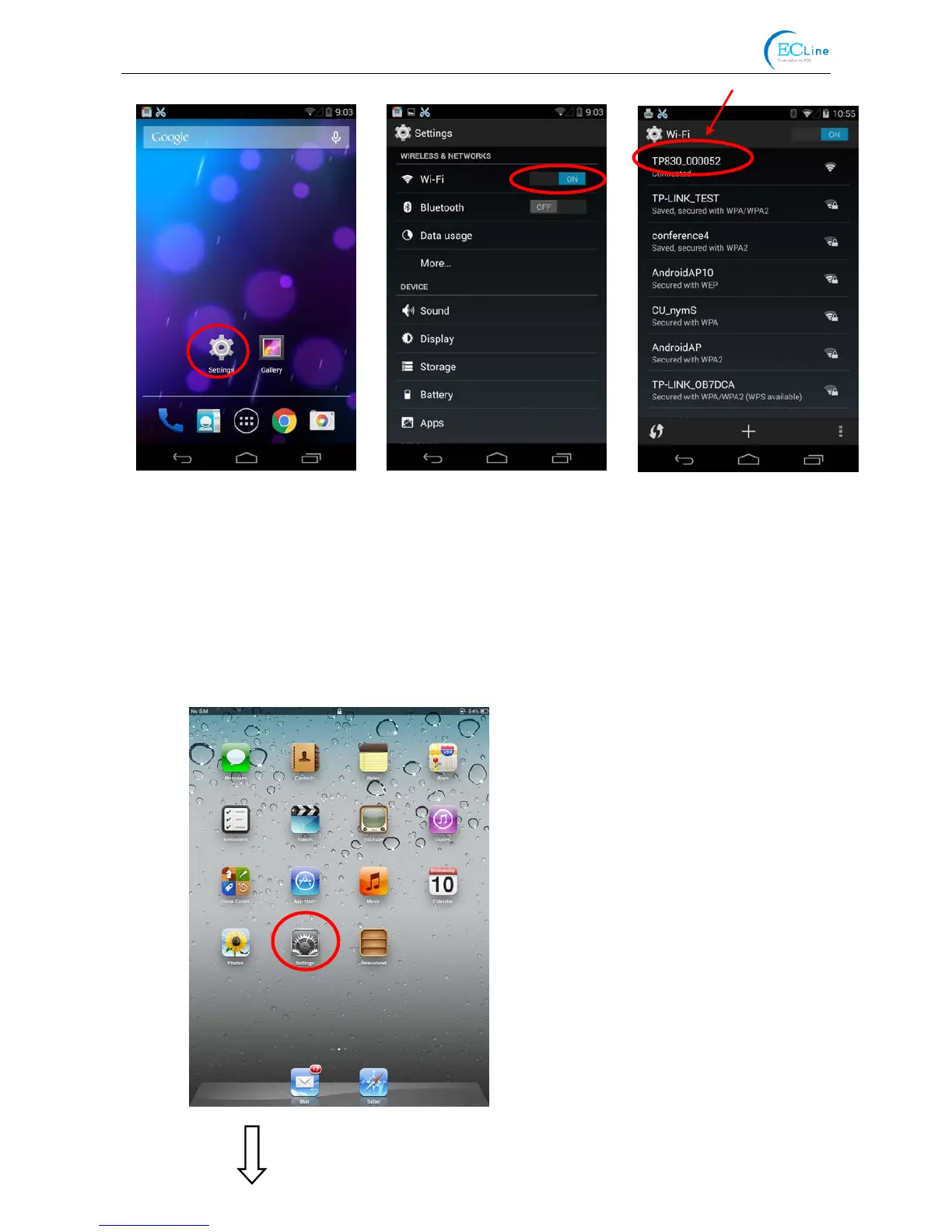
1. Turn on the printer; make sure the printer is in normal working condition. Start the operation 30
seconds after the printer is on.
2. Click “Settings” and the interface pops up. Select the “WLAN” function to “ON”, then click the
printer Wi-Fi searched by the mobile phone to connect. The printer Wi-Fi default name is
composed of “the printer model+6 numbers and letters” (as shown in Figure 3).
Figure 2



 To Next Page