How
to
operate
the
CD/MP3/WMA/AAC
player
About CD accessories
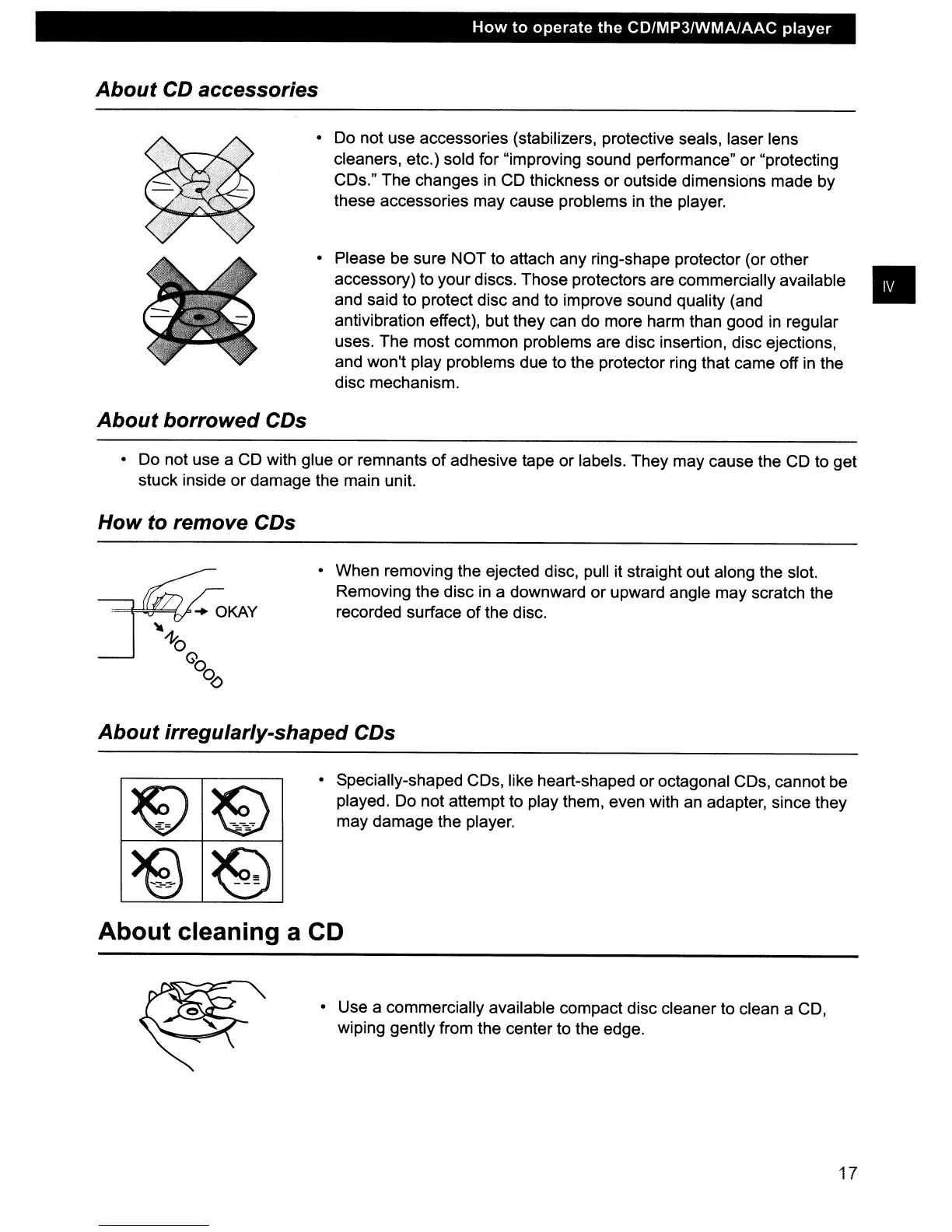
• Do not use accessories (stabilizers, protective seals, laser lens
cleaners, etc.) sold for "improving sound performance" or "protecting
CDs." The changes
in
CO
thickness
or
outside dimensions made by
these accessories may cause problems in the player.
• Please be sure NOT to attach any ring-shape protector (or other
accessory) to your discs. Those protectors are commercially available •
and said to protect disc and to improve sound quality (and
antivibration effect), but they can do more harm than good in regular
uses. The most common problems are disc insertion, disc ejections,
and won't play problems due to the protector ring that came off
in
the
disc mechanism.
About borrowed CDs
• Do not use a CD with glue
or
remnants
of
adhesive tape or labels. They may cause the CD to get
stuck inside
or
damage the main unit.
How to remove CDs
• When removing the ejected disc,
pUll
it straight out along the slot.
Removing the disc in a downward
or
upward angle may scratch the
recorded surface
of
the disc.
About irregularly-shaped CDs
~
~
-
-
>@
e
--
• Specially-shaped CDs, like heart-shaped or octagonal CDs, cannot be
played. Do not attempt to play them, even with an adapter, since they
may damage the player.
About cleaning a CD
• Use a commercially available compact disc cleaner to clean a CD,
wiping gently from the center to the edge.
17



 To Next Page