Operation
Format
of
discs
The format
of
discs to be used must be
IS09660
Level 1 or Level
2.
Control items for this standard are as follows:
• Maximum directory layers: 8 layers
• Maximum characters for folder names/file names:
128 (including "." and 3 letter file extension)
• Allowable characters for folder names/file names:
A-Z,0-9,_(unde~coffi)
• Number
of
files possible on a single disc:
512
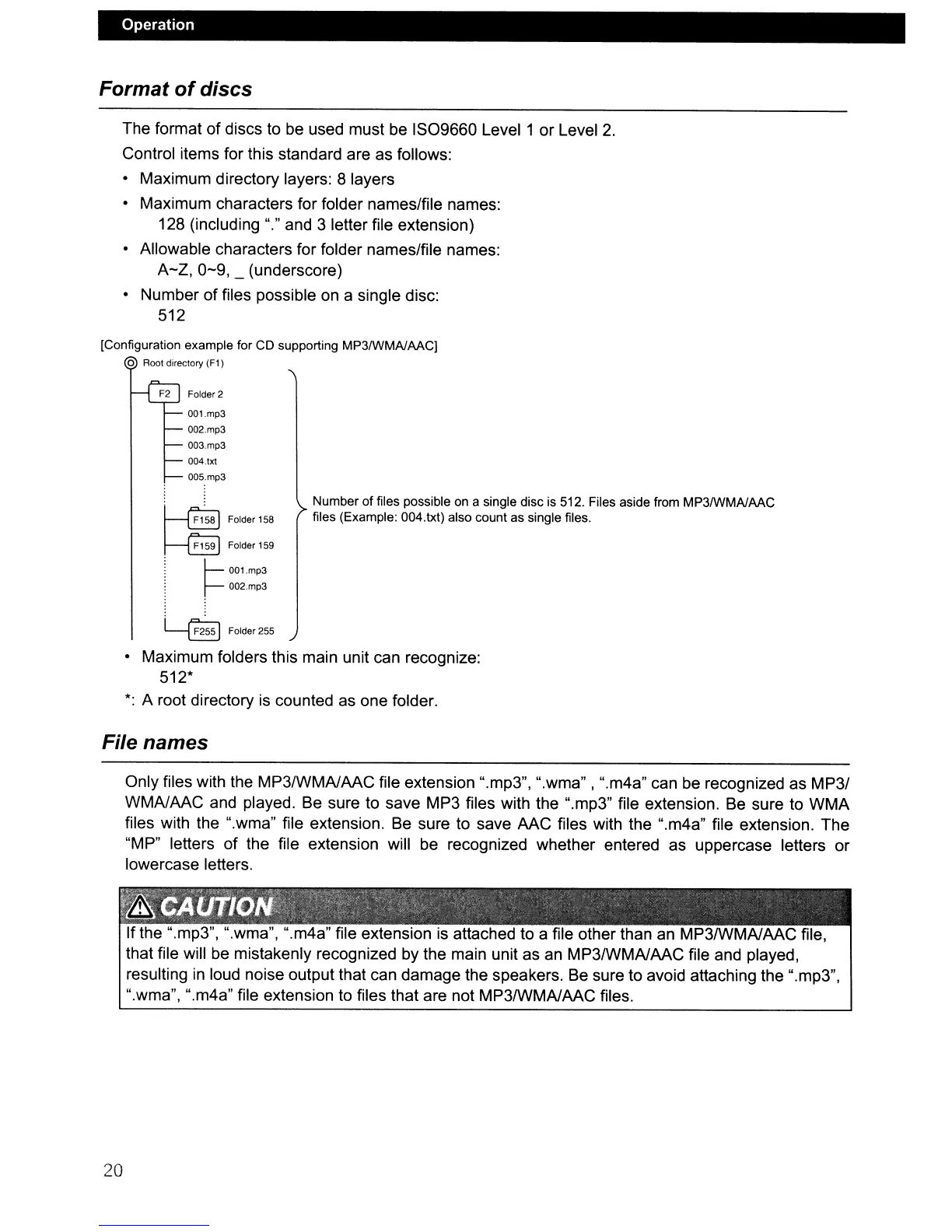
[Configuration example for CD supporting MP3IWMAlAACj
o Root directory (F1)
F2 Folder 2
001.mp3
002.mp3
003.mp3
004.txt
005.mp3
~
Folder158
~
Folder159
:
~
00l.mp3
r--
002.mp3
Number of files possible on a single disc is 512. Files aside from MP3IWMAlAAC
files (Example: 004.txt) also count as single files.
~
Folder255
• Maximum folders this main unit can recognize:
512*
*:
A root directory is counted as one folder.
File names
Only files with the MP3IWMAlAAC file extension ".mp3", ".wma" , ".m4a" can be recognized as MP3/
WMAlAAC and played. Be sure to save MP3 files with the ".mp3" file extension. Be sure to
WMA
files with the ".wma" file extension. Be sure to save AAC files with the ".m4a" file extension. The
"MP" letters
of
the file extension will be recognized whether entered as uppercase letters or
lowercase letters.
If the ".mp3", ".wma", ".m4a" file extension is attached to a file other than an MP3IWMAlAAC file,
that file will be mistakenly recognized by the main unit as an MP3IWMAlAAC file and played,
resulting
in
loud noise output that can damage the speakers. Be sure to avoid attaching the ".mp3",
".wma", ".m4a" file extension to files that are not MP3IWMAlAAC files.
20



 To Next Page