60
How to use an optional Card remote control
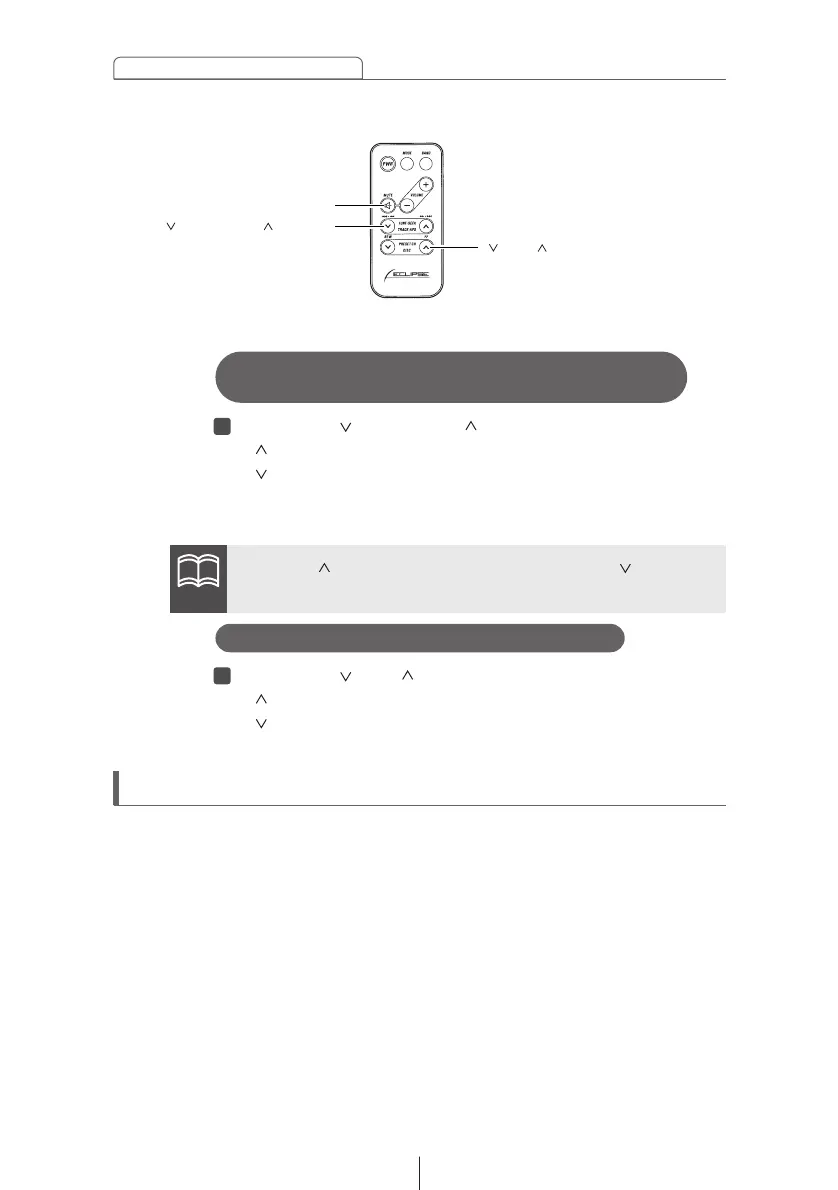
[ DISC ] buttons
[ TRACK•APS ] buttons
[MUTE] button
Press the [ TRACK•APS ] button.
[ ] button: Skips to the next track.
[ ] button: Returns to the beginning of the track being
played. (Press repeatedly to move to previous
tracks.)
Skipping to the next or previous disc
Press the [ DISC ] button.
[ ] button: Selects the next higher number disc.
[ ] button: Selects the next lower number disc.
Enabling the optional E-COM feature
Pressing the [MUTE] button for one second will switch the E-COM
feature on or off.
ATTENTION
Hold the [ ] button down to fast forward, or the [ ] button to
rewind through the track being played.
Advancing to the next track or returning to
the beginning of the track being played



 To Next Page