Technical service manualecoGEO
14
Heating units
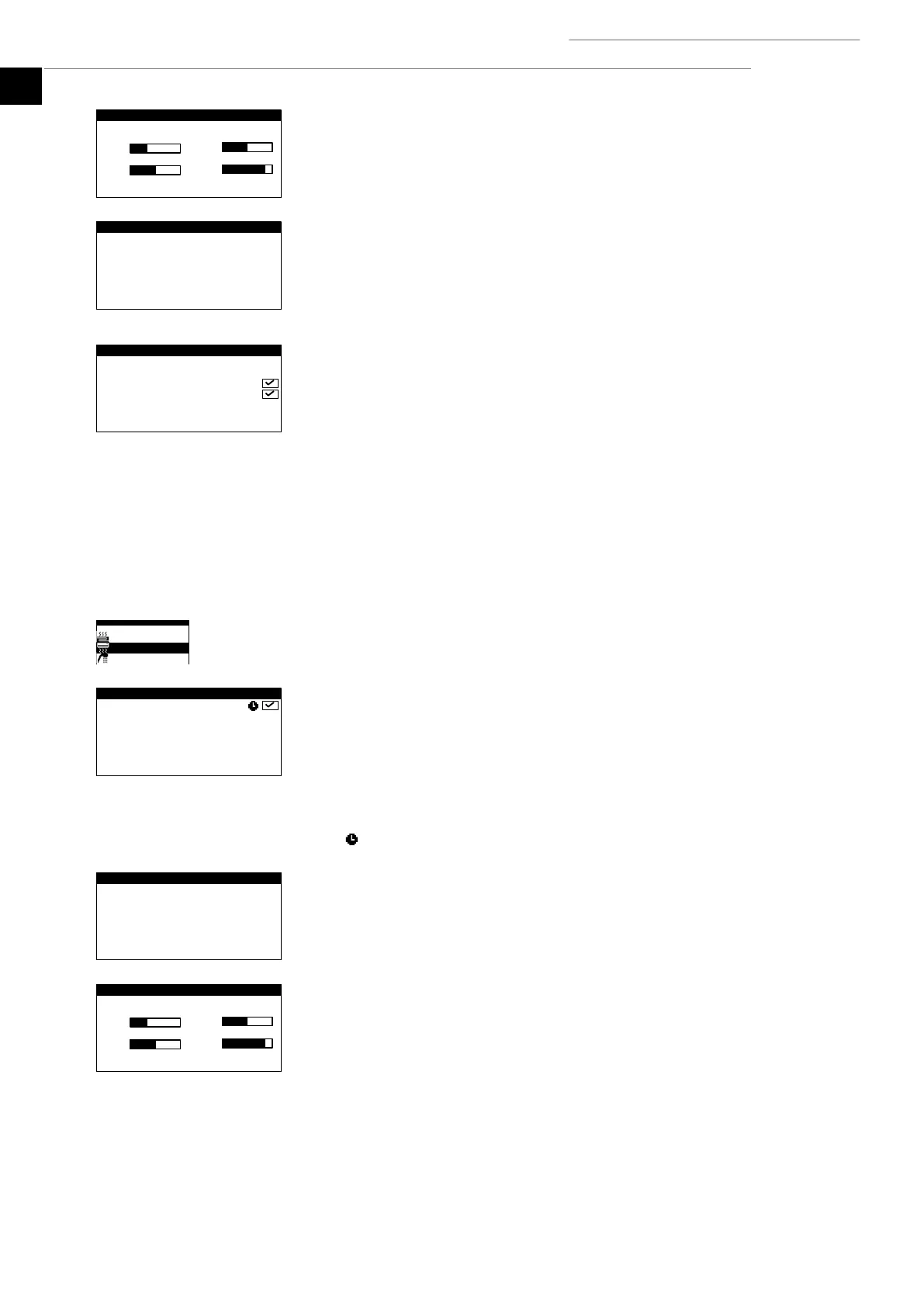
This can be used to adjust the heating target outlet temperatures programmed by the
technical service. Each ramp increases or decreases the outlet temperature by 2°C.
Interior terminals
Used to show and adjust the inside environment temperature setpoint (Tcons) and the
comfort temperature differential (DTc) of the terminals of each outlet unit.
If the heat pump is in the COMBINED program, it can also be used to show and adjust the
temperature switch differential (DTsw) between HEATING and COOLING modes.
Auxiliary X heating
This is used to enable the auxiliary heating system in both EMERGENCY and SUPPORT
mode.
In EMERGENCY mode, the auxiliary system is activated automatically when any of the
alarms are active.
In SUPPORT mode, the auxiliary system is activated automatically for normal HEAT
production, as programmed by the technical service.
Cooling
This is used to enable the COOLING mode and adjust the active and passive cooling cut-off
temperatures. The COOLING mode cannot be activated for outside temperatures under the
cooling cut-off temperature. Only PASSIVE COOLING can be activated for outside
temperatures between passive and active cut-off temperatures. ACTIVE COOLING
activation is only allowed for outside temperatures over the active cooling cut-off
temperature.
The icon indicates that there is a time schedule activated in the COOLING mode.
Cooling buffer
This shows the setpoint temperature of the cooling buffer storage tank and allows
adjustments to be made to the start-up temperature differential.
Cooling units
This can be used to adjust the cooling target outlet temperatures programmed by the
technical service. Each ramp increases or decreases the outlet temperature by 2°C.



 To Next Page