Technical service manual ecoGEO
5
The information included below corresponds to application versions launched after January 2016. Other
versions, both earlier and later, may differ slightly from the contents found in this section.
There might be screens or screen contents that are not shown, depending on the heat pump model and
the settings configured by the technical service.
If the following screen appears when accessing a menu, this means that the service
requested has not been enabled by the technical service.
1.1. Control panel
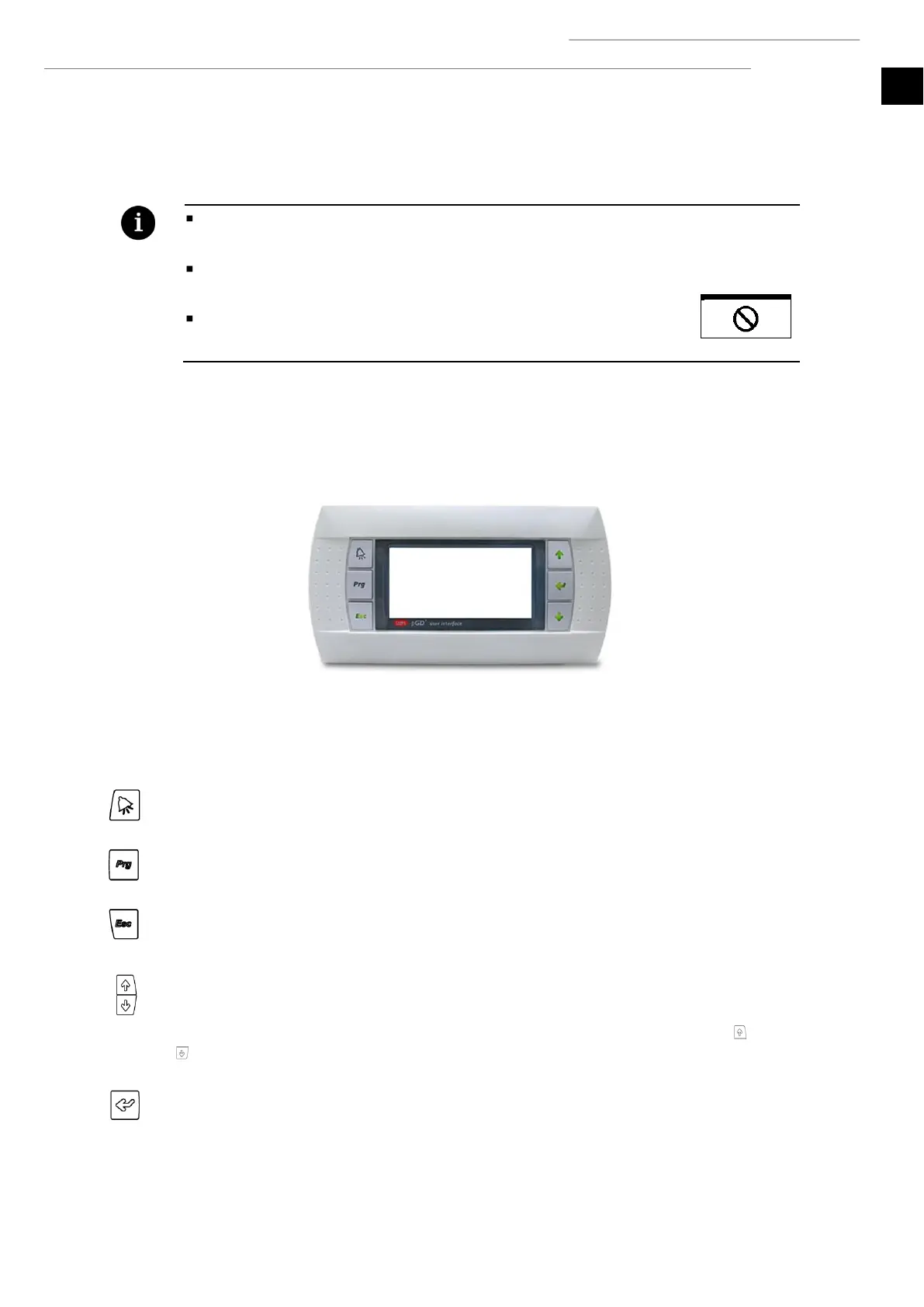
The heat pump control panel has a screen with 6 buttons, like the one shown in the illustration below. The buttons are used to move
through the various user menus and to adjust the parameters.
Figure 1.1. Control panel.
The general functions and operation of each of the buttons are indicated below.
The ALARMS menu can be accessed directly from anywhere in the application.
The list of user menus can be accessed from anywhere in the application.
The user can return to the previous menu from anywhere in the application.
This allows the user to move through the menu lists.
This allows the user to move from one screen to another inside a menu.
This is used to adjust the settings of the parameters contained in a screen.
This is used from the main menu to access the adjustment of the outlet temperatures for heating and cooling
.
This allows the user to access the selected menu.
This is used to move from one adjustable parameter to another in the same screen.
This is used to access the INFORMATION menu directly from the main screen.



 To Next Page