INSTRUCTIONS MANUAL
-57-
WI-FI
The machine has WIFI functions for use with the appropriate APP. It is possible to activate or
deactivate the function from the SETUP menu, from which you can also choose the network to
connect to by entering the relative password.
PAIRING
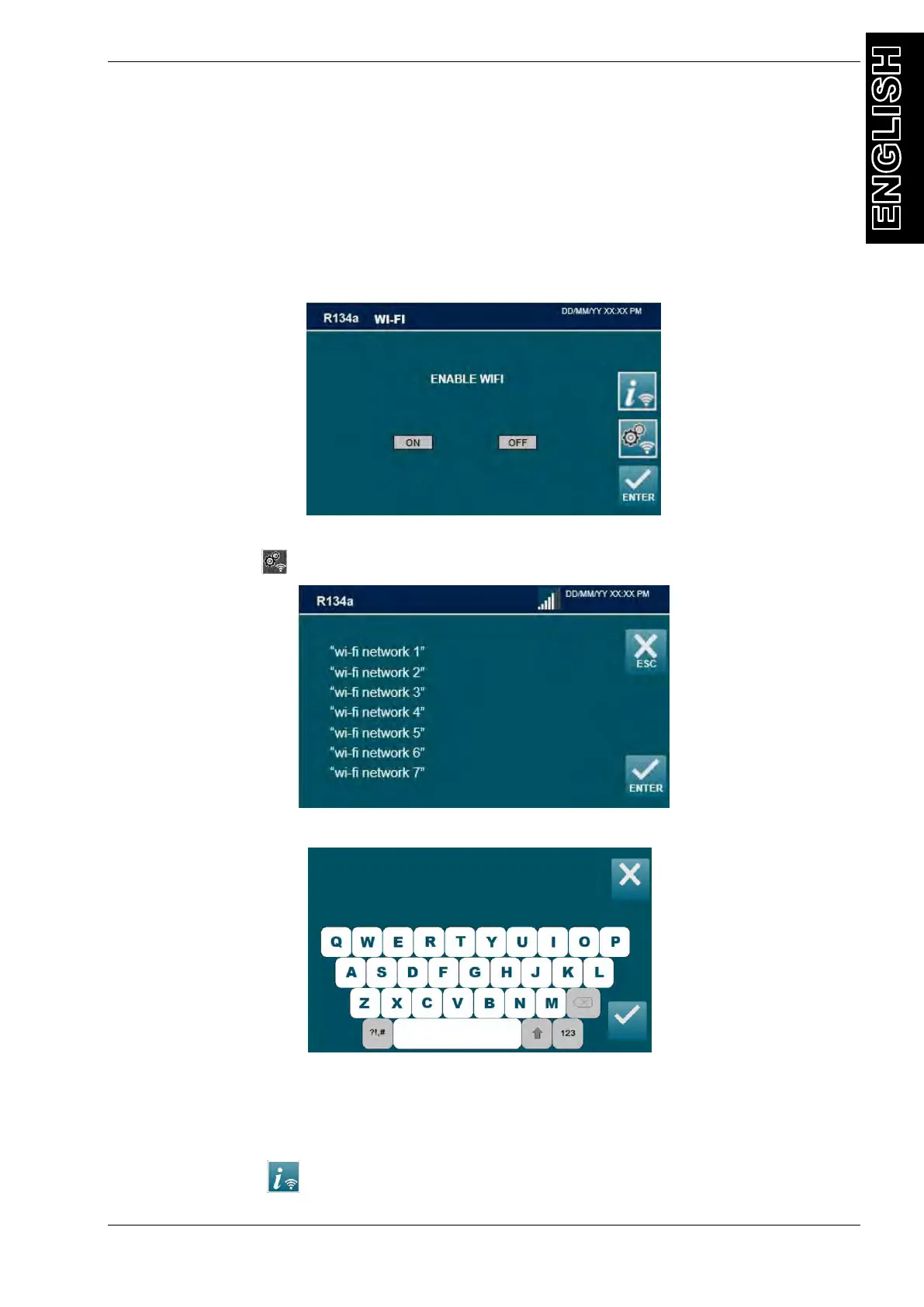
From the SETUP MENU, select WI-FI. The following screen will be displayed:
Select ON to enable WI-FI, or OFF disable WI-FI
Press pairing icon to search the WI-FI network, The following screen will be displayed:
Select wi-fi network, the following screen will be displayed:
Type wi-fi network password. Press ENTER to confirm. ESC to return back.
NOTE: The numerical keys include an alphabet that is used similar to text messaging; for
example: press “2” once to display “2”, twice to display “A”, three times for “B”, four times for
“C”, five times for “a”, six times for “b”, seven times for “c”, eight times for “2” again.
Pressing the button the following screen appears:
INSERT PASSWORD
_ _ _ _ _ _ _ _ _ _ _ _ _ _ _



 To Next Page