INSTRUCTIONS MANUAL
-91-
USED OIL CELL
If you have not changed the load cell or motherboard you can restore the calibration (refer to
RESTORE CALIBRATION paragraph)
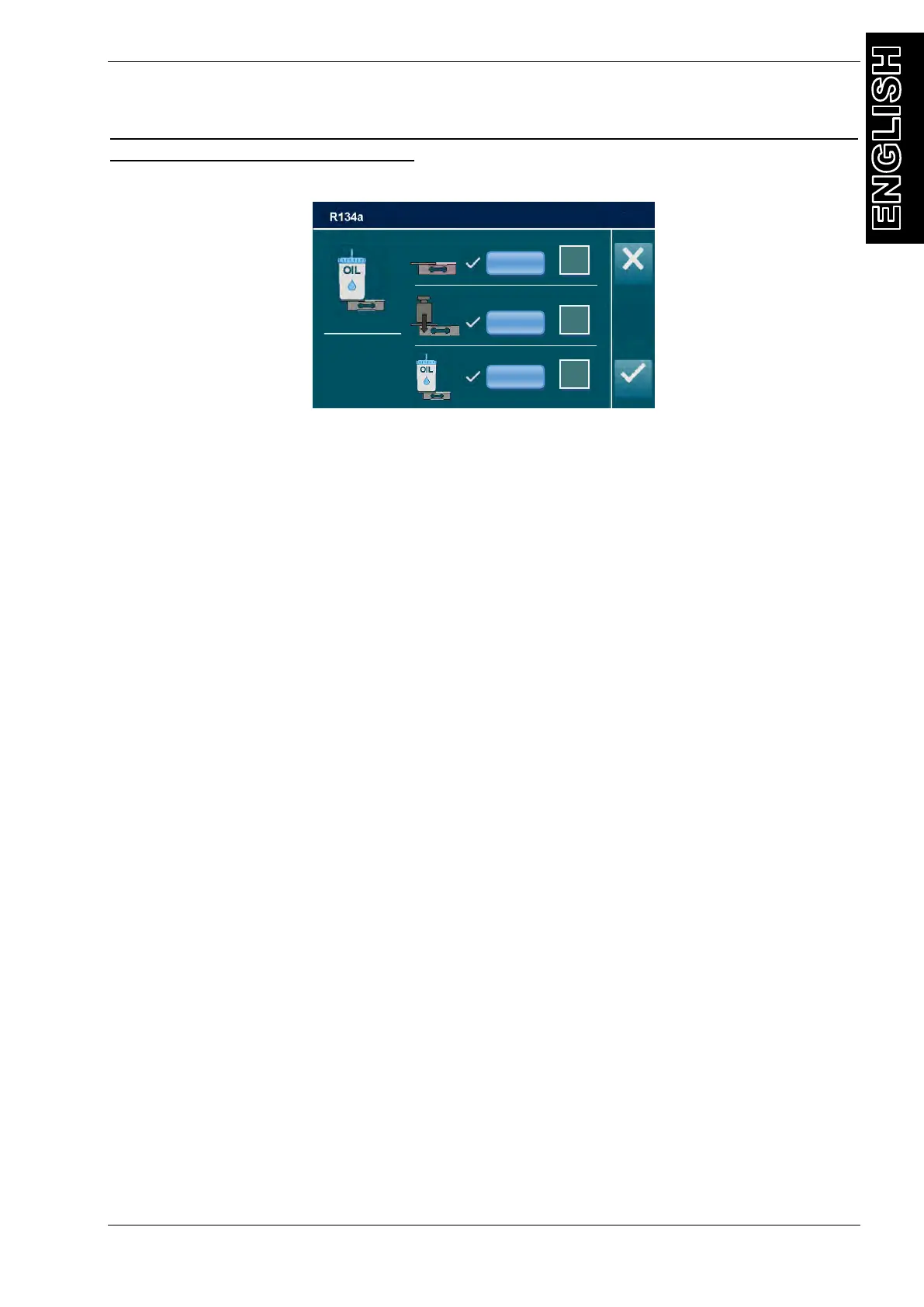
From CALIBRATION, select OIL CELL:
Remove container from its lodgings, Make sure that the container plate is free and unimpeded
Select Min verify that the value in the textbox Min is 0 ml (otherwise use the keypad)
then press ENTER, to confirm press Min
Put in the slot of the container a known reference weight ( 500 grams)
Use keys 0 through 9 to type in the value in ml by adding 4%, in this case 520 (for
example, if the weight is 100 grams write 104 ml), select Max then press ENTER
Replace the empty container in place and ensure that the amount is 0 ml, otherwise
modify the value of the tare, use keys 0 through 9 to type in the value of the tare
(usually approximately 85 g); select Tare then press ENTER
Verify the correct reading of the scale, adding and removing a reference weight (100g
correspond to 104ml).
Press ENTER to exit, then press ESC to exit from CALIBRATION MENU and save.
Switch off the machine and disconnect it from the electrical supply.
NOTE: To get an accurate value of the tare this should be weighed with the empty oil container
mounted on the plate (tare value can vary from a few grams, depending on the positioning of
the oil container and the tubing connected to it). Insert 520 g does not compromise the correct
functioning of the cell but simply move the value "0" reference distorting the availability of a few
grams of oil present in the container.
0.120 gain
9035 offset
9969 raw



 To Next Page