6.2 Weather Forecasting
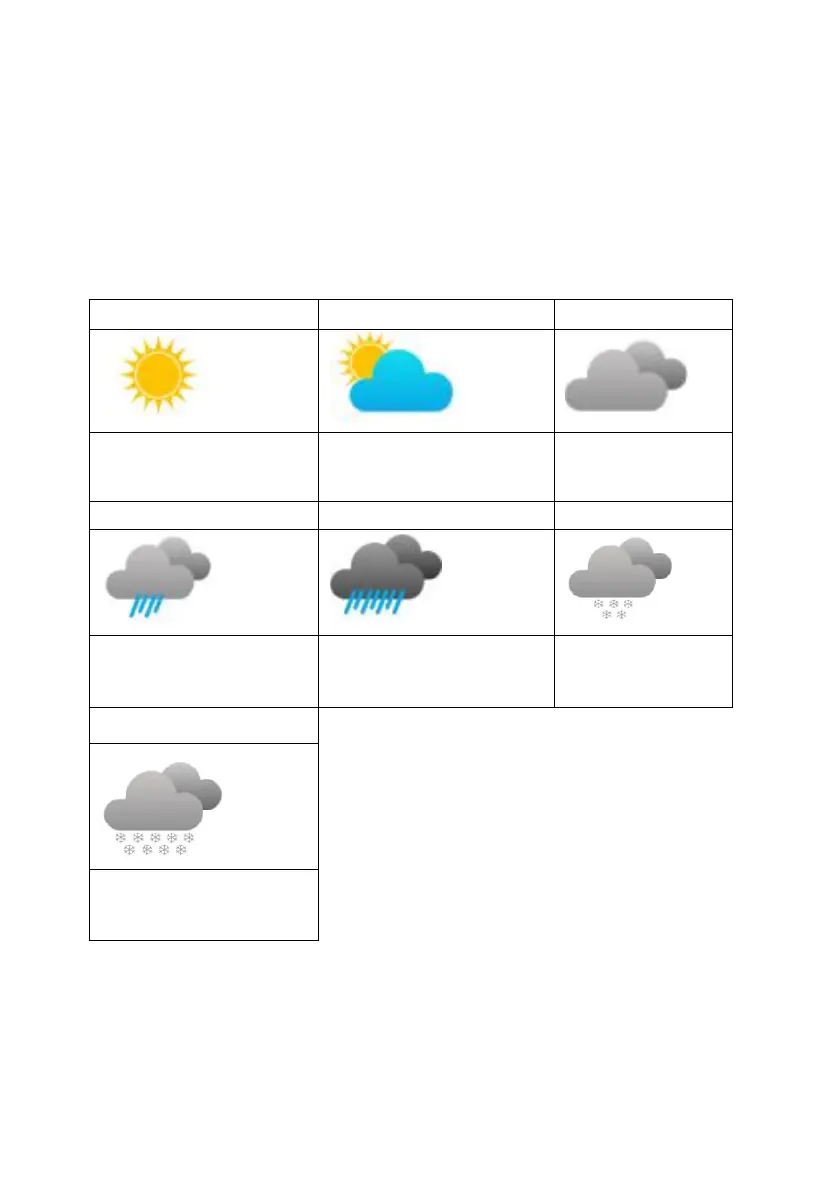
The seven weather icons are Sunny, Partly Cloudy, Cloudy, Rainy, Stormy,
Snowy and Storm Snowy.
The forecast icon is based on the rate of change of barometric pressure.
Please allow at least one month for the weather station to learn the
barometric pressure over time.
Pressure increases for a
sustained period of time
Pressure increases slightly
or initial power up
Pressure decreases
slightly
Pressure decreases for a
sustained period of time
Pressure rapidly
decreases
Pressure decreases
for a sustained
period of time
Pressure rapidly
decreases
Note: When outdoor temperature is below 0 and the forecast is Rainy or
Stormy, the LCD will display Snowy and Storm Snowy



 To Next Page