TABLE OF CONTENTS INTRODUCTION INSTALLATION OPERATING INSTRUCTIONS APPENDIX
BATTERY REMOVAL
WARNING An electri-
cal charge or battery acid can
burn you. Battery gas can
explode or ignite. Take care
when working around the bat-
tery. Follow instructions in
the vehicle owner’s manual for
disconnecting and reconnect-
ing a battery.
CAUTION: It is strongly
recommended that both
batteries be disconnected.
1. Remove the battery cables
(negative fi rst) using an 8 mm
wrench.
2. Remove the driver side bat-
tery cover by releasing the tab
located on the left side of the
battery cover.
3. Completely remove the
driver side battery and set aside.
(This will allow you to easily
connect the Main PCM connec-
tors into to the PCM.)
PCM CONNECTIONS
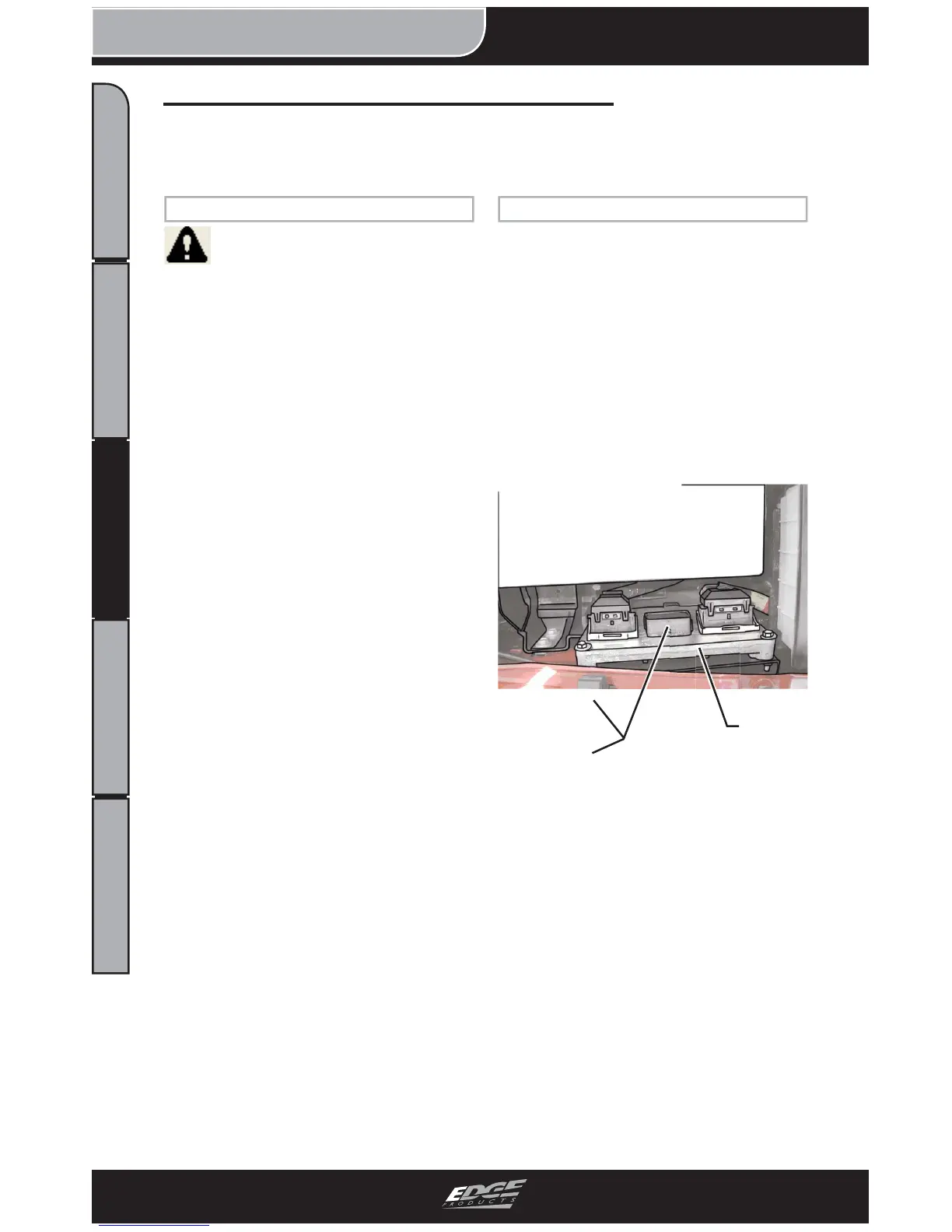
1. Locate the PCM. It is shown
below in Figure 2.
CAUTION: For connector re-
moval, follow the instructions
in step 3 to avoid damaging
your engine harness or PCM
connectors.
FIGURE 2 - PCM Location
2. Refer to Figure 3. In order
to remove the engine harness
from the PCM, the lever on the
harness connector needs to be
rotated away from the PCM.
This will allow you to safely
remove the harness.
Juice Harness Installation Instructions
NOTE: Refer to the Engine Compartment section of this manual
for general part locations under the hood.
Removed
Battery
Location
Removed
Center
Location
PCM


 To Next Page