TABLE OF CONTENTS INTRODUCTION INSTALLATION OPERATING INSTRUCTIONS APPENDIX
BATTERY DISCONNECT
WARNING An electri-
cal charge or battery acid can
burn you. Battery gas can
explode or ignite. Take care
when working around the bat-
tery. Follow instructions in
the vehicle owner’s manual for
disconnecting and reconnect-
ing a battery.
CAUTION: It is strongly rec-
ommended for this installation
that both batteries be discon-
nected.
1. Use a 13 mm or 8 mm
wrench to remove the NEGA-
TIVE terminal on each battery.
(The wrench size depends on
the battery style.)
2. Set the NEGATIVE terminal
aside and secure it so it does not
make contact with the battery
during the installation.
MAP SENSOR CONNECTION
1. Connect the MAP connectors
in between the stock harness
and the sensor. See Figure 2.
Stock
Harness
MAP
Sensor
FIGURE 2 - “T” ASSEMBLY
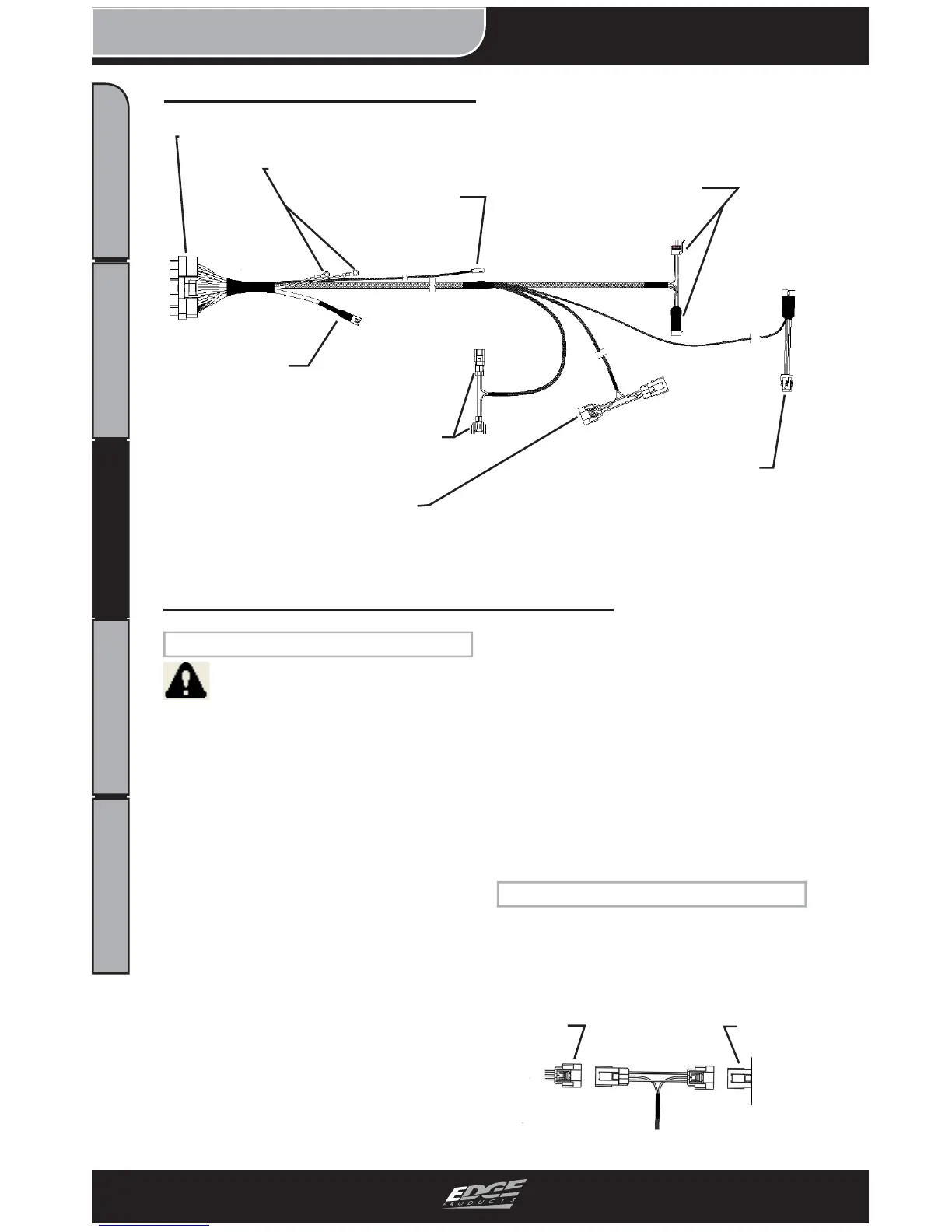
Harness Connection Guide
Juice Harness Installation Instructions
FIGURE 1
Injector Control Pressure (ICP)
Sensor Connectors
EGT Connections
TPS Adapter
Cam Position (CMP)
Sensor Connectors
Manifold Absolute Pressure
(MAP) Sensor Connectors
JAB
Connector
Manifold Absolute Temperature
(MAT) Sensor Connectors
Main Juice Connector


 To Next Page