23
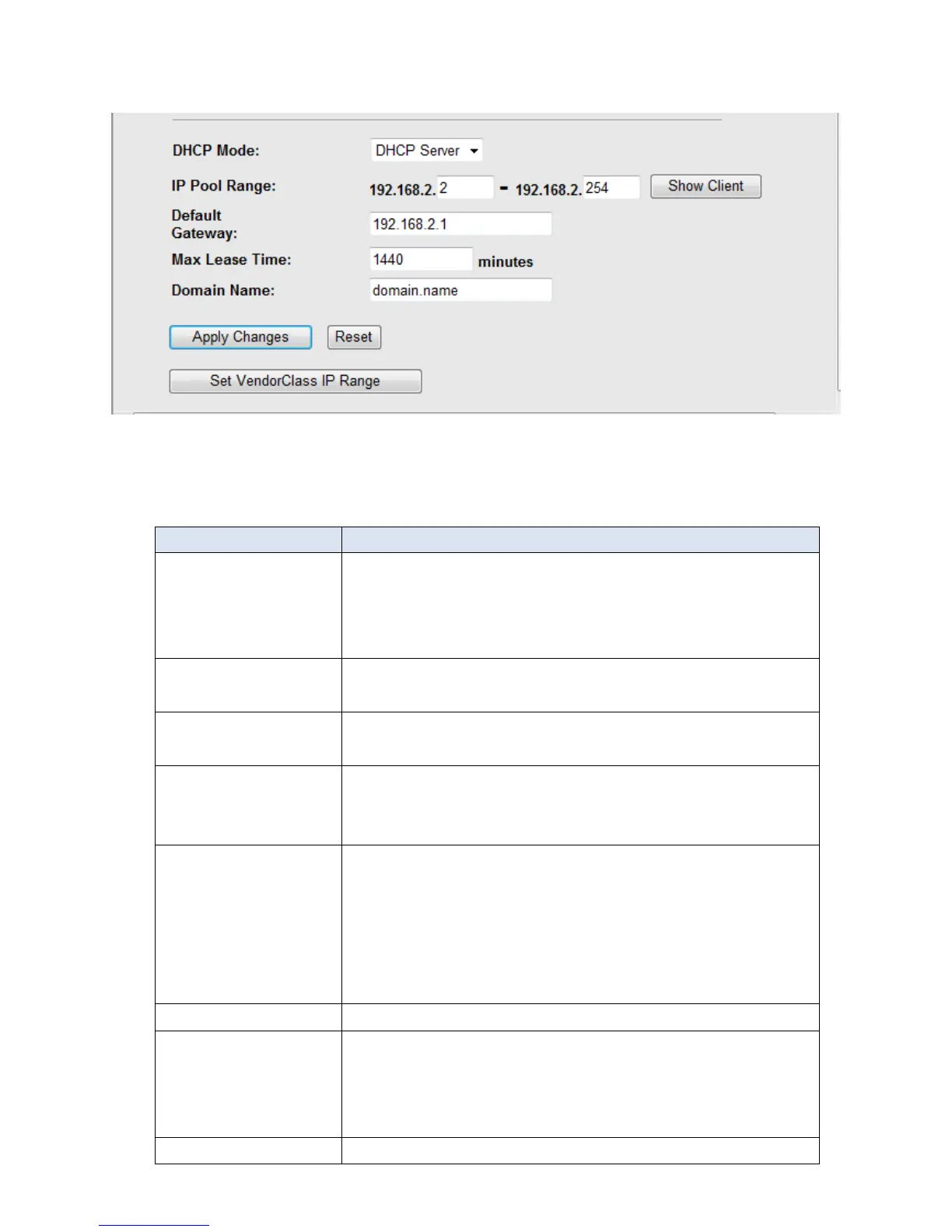
If you set to DHCP Server, the screen of Fig3.4.2-3 appears as shown next.
Fig 3.4.2-3
The following table describes the fields in this screen.
If set to DHCP Server, your ROUTER can assign IP
addresses, an IP default gateway and DNS Servers to
Windows95, Windows NT and other systems that
support the DHCP client.
This field specifies the first and the last of contiguous IP
address of the IP address pool.
Click this button, the screen of Fig 3.5.2-4 appears,
which shows the assigned IP address of the clients.
The Lease time determines the period for which the
PCs retain the IP addresses assigned to them without
changing them.
Input the domain name here if you know. If you leave
this blank, the domain name obtained by DHCP from
the ISP is used. While you must enter host
name(System Name) on each individual computer, the
domain name can be assigned from this router via
DHCP server.
Enter the IP default gateway of the IP address pool.
Click this button, the screen of Fig3.5.2-5 appears. This
function allows you assign IP addresses on the LAN to
specific individual computers based on their MAC
address.
Click this button to save the changes of this page.



 To Next Page