16
Basic operation
■
Adjusting the brightness of the display (Contrast)
Immediately after the power is turned on, or after the SD-90 has been used for an extended period, or
depending on the conditions in which it is placed, the characters or icons in the display screen may
become difficult to read. If this happens, you can adjust the contrast of the display.
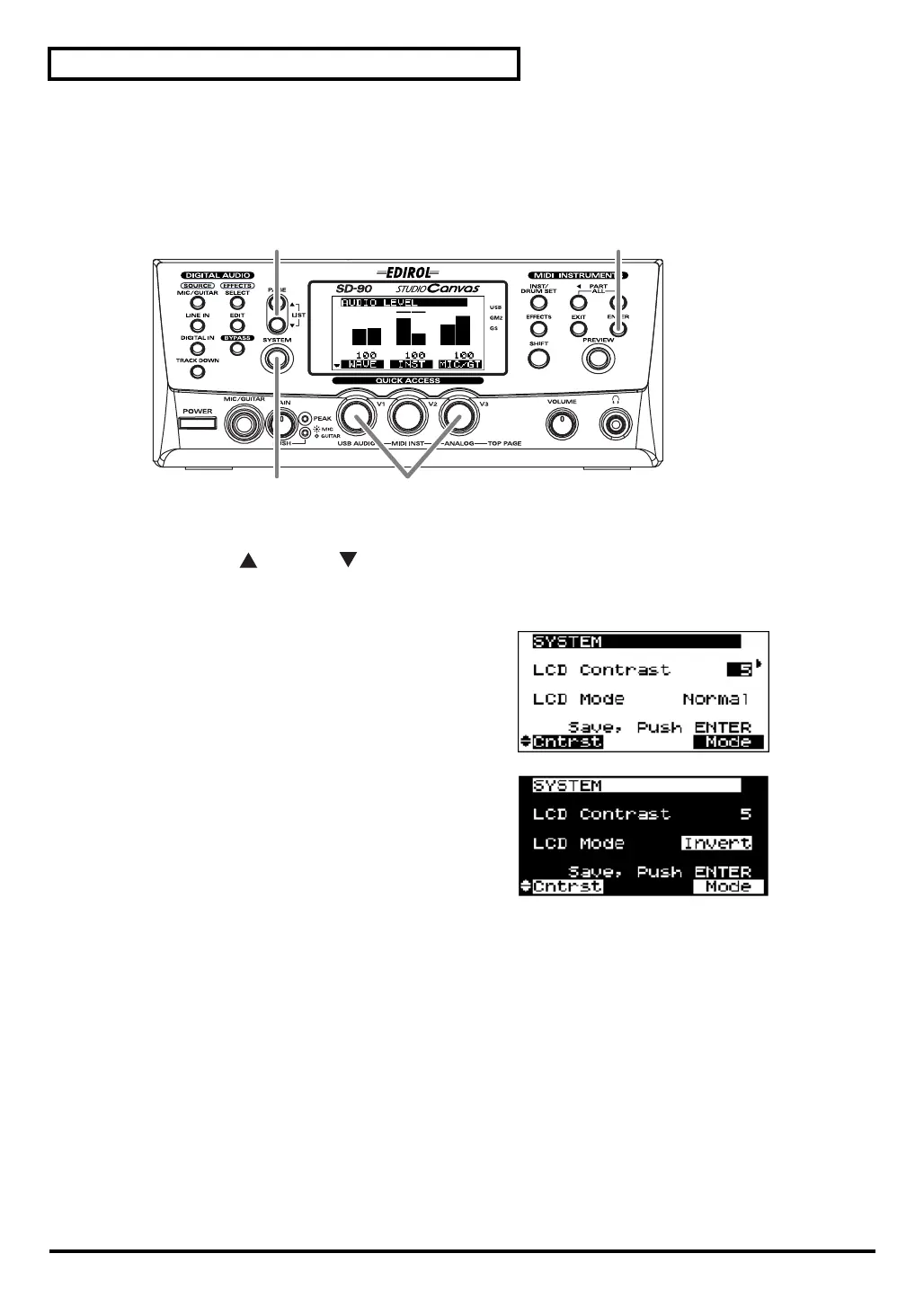
fig.2-02
1.
Press
[SYSTEM]
.
2.
Press
[PAGE ]
or
[PAGE ]
until
LCD Contrast
is displayed.
3.
Turn the
[V3]
knob to adjust the contrast of the display.
fig.2-03
LCD Contrast
1–
5
–8
Adjusts the contrast of the display.
fig.7-1ga
LCD Mode Normal
, Invert
Adjusts the contrast of the display.
4.
Press
[ENTER]
. The contrast setting you specify will be remembered by the SD-90.
* Do not turn off the power while the setting is being stored (while “(TBD)” is displayed). Doing so will cause all
data stored in the SD-90 to be lost.
5.
Once again press
[SYSTEM]
to return to the main screen.
42
1, 5
3
sd90_manual_e.book 16 ページ 2004年10月4日 月曜日 午後3時28分



 To Next Page