39
Using the effects of the internal sound generator
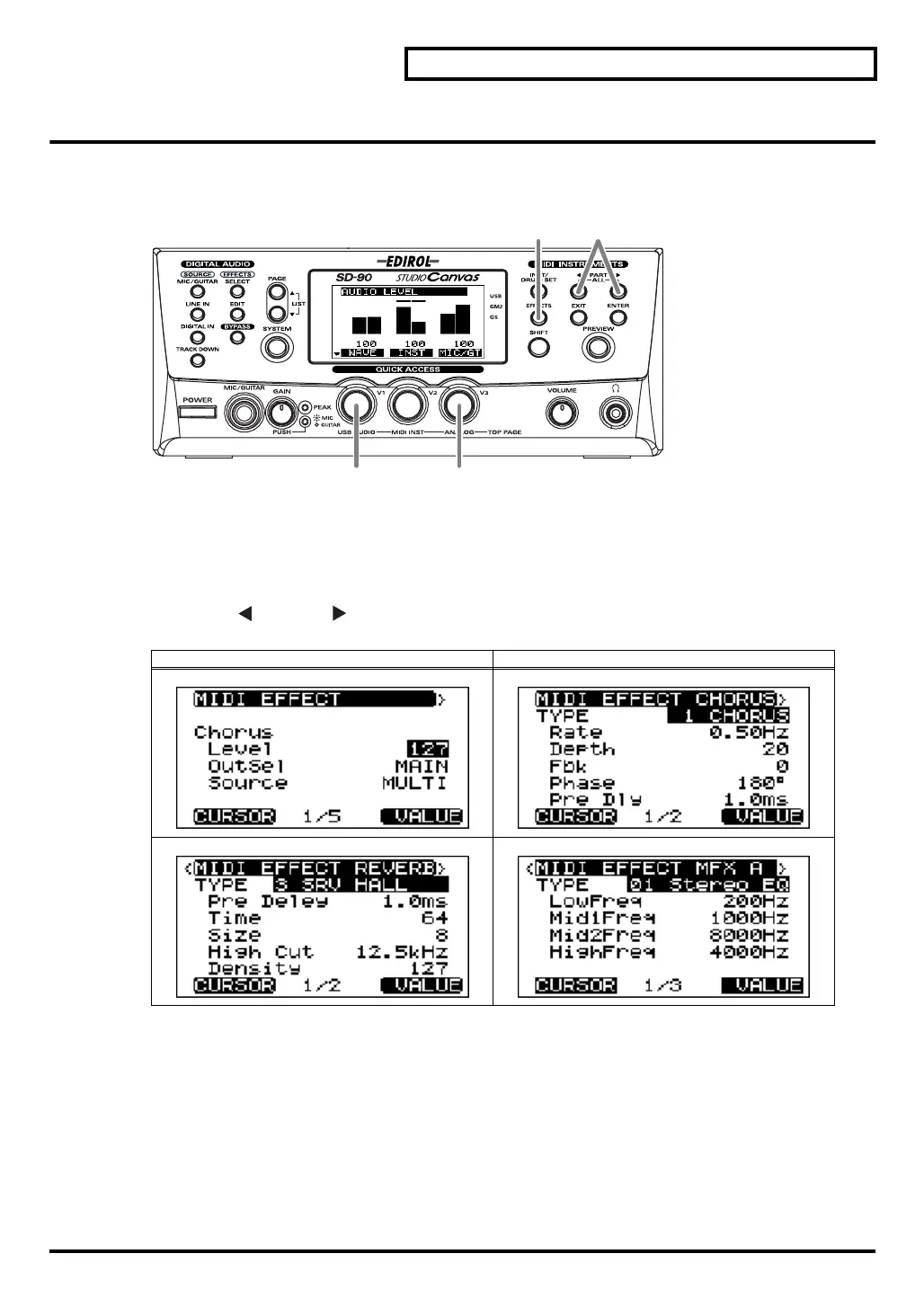
Editing the sound generator effects
You can edit the sound generator effects when the sound generator mode is either GM2 mode or Native
mode.
fig.6-01b
1.
Switch the sound generator to GM2 mode (or Native mode). For details on switching the sound generator
mode, refer to
"Switching the sound generator mode"
(p. 20).
2.
Press
[EFFECT]
. The sound generator Effect Edit screen will appear.
3.
Press
[PART ]
or
[PART ]
to access either the
Reverb
,
Chorus
, or
MFX
page.
*
MFX
cannot be selected if the sound generator mode is
GM2 mode
.
4.
Turn the
[V1]
knob to select the parameter that you want to edit (it will be highlighted).
5.
Turn the
[V3]
knob to modify the value of the parameter you selected in
step 4
. This completes the steps
needed to edit an effect parameter.
Example screen Example screen
4 5
23
sd90_manual_e.book 39 ページ 2004年10月4日 月曜日 午後3時28分



 To Next Page