74
System-related settings
Preview settings
By pressing
[PREVIEW]
you can audition the currently selected sound. This is called the
preview
function
.
Here you can make settings for the preview function (
"Auditioning the sounds (Preview)"
(p. 15)).
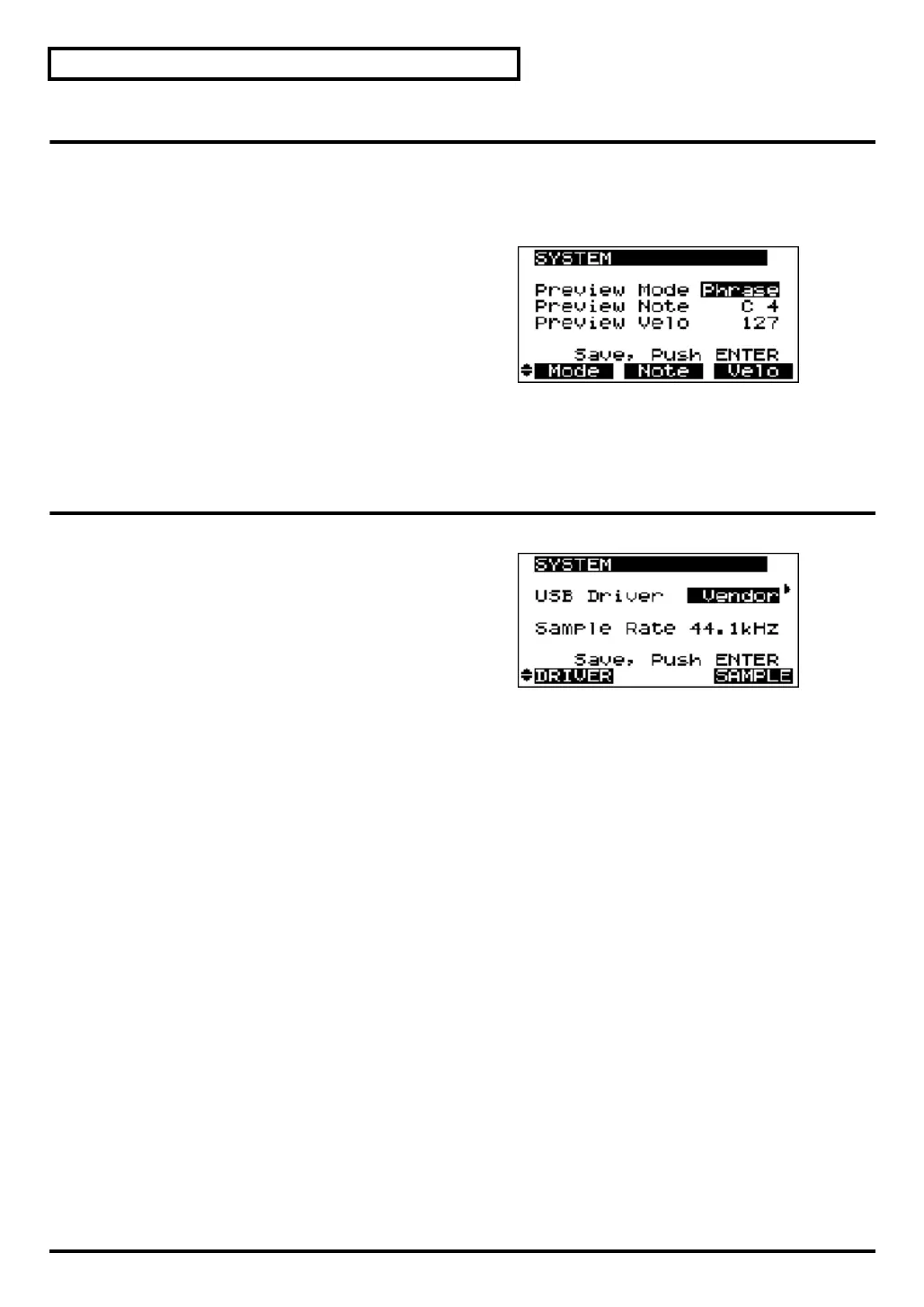
fig.7-1d
Preview Mode Phrase
, Single
Switches the mode of the Preview function. Select
Phrase
to use phrase preview, or
Single
to select
single-note preview.
Preview Note
C-1–
C4
–G9
Specifies the pitch (key) of the note that will be
sounded for single-note preview.
Preview Velo
0–
127
Specifies the volume (velocity) of previews.
Switching the driver
fig.7-1h
USB Driver Vendor
, Generic
Selects the type of driver that will be used when the
SD-90 is connected to your computer.
Vendor: The dedicated driver included on the CD-
ROM will be used, allowing audio to be
recorded and played with high quality
and stable timing. You should select
Vendor when using 24-bit capable applications such as the Cakewalk series and Cool Edit, or
when using ASIO-compatible applications that are able to record/play/edit high-quality
audio, such as Cubase VST, Logic Audio, and SingerSongWriter.
Generic: In the future, you should be able to use the USB audio driver included with the operating
system (Windows®/Mac OS®). Audio signals can be transferred between the SD-90 and
computer with a resolution of 16 bits and a sampling frequency of 44.1/48 kHz. Select
Generic when you are using applications that use functionality provided by the operating
system, such as applications that play back CD audio using the CD-ROM drive of your
computer, or that use the software synthesizer included with the operating system. The driver
included with the operating system is not compatible with ASIO.
* The setting will take effect the next time you turn on the power.
sd90_manual_e.book 74 ページ 2004年10月4日 月曜日 午後3時28分



 To Next Page